Slide 5 of 6 from Process Gear Diagrams for PowerPoint
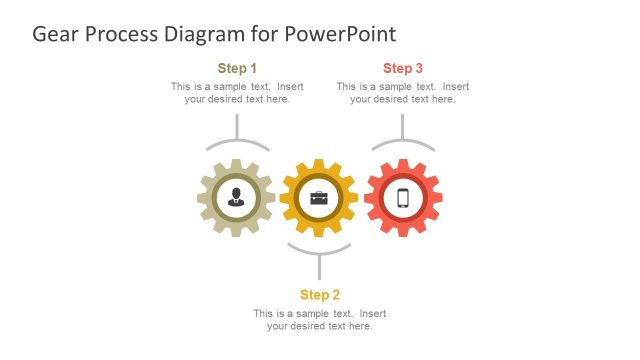
Simple Process Gear Slide Design for PowerPoint with 3 Steps
3 Step Process Diagram for PowerPoint
- Diagram
- Process Flow
- Process Slide
- 16:9
- 100% Editable
The 3 Step Process Diagram slide from the Process Gear Diagrams for PowerPoint template visually communicates sequential workflows using three interlocking gears and directional arrows. This slide layout supports clear explanations in business presentations, training sessions, and project management by combining editable shapes and text placeholders for detailed process descriptions. Its design enhances understanding of interconnected steps, making it a practical addition to slide decks focused on operational strategies or workflow presentations.
About This Slide
Creative slide design with gear icons in PowerPoint and process flow that you can use to describe a process in a slide.
What’s on This Slide
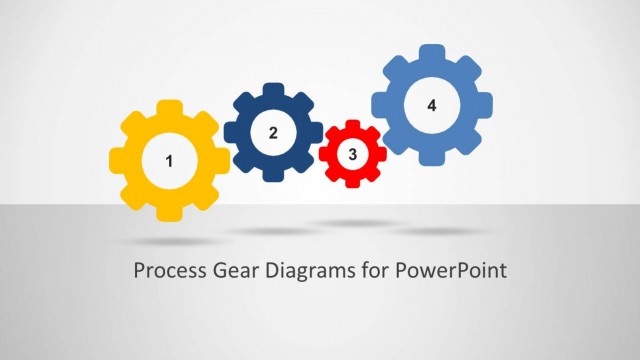
The layout features three interlocking gears positioned horizontally across the center. Each gear is a different color: yellow, blue, and red, with numbers 1, 2, and 3 inside them. Arrows indicate the flow direction between the gears, emphasizing their interconnectedness. To the right, there are two text placeholders aligned vertically, allowing for detailed descriptions or explanations. The background is a light gray, providing contrast to the vibrant colors of the gears. The overall composition is balanced, with visual emphasis on the gears and their sequence.
How to Use It
This layout serves as a visual representation of a three-step process, ideal for illustrating workflows or sequential actions. It fits well in presentations that require clear communication of processes, such as project management or operational strategies. This diagram can be used in business meetings to explain procedures, training sessions to outline steps, or marketing presentations to describe customer journeys. It effectively conveys the relationship between steps, making it suitable for various contexts where clarity is essential.
Text Placeholders & Capacity
Keep your copy within these limits so it fits without resizing. Body slots can accommodate roughly 20-30 words each.
| Placeholder | Count | Max characters (approx.) |
|---|---|---|
| Item heading | 3 | 10 |
| Body paragraph | 2 | 150 |
Slide Keywords
Download unlimited PowerPoint templates, charts and graphics for your presentations with our annual plan.
DOWNLOADReturn to Process Gear Diagrams for PowerPoint.