Slide 2 of 4 from Gear Process Diagram PowerPoint Template
3 Step Gear Process Diagram Slide
Gear Process Diagram for PowerPoint
- Diagram
- Process Flow
- Process Slide
- 16:9
- 100% Editable
The Gear Process Diagram slide from the Gear Process Diagram PowerPoint Template offers a clear visual layout for illustrating workflows and sequential steps in business presentations. Featuring editable shapes and vector icons arranged as interconnected gears, this slide template supports effective communication of project management processes and operational workflows within a corporate presentation or pitch deck template.
What’s on This Slide
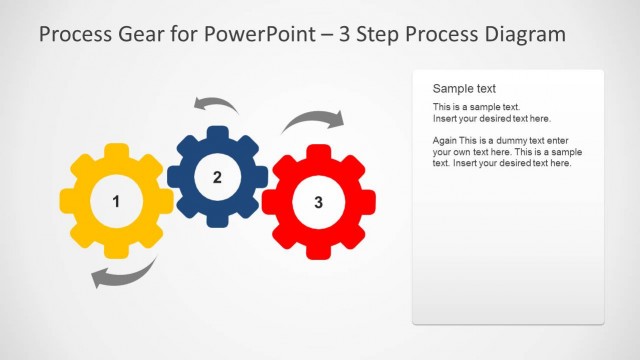
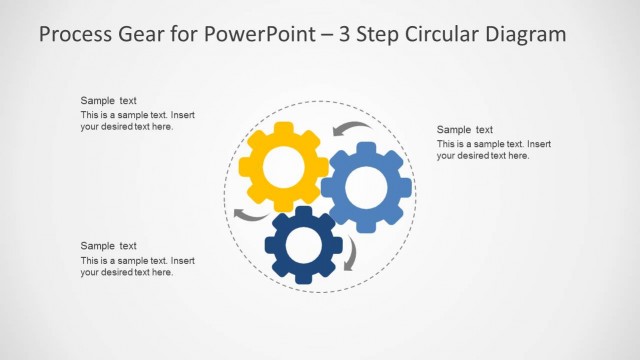
The slide features a horizontal layout with three large gears positioned in a row. Each gear contains an icon representing a step, with the first gear on the left, the second in the center, and the third on the right. Connecting lines extend from the gears to indicate flow. Below each gear, there are text placeholders aligned centrally for step descriptions. The background is light, enhancing visibility. The color scheme includes yellow, red, and gray for the gears, creating a clear visual hierarchy among the elements.
How to Use It
This layout serves as a process diagram, illustrating a sequence of steps in a business process. It fits well after introductory slides, helping to outline procedures or workflows. Suitable for scenarios such as project management, product development, or operational workflows, it effectively communicates the flow of tasks. This slide can be used to present a structured approach to problem-solving or process optimization, making it valuable in business presentations.
Text Placeholders & Capacity
Keep your copy within these limits so it fits without resizing. Node body slots are tight, roughly 10 words each.
| Placeholder | Count | Max characters (approx.) |
|---|---|---|
| Item heading | 3 | 20 |
| Item body | 3 | 50 |
| Slide title | 1 | 40 |
Slide Keywords
Download unlimited PowerPoint templates, charts and graphics for your presentations with our annual plan.
DOWNLOADReturn to Gear Process Diagram PowerPoint Template.