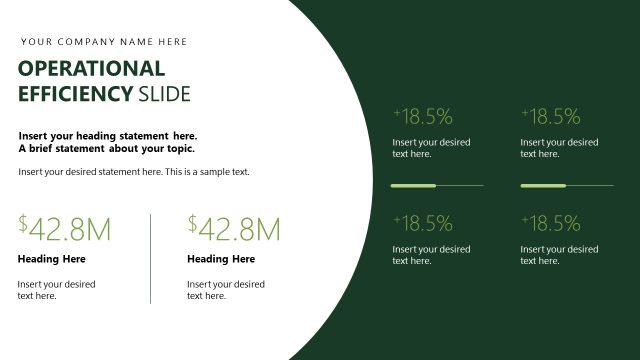
Slide 10 of 13 from Operational Report PowerPoint Template
Operational Challenges Diagram Slide – Report Presentation PPT Template
Operational Challenges Slide for Reports
- Text Layout
- Other
- Problem Framing Slide
- 16:9
- 100% Editable
The Operational Challenges Slide from the Operational Report PowerPoint Template offers a clear layout for addressing performance issues and strategic priorities. This slide template is designed for business presentations focused on operational reviews and strategic planning, featuring editable shapes and vector icons to enhance clarity. It supports effective communication of key challenges and focus areas within a corporate presentation or pitch deck template.
What’s on This Slide
The layout features a top section with a bold title and four horizontal headings, each aligned in a row. Below, there are two distinct areas: one for common performance issues and another for strategic focus. The performance issues section includes three rows with headings and text placeholders, each accompanied by a bullet point icon. The strategic focus area is a single text placeholder spanning the width of the slide. The background is a gradient transitioning from light to dark blue, creating a clear visual hierarchy. Text placeholders are centrally aligned and designed for easy readability.
How to Use It
This layout serves as a structured overview of operational challenges within a business context. It is suitable for presentations discussing performance issues and strategic focuses. Positioned after an overview slide, it effectively transitions into detailed discussions. This format is useful for operational reviews, performance assessments, and strategic planning sessions, helping stakeholders identify key challenges and focus areas for improvement.
Text Placeholders & Capacity
Keep your copy within these limits so it fits without resizing. Body slots can hold around 100 characters each comfortably.
| Placeholder | Count | Max characters (approx.) |
|---|---|---|
| Slide title | 1 | 30 |
| Item heading | 3 | 25 |
| Item body | 3 | 100 |
| Body paragraph | 1 | 200 |
Slide Keywords
Download unlimited PowerPoint templates, charts and graphics for your presentations with our annual plan.
DOWNLOADReturn to Operational Report PowerPoint Template.