Mobile Word Cloud Picture for PowerPoint– Mobile refers to things that allow a person to move freely or with ease. The word cloud features the term and its relative uses, meaning and concepts. The PowerPoint template is an outstanding tool that emphasizes the idea of mobility. The user can surely deliver powerful presentations that the audience can grasp right away.
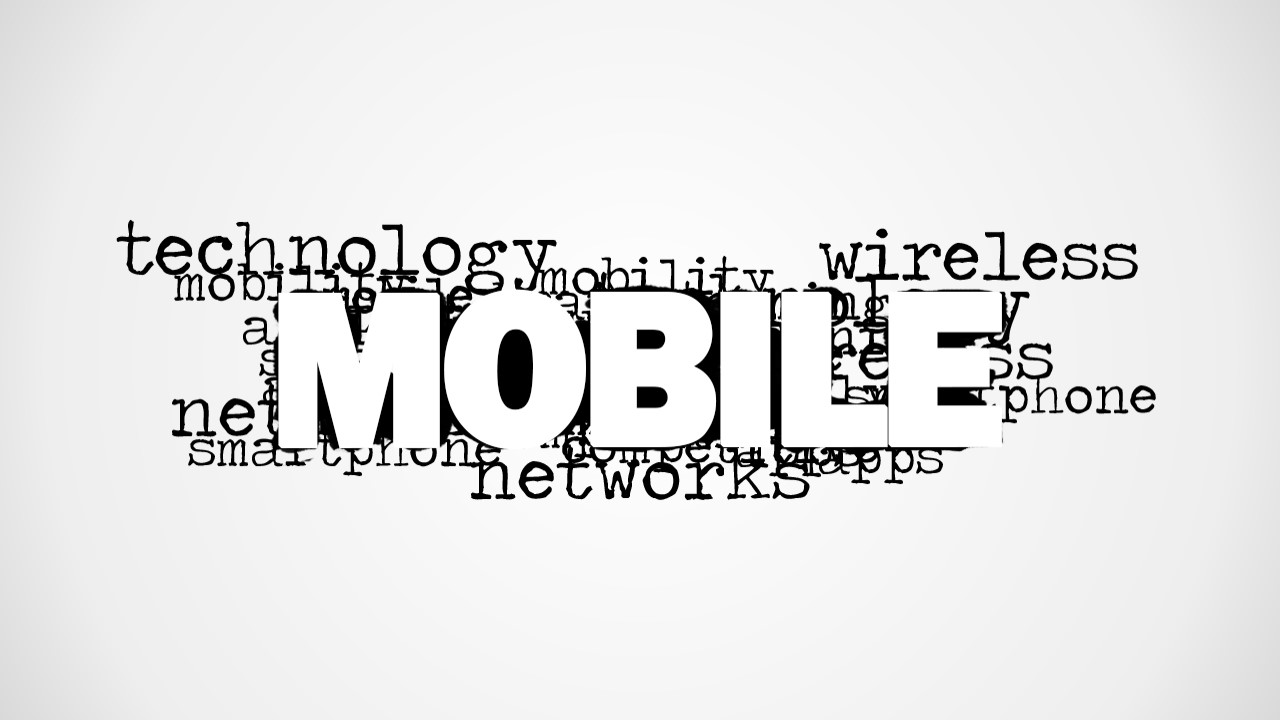
The slide designs have the word “mobile” placed in the center. It is surrounded by a cloud of tagged terms that are associated to the main idea. The word cloud includes the following relevant words – Technology, Mobility, Wireless, Phone, Net, Smartphone, Networks, and Apps, among others.
The user can use the cloud as a guide on the presentation flow. The picture can serve as a dashboard for introductions or in sinking deeper to the significance of the key word. The speaker can expound on each tagged term. Technology can be related to innovation and knowledge of possible improvements that can maximize mobiles. Mobility can refer to the concept of ease and movement. Wireless is one of the novel ideas for mobiles such as WiFi, Bluetooth, among others.
This PowerPoint template is perfect for science and technology presentations. It is ideal in capturing the notion of mobiles. It can be a standalone report where the presenter answers questions from an open forum and such. It can supplement broader presentations like business planning and product analysis.
Relevant terms that surround the main concept mobile actually showcase its overall meaning. The goal of mobility is to help give individuals quick access to whatever needs they may have.
Decorate professional presentations using Mobile Word Cloud Picture for PowerPoint. The casual layout is extremely encouraging engagement to global audiences. Its features are fully customizable, allowing numerous variations of design. Download Social Mobile Analytics Cloud PowerPoint Template from the SlideModel gallery.
What’s inside this template
Example presentation scenarios
- A mobile product manager can open an app strategy meeting by using the word cloud to connect Mobile with apps, networks, smartphone, and wireless themes.
- An IT consultant can introduce a wireless infrastructure briefing by using the central Mobile term and surrounding network terms as the agenda cues.
- An educator can start a technology lecture by asking students to interpret the word cloud before explaining mobility, devices, and connectivity.
- A digital strategy team can place the blank canvas between sections and use the word cloud picture as a visual divider for mobile transformation topics.
Features
- 100% editable presentation template
- Compatible with Microsoft PowerPoint and Google Slides
- 16:9 aspect ratio slides
- Scalable vector shapes, icons and illustrations
- AI-Ready for Microsoft Copilot and Claude
- Instant access and download
Frequently asked questions
Q: How should a presenter use the word cloud without letting it feel like decoration?
A: Treat the central Mobile word as the claim and the surrounding terms as talking points. Start with the main idea, then call out three or four relevant words such as wireless, networks, apps, and smartphone. This keeps the slide from becoming a background image and turns it into a structured opening for the topic.
Q: Who is this template best suited for in a business or education setting?
A: This template fits presenters who need to introduce a mobile technology theme before moving into analysis, planning, or discussion. Product managers, IT consultants, telecom teams, and educators can use the word cloud as a fast framing device when the audience needs context before detailed slides.
Q: Why does the typographic word cloud help communicate a mobile topic?
A: The design uses a visual metaphor: Mobile sits at the center while related terms cluster around it. That structure helps the audience understand the topic as an ecosystem of devices, networks, apps, and connectivity. The large central word creates hierarchy, while the smaller terms suggest breadth without requiring a dense paragraph.



Mobile Word Cloud Picture for PowerPoint
2-slide presentation template with mobile word cloud and smartphone technology terms for digital topic introductions
Mobile Word Cloud Picture for PowerPoint is a 2-slide 16:9 presentation template for introducing mobile technology topics. Visible layouts include a typographic mobile word cloud, a blank transition canvas, and an alternate word cloud picture. It is suited for technology presenters, product teams, and educators using Microsoft PowerPoint or Google Slides.
- Category
- Pictures
- Rating


 Loading...
- Aspect ratio
- 16:9
- Item ID
- 8163-01
- Colors
 Microsoft PowerPoint
  Microsoft Copilot
  Claude for PowerPoint
 Other formats supported
Subscribe today and get immediate
access to download our PowerPoint templates.