The Mobile Technology PowerPoint Slides template is a presentation template for PowerPoint & Google Slides that you can use in presentations about technology, communications or requiring mobile devices. It is a global presentation of modern mobile technology visually displaying a connection web. This PowerPoint on mobile technology includes three slides showing a smartphone and its user connections. Here, this illustrates the idea of linking up the users of smartphones in a chain of networks. The template also demonstrates the unity and strong bond among people regardless of their physical location. Although, it is ideal for presenting the applications and functions of modern mobile phone technology and its technical designs. The PowerPoint is also suitable for business and marketing presentations and explains the advertising and sales opportunities. The neat and plain design of slides makes the mobile technology PowerPoint usable in range of relevant topics.
The Mobile Technology PowerPoint Slides display the three versions of a network of connections. The main slider shows a clip art of hand holding a phone with the envelope icon on the screen. Whereas behind the phone is a communication network of users and the text placeholders at the bottom. Additionally, the background of PowerPoint mobile technology slides has a stunning pattern of connecting nodes. Whereas the background has a green and blue gradient effect over the translucent pattern. It assists the audience in visualizing the sci-fi design and modern concepts with little to no effort on their side.
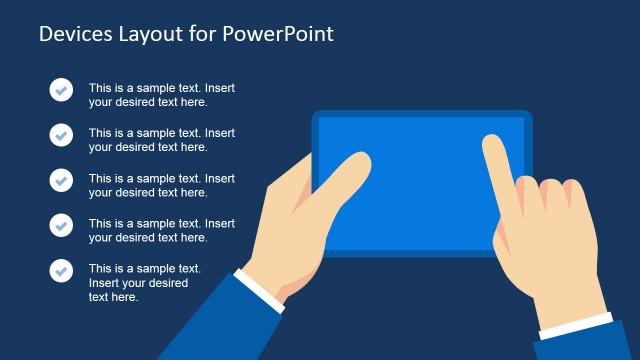
The 3 slides amazing template of mobile technology PowerPoint is easy to use and customize with little knowledge of Microsoft PowerPoint. This outstanding template can help users to present the comparison of mobile brands and their special functions. Similarly, display the technical specifications like screen, chips, camera, touch sensor and other hardware features. The customizable PowerPoint of mobile technology has placeholder and clipart of hand holding a phone in all three slides. However, the display design of each slide has slightly different view of PowerPoint shapes and icons. For instance, second slide has 2-content layout to separately display placeholders. Likewise, the last slide has bottom placeholder and separate section for hand clipart icons.
Alternatively, you can download other mobile PPT templates for PowerPoint with 100% editable placeholders, or creative slide deck templates for presentations in PowerPoint & Google Slides.
What’s inside this template
Example presentation scenarios
- A technology marketer can introduce a mobile campaign by using the connected user network diagram to show how smartphone messages reach a distributed audience.
- A product manager can explain an app concept by placing feature notes beside the smartphone clipart and using the network icons to represent connected users.
- A telecommunications consultant can present a communication model by pairing the user node diagram with short text blocks that define the relationship between devices, users, and messaging.
- A business development presenter can frame mobile sales opportunities by using the large phone illustration and bottom caption area to connect a service offer with customer reach.
Features
- 100% editable presentation template
- Compatible with Microsoft PowerPoint and Google Slides
- 16:9 aspect ratio slides
- Scalable vector shapes, icons and illustrations
- AI-Ready for Microsoft Copilot and Claude
- Instant access and download
Frequently asked questions
Q: How should a presenter structure the message with only three slides?
A: Use the first slide to establish the core idea of mobile connectivity, with the phone at the center of the user network. Use the second slide for explanation, placing the main claim or technical context in the right text panel. Use the third slide as an applied example, campaign idea, or device-related takeaway.
Q: Who is this template best suited for?
A: This template fits presenters who need a fast visual explanation of smartphone-based communication rather than a detailed product deck. Marketing teams, app teams, telecom consultants, and business development leads can use the user network and phone illustration to make mobile reach, messaging, or connected-user behavior easy to understand.
Q: Why does the connected-user network metaphor work for this topic?
A: The node-and-line network makes an abstract mobile technology idea visible. User icons show people, the smartphone anchors the communication channel, and the teal digital background reinforces a technical setting. This metaphor helps audiences understand reach, connection, and message flow before reading the supporting text.


Mobile Technology PowerPoint Slides
3-slide presentation template for mobile technology, smartphone networks, and marketing communication visuals
Mobile Technology PowerPoint Slides is a 3-slide template for Microsoft PowerPoint and Google Slides. It shows smartphone clipart, connected user network diagrams, a two-caption layout, and a right-side text panel. Business, marketing, and technology presenters can use it to explain mobile communication, app reach, user connectivity, or device-related concepts.
- Category
- Shapes
- Rating


 Loading...
- Aspect ratio
- 16:9, 4:3
- Item ID
- 7718-01
- Colors
 Microsoft PowerPoint
 Microsoft Copilot
 Claude for PowerPoint
Other formats supported
Subscribe today and get immediate
access to download our PowerPoint templates.