Slide 4 of 5 from Honeycomb Diagram PowerPoint Template
Honeycomb Diagram PPT Infographics Slide Template
Honeycomb Diagram with Steps for Presentations
- Diagram
- Honeycomb
- Process Slide
- 16:9
- 100% Editable
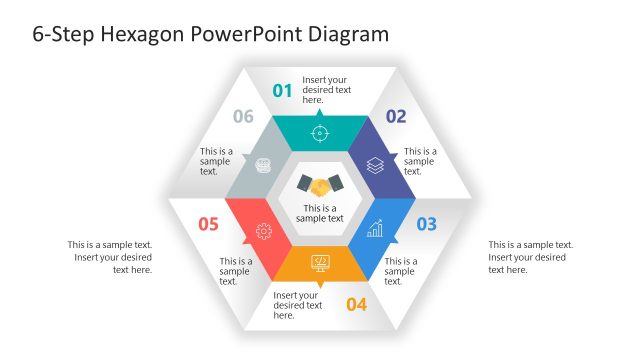
The Honeycomb Diagram with Steps slide from the Honeycomb Diagram PowerPoint Template presents a clear sequential process using editable shapes and vector icons. This layout is designed for business presentations to illustrate project phases, workflow processes, or strategic initiatives with visually distinct hexagonal nodes. It integrates smoothly into slide decks focused on process visualization, offering a structured approach for corporate presentations and pitch deck templates.
What’s on This Slide
The slide features a honeycomb diagram with five hexagonal nodes arranged in a horizontal line. Each node contains an icon and a step label, with placeholders for text beneath. The first node is colored orange, the second green, the third yellow, the fourth blue, and the fifth purple, creating a visually distinct sequence. The background is white, enhancing the clarity of the elements. The nodes are evenly spaced, and the overall layout emphasizes a sequential flow from left to right, with a clear visual hierarchy indicated by the step labels.
How to Use It
This layout serves as a sequential process diagram, ideal for illustrating five connected steps or stages in a business context. It can be effectively used in presentations to outline project phases, strategic initiatives, or workflow processes. Positioned after a problem framing slide, it transitions into a solution roadmap. This structure is suitable for training sessions, project updates, or strategic planning discussions, where clear step-by-step communication is essential.
Text Placeholders & Capacity
Keep your copy within these limits so it fits without resizing. Node body slots can hold roughly 10 words each.
| Placeholder | Count | Max characters (approx.) |
|---|---|---|
| Item heading | 5 | 20 |
| Item body | 5 | 50 |
Slide Keywords
Download unlimited PowerPoint templates, charts and graphics for your presentations with our annual plan.
DOWNLOADReturn to Honeycomb Diagram PowerPoint Template.