Slide 5 of 6 from Gears Layout Template for PowerPoint
6025-02-gear-layout-5
Gears Layout - Single Gear Presentation Slide
- Diagram
- Other
- Concept Explanation Slide
- 16:9
- 100% Editable
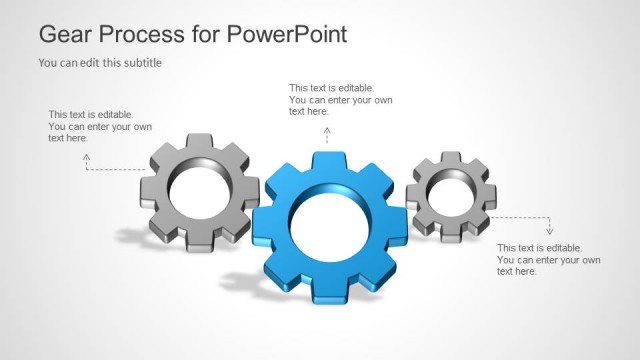
The Gears Layout - Single Gear slide from the Gears Layout Template for PowerPoint offers a clear visual focus on one key process or concept, making it ideal for business presentations that require detailed explanation of individual components. This slide uses editable shapes and vector icons to enhance clarity, fitting seamlessly into corporate presentation slide decks or pitch deck templates that emphasize process-driven narratives.
What’s on This Slide
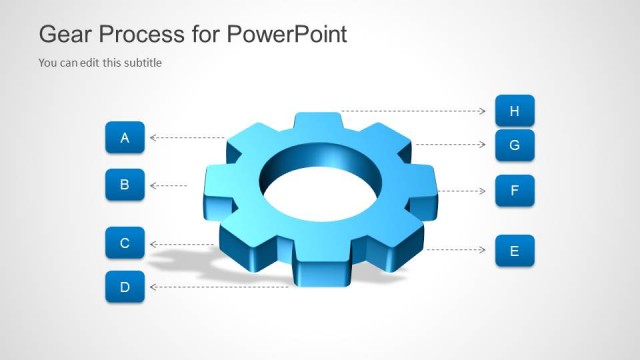
The slide features a prominent 3D blue gear positioned centrally. A circular cutout in the gear's center is visible, surrounded by six gear teeth. To the left of the gear, a small blue dot connects to a text placeholder via a line, indicating where to edit text. The text placeholder is aligned to the left and allows for customization. The background is a light gray gradient, enhancing the gear's visibility. The overall layout is clean, with the gear being the focal point and the text placeholder providing space for additional information.
How to Use It
This layout serves as a single-gear diagram, ideal for illustrating a specific concept or process in a presentation. It fits well in a sequence that discusses individual components of a larger system or process. Common scenarios include presenting key factors in operations management or highlighting a specific initiative. This slide can be used to emphasize a singular focus within a broader context, making it suitable for business, educational, or technical presentations.
Text Placeholders & Capacity
Keep your copy within these limits so it fits without resizing. Text slots are moderate, roughly 10-15 words each.
| Placeholder | Count | Max characters (approx.) |
|---|---|---|
| Slide title | 1 | 30 |
| Subtitle | 1 | 50 |
| Item body | 1 | 60 |
Slide Keywords
Download unlimited PowerPoint templates, charts and graphics for your presentations with our annual plan.
DOWNLOADReturn to Gears Layout Template for PowerPoint.