Slide 4 of 5 from Gear Process Shapes for PowerPoint
6025-gear-process-wide-4
Gear Process Diagram for PowerPoint
- Diagram
- Process Flow
- Process Slide
- 16:9
- 100% Editable
The Gear Process Diagram slide from the Gear Process Shapes for PowerPoint template offers a clear visual layout for illustrating mechanical workflows and supply chain interactions. This slide uses editable shapes and vector icons to map process flows effectively, making it suitable for business presentations and corporate slide decks focused on manufacturing or operational strategies.
What’s on This Slide
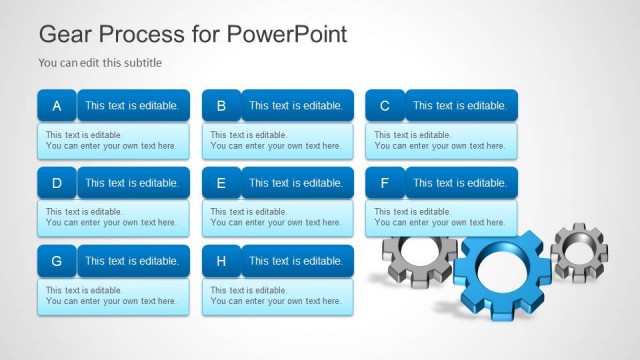
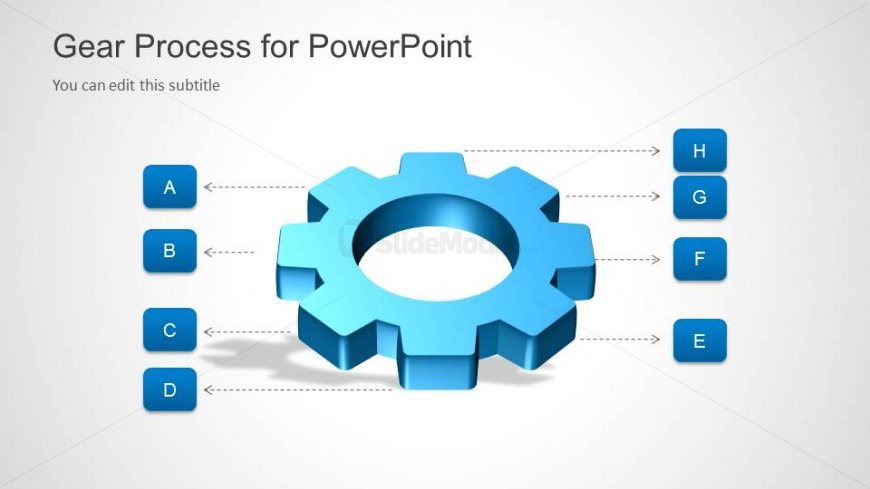
The layout features a central blue gear shape positioned in the center of the slide. Surrounding the gear are four blue rectangular nodes labeled A, B, C, and D, aligned vertically on the left side. On the right side, four additional nodes labeled E, F, G, and H are similarly aligned. Connecting lines extend from each node to the gear, indicating a relationship. The title is positioned at the top left, with a subtitle placeholder directly below it. The background is light gray, providing contrast to the blue elements.
How to Use It
This layout serves as a process flow diagram, illustrating relationships between components in a mechanical or manufacturing context. It fits well in presentations discussing operational processes, logistics, or supply chain management. Use this structure to clarify how different elements interact within a system. It can be particularly useful in training sessions or strategy meetings where visual representation of processes enhances understanding.
Text Placeholders & Capacity
Keep your copy within these limits so it fits without resizing. Node labels are single characters, allowing for concise text.
| Placeholder | Count | Max characters (approx.) |
|---|---|---|
| Slide title | 1 | 30 |
| Subtitle | 1 | 50 |
| Item heading | 8 | 1 |
Slide Keywords
Download unlimited PowerPoint templates, charts and graphics for your presentations with our annual plan.
DOWNLOADReturn to Gear Process Shapes for PowerPoint.