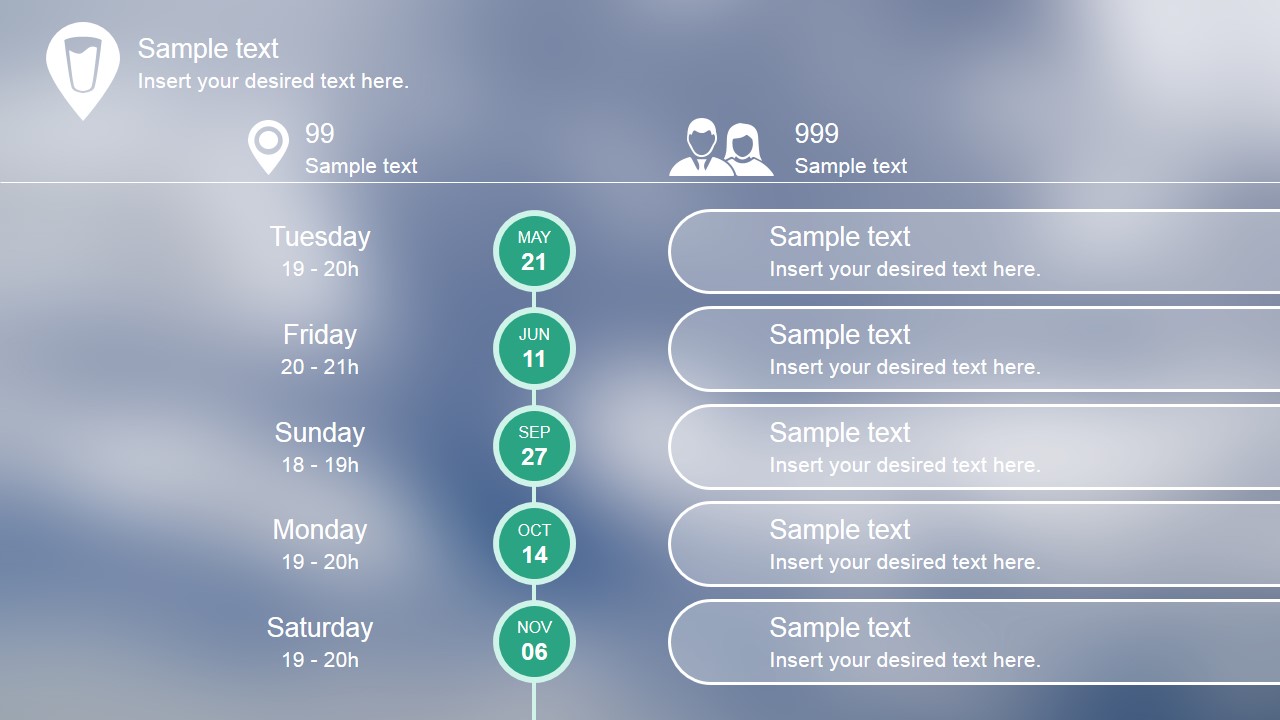
Create professional Roadmap presentations featuring roadmaps with the Flat Blurred Roadmap PowerPoint Timeline. The template provides a simple clean vertical timeline, decorated with a blurred background that matches the color palette. The user can describe a conference sessions, a meeting schedule and even a product launch roadmap and its deliverables.
Each of the elements of the roadmap template are 100% editable. The timeline and its PowerPoint Icons are created as PowerPoint shapes, allowing the user to fully customize their appearance.
What’s inside this template
Example presentation scenarios
- A product manager can use the vertical milestone timeline to explain launch dates, sprint checkpoints, and deliverable notes to stakeholders in a planning meeting.
- An event planner can use the weekday and time labels with rounded detail cards to present a conference agenda or session sequence to sponsors and staff.
- A project lead can use the five date nodes to summarize phase deadlines and use the right-side text areas to name owners, outputs, or status notes.
- An operations manager can use the top location and people icons with the roadmap to brief a team on where meetings occur, how many attendees are expected, and what each date covers.
Features
- 100% editable presentation template
- Compatible with Microsoft PowerPoint and Google Slides
- 16:9 aspect ratio slides
- Scalable vector shapes, icons and illustrations
- AI-Ready for Microsoft Copilot and Claude
- Instant access and download
Frequently asked questions
Q: How should a presenter structure the message on this one-slide timeline?
A: Start with the overall purpose in the header area, then move down the central date nodes in order. Keep the left labels limited to date or time context and place the decision, deliverable, or session topic in the right rounded cards. This keeps the audience focused on sequence before detail.
Q: Who is this timeline best suited for?
A: This slide works best for project managers, product leads, and event coordinators who need to brief an audience quickly on scheduled milestones. It is strongest when the story is date-based, such as a launch plan, conference agenda, meeting series, or phase schedule with five main checkpoints.
Q: Why does the blurred roadmap design help communication?
A: The blurred background recedes so the white timeline, teal date circles, and large rounded text cards remain the visual focus. The central vertical axis creates a clear reading path, while the separate left and right text zones distinguish timing from explanation. This reduces scanning effort during schedule reviews.
Flat Blurred Roadmap PowerPoint Timeline
1-slide presentation template for a blurred vertical roadmap timeline with milestones and schedule details
Flat Blurred Roadmap PowerPoint Timeline is a 1-slide timeline template for Microsoft PowerPoint and Google Slides. It shows a vertical milestone roadmap with circular date nodes, agenda-style day and time labels, and rounded detail cards on a blurred background. It is suited to product plans, events, meetings, and launch schedules.
- Category
- Timelines & Planning
- Rating


 Loading...
- Aspect ratio
- 16:9
- Item ID
- 7132-01
- Colors
 Microsoft PowerPoint
  Microsoft Copilot
  Claude for PowerPoint
 Other formats supported
Subscribe today and get immediate
access to download our PowerPoint templates.