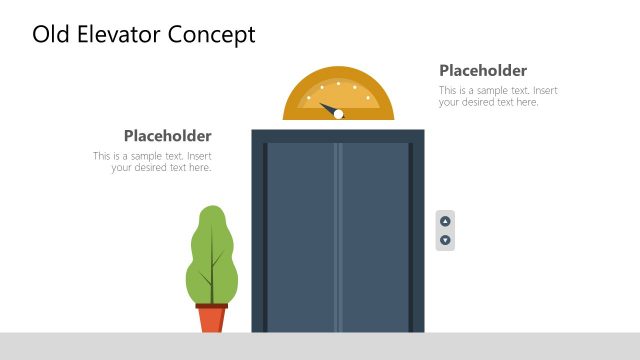
Elevators, also known as enclose cab lifts are commonly installed in the multi-story building as vertical transport. These are used to move people and objects between multiple stores. The purpose of star alternative elevators is to save time and effort. The slides of elevator vectors shape display geometric background as a wall. The additional elements such as flow number, elevator lop to enhance visuals of presentation. The Elevator PowerPoint Shapes presents a modern elevator display. It is a multipurpose PowerPoint with layouts of opened and closed-door elevators. For example, the mechanics of elevators, parts, and functions. As well as business metaphor presentations like an elevator pitch, speech, or statement.
The elevator pitch is basically short description of an idea that audience can understand effortlessly. The concept of an elevator pitch metaphor is derived from a short elevator ride which is brief and serves its purpose. For instance, career elevator pitch will be about who you are, what you do, what you want to achieve. Similarly, the company may create a business proposal pitch as who we are, what we do, and what solution will provide.
Elevator PowerPoint Shapes are vector-based editable elements. The users can change colors, shapes, and PowerPoint backgrounds from formatting menu. Moreover, edit the text placeholders to present desired content.
What’s inside this template
Example presentation scenarios
- A facilities manager can explain elevator access, passenger flow, or service points using the open elevator scene with call button and floor indicator details.
- A startup founder can introduce an elevator pitch by placing the core message next to the closed elevator illustration as a visual metaphor for a brief idea.
- An architect or real estate presenter can discuss building circulation by using the side-by-side open and closed elevator layout to compare states or options.
- A consultant can frame a process step as movement between levels by using the elevator doors, wall background, and indicator panel as presentation cues.
Features
- 100% editable presentation template
- Compatible with Microsoft PowerPoint and Google Slides
- 16:9 aspect ratio slides
- Scalable vector shapes, icons and illustrations
- AI-Ready for Microsoft Copilot and Claude
- Instant access and download
Frequently asked questions
Q: How should a presenter use these elevator scenes without making the message too literal?
A: Use the elevator as a framing device, not the whole argument. Put one clear idea beside the illustration, such as a brief pitch, a movement between business levels, or a facility access point. The closed door slide can introduce the topic, while the open door slide can reveal the solution or next step.
Q: Who is this template best suited for?
A: It works best for presenters who need a simple elevator or lift visual rather than a detailed technical diagram. Facilities teams, architects, real estate groups, and consultants can use it to explain vertical transport. Business presenters can also use it as an elevator pitch metaphor for a short, focused proposal.
Q: Why does the open versus closed elevator metaphor help communication?
A: The closed and open door states create an immediate before-and-after cue. A closed elevator can signal entry, waiting, or a starting point, while an open elevator suggests access, reveal, or arrival. The side-by-side slide makes that contrast visible without requiring a dense explanation.






Elevator PowerPoint Shapes
3-slide presentation template with elevator shapes for lift concepts and elevator pitch metaphors
Elevator PowerPoint Shapes is a 3-slide 16:9 template for Microsoft PowerPoint and Google Slides. It contains editable elevator illustrations with closed doors, open doors, floor indicators, call buttons, and geometric wall backgrounds. The layouts support building transport explanations, facilities presentations, and elevator pitch metaphors.
- Category
- Shapes
- Rating

 Loading...
- Aspect ratio
- 16:9
- Item ID
- 20645-01
- Colors
 Microsoft PowerPoint
 Microsoft Copilot
 Claude for PowerPoint
Other formats supported
Subscribe today and get immediate
access to download our PowerPoint templates.