Perspective Platforms Shape for PowerPoint– an outstanding selection of clipart in 2 dimension and creative PowerPoint shapes. The generic design of the objects makes them reusable and competitive. They can metaphor growth, progress, building block, among others. They are smart and fresh, and can surely impress global audiences.
This PowerPoint template is ideal for any presentation that aims to illustrate growth. The figures can be copy and pasted to personal reports to supplement ideas. In this design, the shapes can be quickly modified using PowerPoint shapes tools. The colors, arrangement and sizes of the clipart can be edited by the user. Text fonts and placeholders can be moved around through drag and drop method. More features such as the background and color scheme can be changed as well.
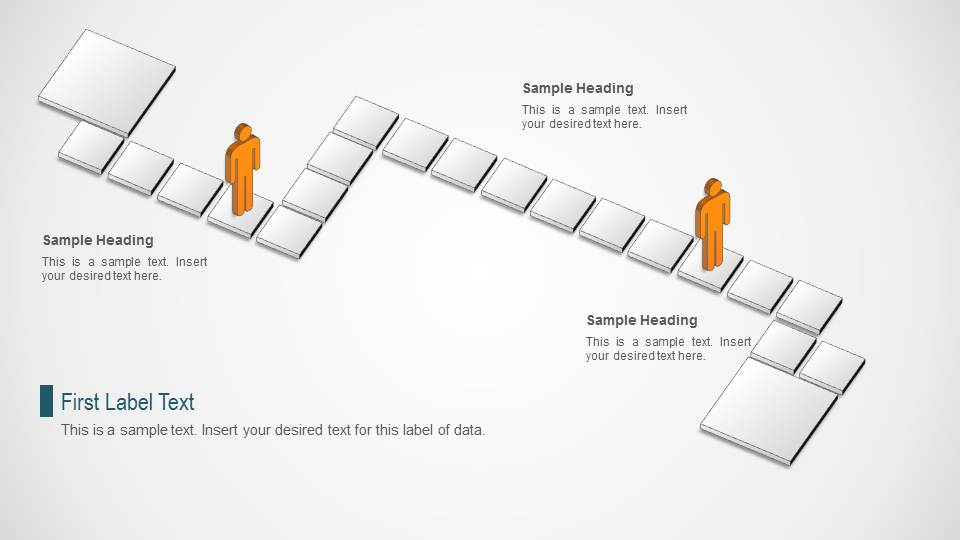
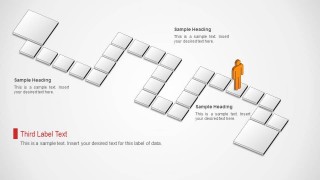
The concept of platforms illustrates a step by step process. The human or male 2D icons represent the individual, entity or company. The trail that is created by the boxed platforms can metaphor opportunities. Walking through these steps can signify growth and development. The differently colored avatars can represent other entities or outside forces. Another concept can be team member trying out different strategies to achieve their goal.
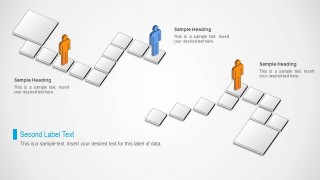
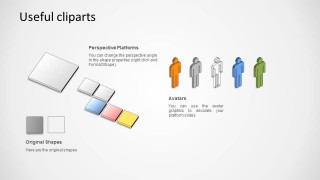
There are 4 uniquely designed slides in the PowerPoint template. The first one features 2 human avatars and a set of platforms arranged on an easy trail. The slide is entitled First Label Text as default. The second one has a cut trail with 3 avatars- 2 orange and 1 blue. The 3rd slide has 1 orange, human avatar in a curving road of platforms. This can symbolize a hard level of strategy. The last slide, however, is the collection of PowerPoint shapes and avatars.
Be resourceful and grab Perspective Platforms Shape for PowerPoint for resourceful ideas and perspective graphics. Download Shapes for PowerPoint contains all of the best options from the SlideModel gallery.
What’s inside this template
Example presentation scenarios
- A strategy consultant can use the split platform route to explain two possible paths and place avatar figures where different stakeholders enter the decision process.
- A project manager can use the curving platform path to present a difficult delivery sequence, with each platform standing for a milestone or dependency.
- A trainer can use the two-avatar path diagram to compare learner progress, showing where participants start, pause, and move to the next activity.
- A business presenter can use the clipart slide as a source of platform tiles and avatars to build a custom journey diagram for a report or workshop.
Features
- 100% editable presentation template
- Compatible with Microsoft PowerPoint and Google Slides
- Scalable vector shapes, icons and illustrations
- AI-Ready for Microsoft Copilot and Claude
- Instant access and download
Frequently asked questions
Q: How should a presenter explain a process with these platform diagrams?
A: Treat each platform as one step, checkpoint, or decision point. Start with the avatar position, then describe the path direction and what changes at each platform. Keep labels short so the audience follows the movement first and reads supporting text second.
Q: Who is this template best suited for?
A: It works best for business presenters, consultants, trainers, and project managers who need a visual metaphor for progress rather than a numeric dashboard. The avatar and platform graphics are useful when the message is about a journey, staged development, role movement, or options along a route.
Q: Why use perspective platforms instead of a flat list of steps?
A: The perspective blocks create a path metaphor, which helps the audience see sequence, distance, and progression. Avatars add a human reference point, making abstract concepts such as growth, obstacles, and alternate routes easier to understand than a plain bullet list.


Perspective Platforms Shape for PowerPoint
8006-slide PowerPoint shape template with perspective platforms, avatar icons, and step path diagrams
Perspective Platforms Shape for PowerPoint is an 8006-slide shape template with visible perspective platform paths, avatar markers, branching step diagrams, and a clipart asset slide. It is for presenters who need to show progress, choices, movement, or building blocks using editable PowerPoint shapes and vector graphics.


 Loading...
 Microsoft PowerPoint
  Microsoft Copilot
  Claude for PowerPoint
 Other formats supported
Subscribe today and get immediate
access to download our PowerPoint templates.