Demonstrate various modes of distribution using our easy-to-interpret Distribution Channels PowerPoint Template. Distribution of product distribution is the process through which the manufactured product is made available to the end consumers. So, distribution channels are the adopted pathways to complete the distribution. It involves businesses, and marketing intermediaries, e.g., retailers, wholesalers, and internet, etc. Every business chooses its own channel of distribution according to its product and target market. Companies formulate their distribution strategies based on the business goals and product delivery requirements. This PPT template thus provides several layouts to discuss the strategic distribution plans and sales channels that can be followed accordingly.
The distribution channels PPT template provides the following template diagrams to discuss the distribution models:
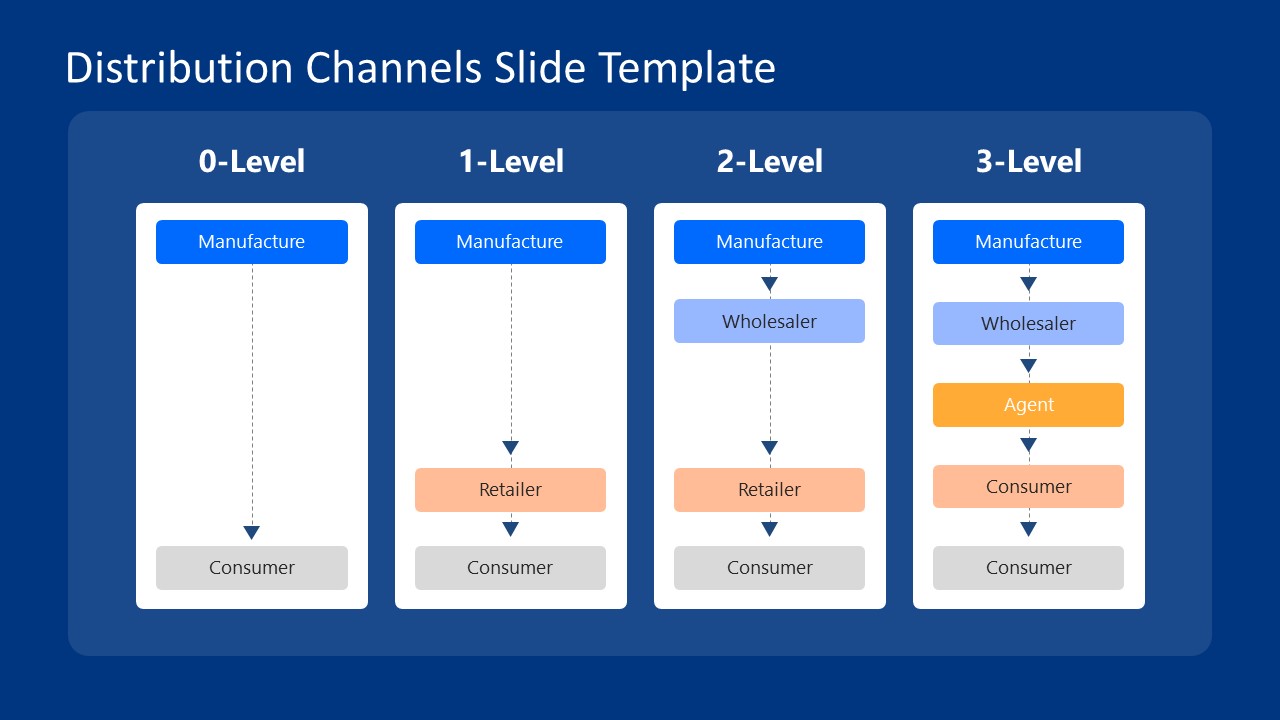
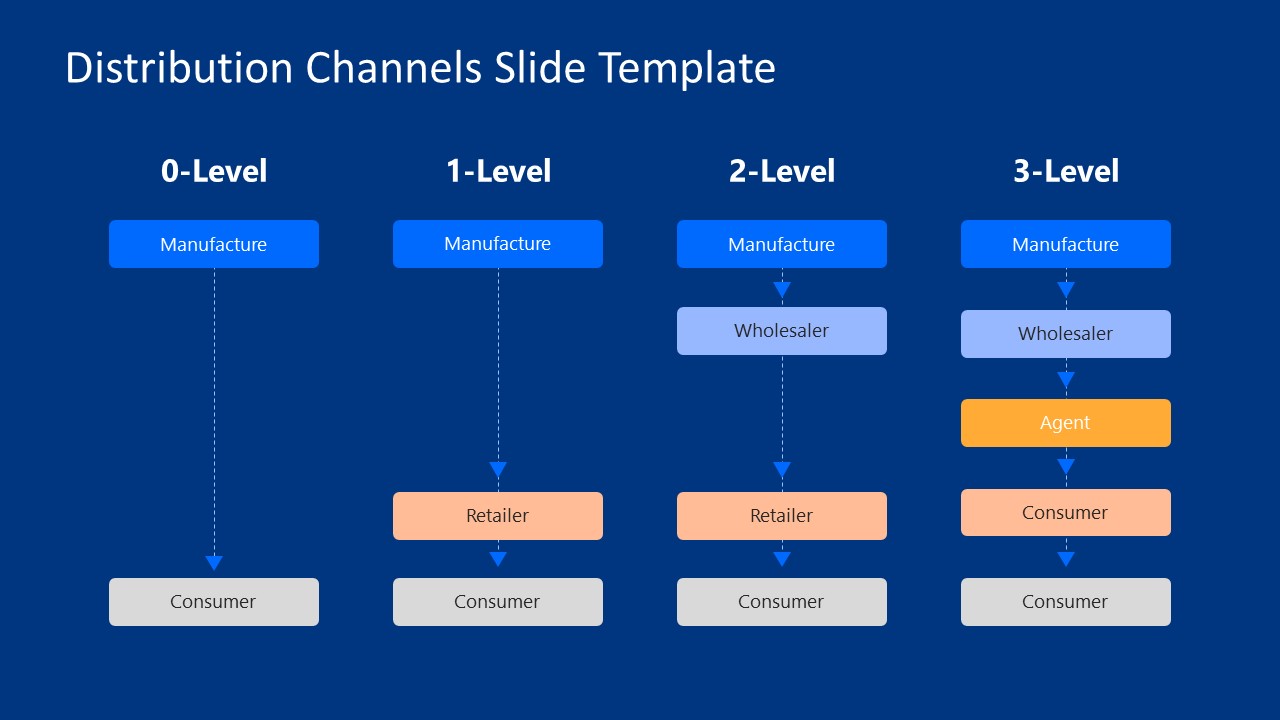
- Four Columns Layout: The first three slides of this template showcase four vertical columns with little design variations. These columns represent the levels of distributions, i.e., 0,1, 2, and 3. The levels of distributions are defined based on businesses or intermediaries involved; e.g., the 0 level channel is a direct channel from the manufacturer to the consumer. However, the following levels include retailers, distributors, and agents successively. The third slide shows the title for each distribution channel accordingly, i.e., direct channel, retail channel, wholesale channel, and agent channel.
- Vertical Flowchart Design: This flowchart design showcase three types of distribution channels. The direct channel representation depicts the idea of the sales force and marketing tactics that make this channel a successful one. Usually, this channel is followed by e-commerce-based businesses that independently make revenue through direct channels of distribution.
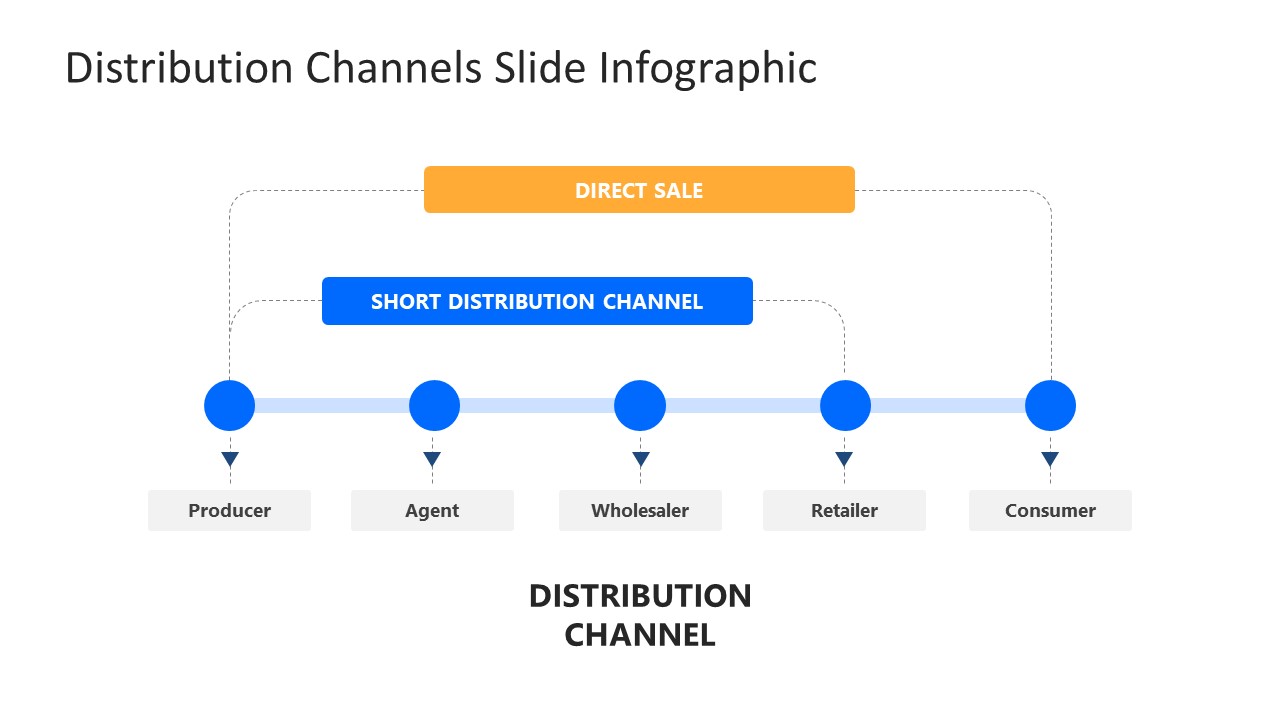
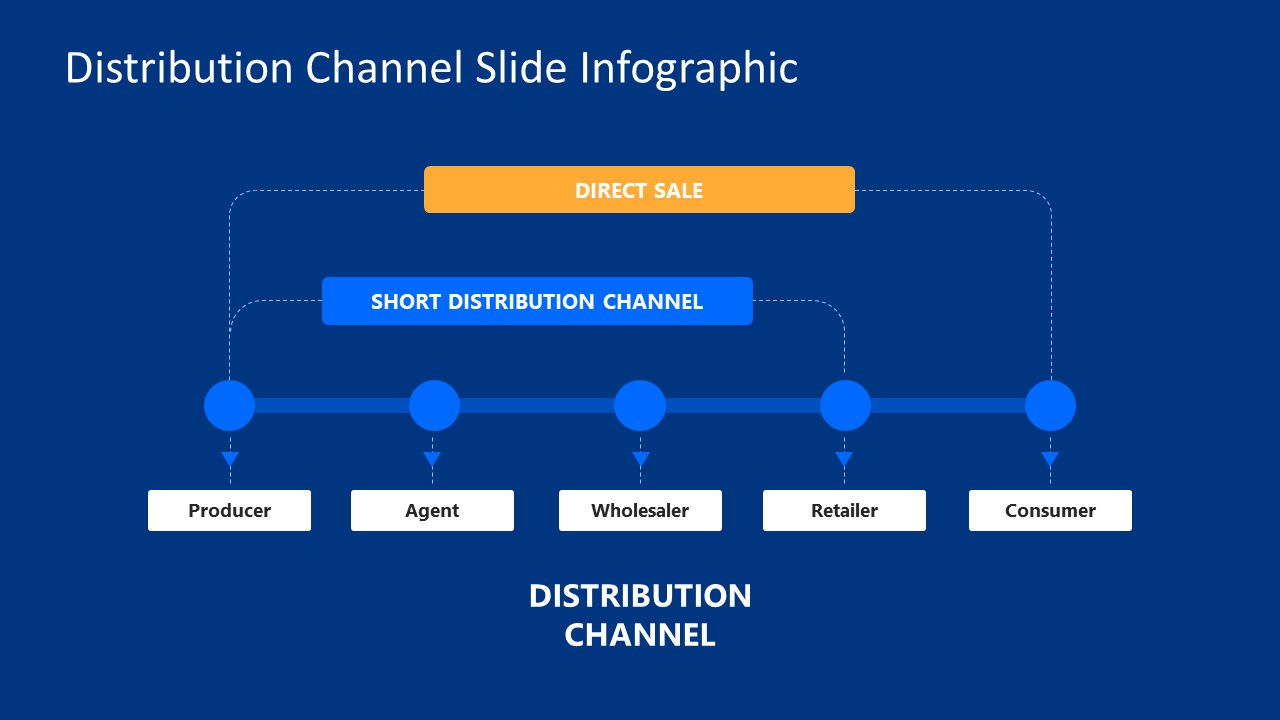
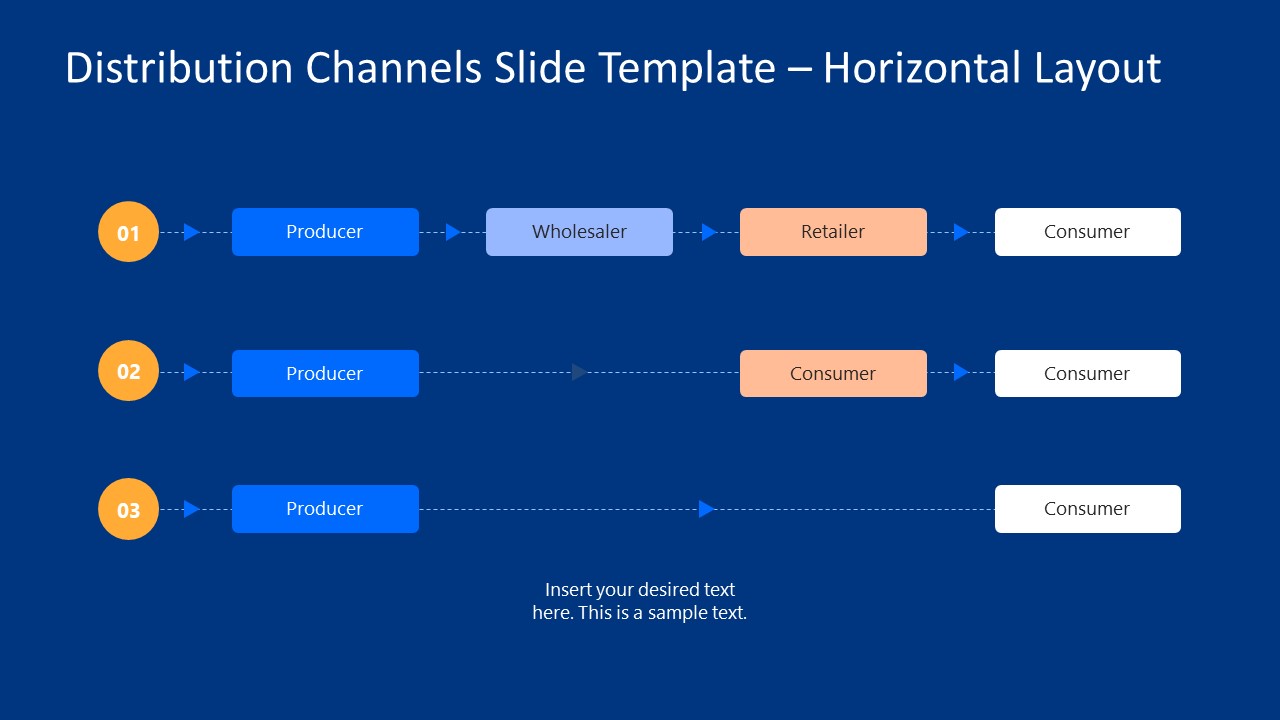
- Horizontal Flow Diagrams: Presenters can showcase the types and examples of distribution channels using these horizontal flow diagrams. A scheme of 3rd level distribution channels is drawn in the infographic layout, and the short and direct distribution channels are indicated using dotted lines across the diagram segments. Also, the three channels can be shown using horizontal flow charts.
- Tabular Representation: In this slide, presenters can show their go-to-market dimensions concerning the customers, e.g., sales, service, pricing, etc. The segregated cells of this matrix slide enable a clear explanation of the idea.
These template slides of Distribution Channels PowerPoint Template are also available in blue background color variation. Presenters can conveniently download and edit the template to elaborate their company’s multi-channel distribution strategies. It can also be used for educational and demonstration purposes to discuss examples of distribution channels and to discuss what are marketing channels. So, grab this distribution mix slide template for your professional presentations and effectively elaborate your idea.
What’s inside this template
Example presentation scenarios
- A marketing manager can compare direct, retail, wholesale, and agent routes during a go-to-market planning meeting using the four-column channel type flowchart.
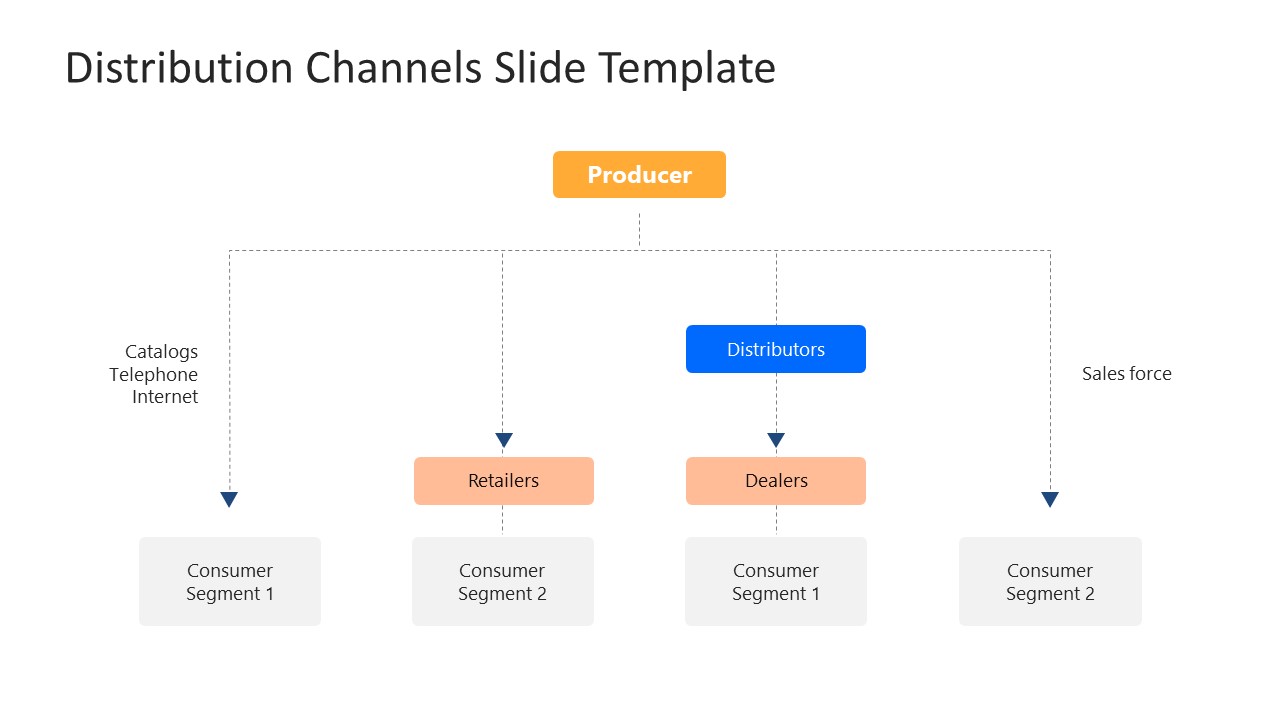
- A sales leader can explain how distributors, retailers, dealers, and sales force paths reach different consumer segments using the branching producer-to-segment map.
- An operations team can align product movement responsibilities across manufacturer, wholesaler, retailer, agent, and consumer roles using the 0-level to 3-level distribution diagrams.
- A business instructor can teach channel length and intermediary tradeoffs using the horizontal process flows and the direct sale versus short distribution channel infographic.
Features
- 100% editable presentation template
- Compatible with Microsoft PowerPoint and Google Slides
- 16:9 aspect ratio slides
- Scalable vector shapes, icons and illustrations
- AI-Ready for Microsoft Copilot and Claude
- Instant access and download
Frequently asked questions
Q: How should a presenter explain channel strategy clearly with this template?
A: Start with one of the 0-level to 3-level diagrams to define how many intermediaries sit between producer and consumer. Then move to the direct, retail, wholesale, and agent flowchart to compare options. Close with the go-to-market matrix when the audience needs to connect each channel choice to sales, service, pricing, distribution, and customer segments.
Q: Who is this template best suited for in a business presentation?
A: This template fits teams that need to explain how products or services reach customers, especially marketing, sales, operations, and channel management groups. It is most useful when the audience must choose between direct sales, retailer partnerships, wholesale distribution, distributor networks, or agent-based routes rather than review general business strategy.
Q: Why do the repeated white and dark blue versions improve communication?
A: The paired light and dark versions let the presenter keep the same diagram logic while matching different meeting contexts or brand backgrounds. The repeated column, horizontal flow, and matrix structures reduce interpretation time because audiences see the same role colors, box hierarchy, and producer-to-consumer direction across the deck.








Distribution Channels PowerPoint Template
14-slide presentation template for distribution channels, flow diagrams, and go-to-market matrix planning
The Distribution Channels PowerPoint Template is a 14-slide set for explaining product and service distribution paths in Microsoft PowerPoint and Google Slides. It includes 0-level to 3-level channel columns, direct, retail, wholesale, and agent flowcharts, horizontal process flows, and a go-to-market dimensions matrix for marketing, sales, logistics, and operations teams.
- Category
- Process Diagrams
- Rating

 Loading...
- Aspect ratio
- 16:9
- Item ID
- 21489-01
- Colors
 Microsoft PowerPoint
 Microsoft Copilot
 Claude for PowerPoint
Other formats supported
Subscribe today and get immediate
access to download our PowerPoint templates.