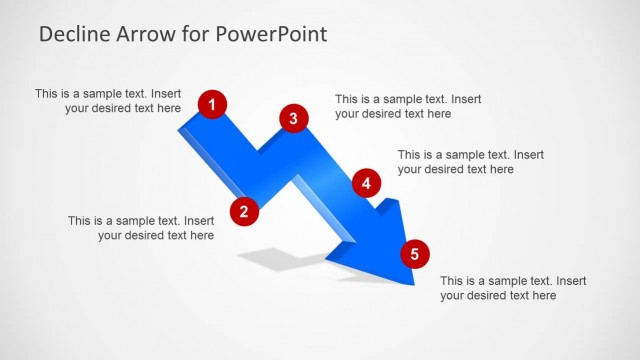
Slide 5 of 6 from Decline Arrow for PowerPoint
6205-03-blue-decline-arrow-5
Decline Arrow Diagram for Presentations
- Diagram
- Arrow Sequence
- Strategic Analysis Slide
- 16:9
- 100% Editable
The Decline Arrow Diagram with Labels slide from the Decline Arrow for PowerPoint template offers a clear visual tool for illustrating downward trends in business presentations. Featuring editable shapes and numbered markers along a 3D-style arrow, this slide template supports strategic analysis of sales declines, financial trends, or crisis management scenarios. Its design enhances communication in pitch decks or corporate presentations by emphasizing key stages of decline with vector icons and customizable text areas.
What’s on This Slide
The slide features a 3D-style downward zigzag arrow positioned centrally, with four numbered red circles along its path. The arrow flows from the top left to the bottom right, indicating a decline. To the right, there is a rectangular text box with a blue header, containing sample text placeholders for data input. The background is light gray, providing contrast to the blue arrow and red circles. The visual hierarchy emphasizes the arrow and numbers, guiding the viewer's attention to the decline narrative.
How to Use It
This layout serves as a visual representation of a decline or downtrend, suitable for presentations addressing sales downturns or crisis situations. It fits well in a sequence following a problem statement, providing a clear illustration of the decline's stages. This structure can be used in business contexts, such as sales reports, financial analyses, or strategic planning discussions, where understanding downward trends is essential.
Text Placeholders & Capacity
Keep your copy within these limits so it fits without resizing. Body slots can hold about 25-30 words each.
| Placeholder | Count | Max characters (approx.) |
|---|---|---|
| Slide title | 1 | 40 |
| Item heading | 4 | 10 |
| Body paragraph | 1 | 150 |