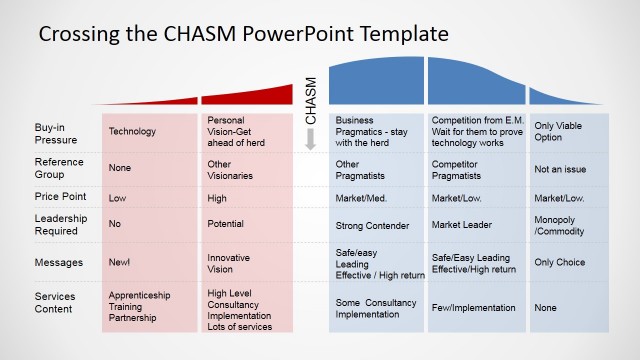
Slide 1 of 3 from Crossing the Chasm Segment Selection
Editable Crossing the Chasm Segment Selection Template
Crossing the Chasm Segment Selection Chart
- Chart
- Area Chart
- Strategic Analysis Slide
- 16:9
- 100% Editable
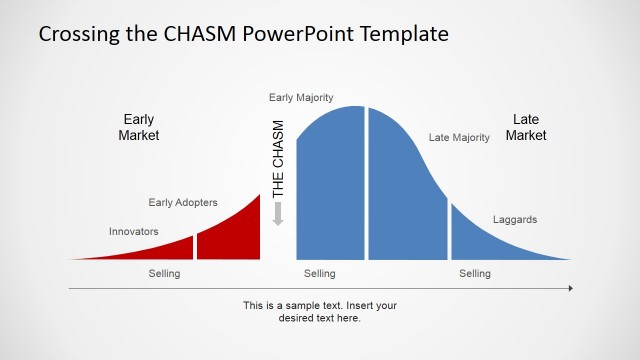
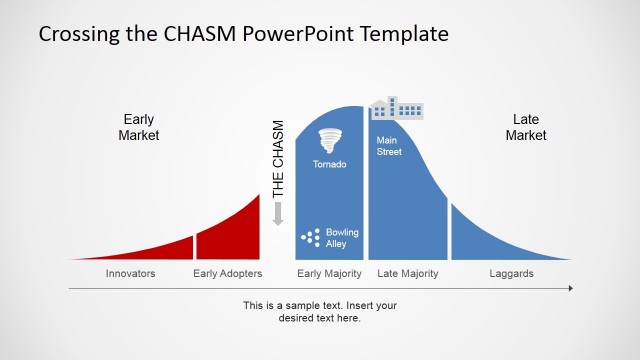
The Crossing the Chasm Segment Selection slide from the Crossing the Chasm Segment Selection template offers an editable area chart ideal for business presentations focused on market segmentation analysis and product lifecycle discussions. This slide template visually distinguishes adopter categories like Innovators and Pragmatists, supporting strategic analysis in corporate presentations or pitch deck templates with clear vector icons and editable shapes.
What’s on This Slide
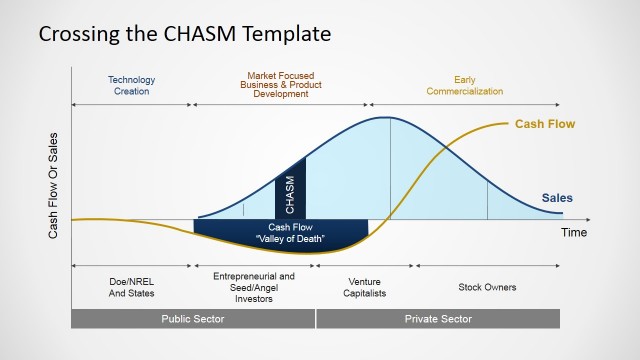
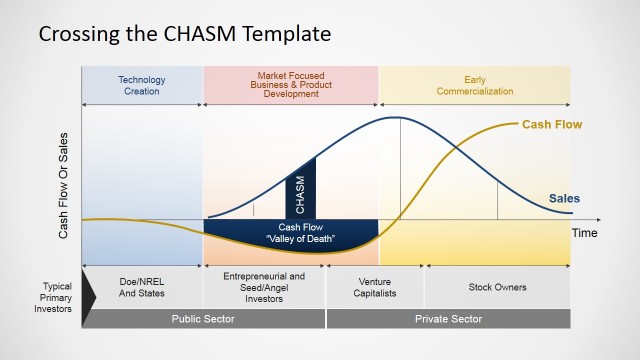
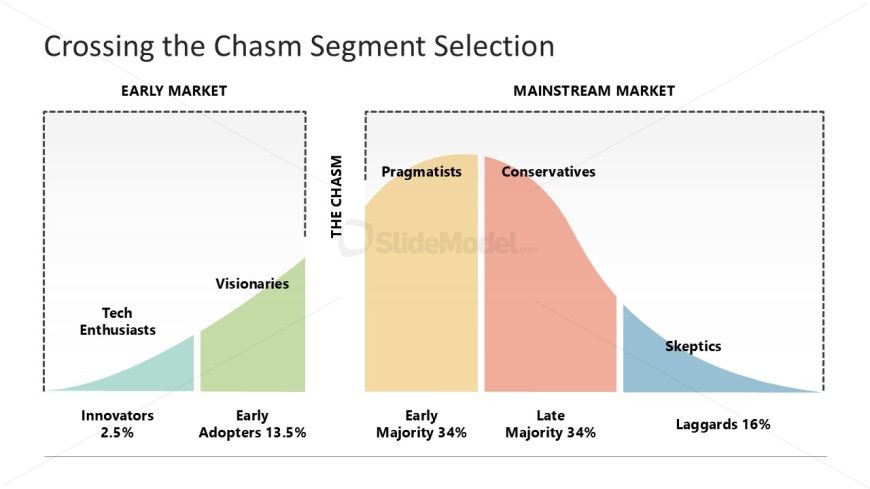
The slide features a segmented area chart divided into two main sections: Early Market and Mainstream Market. The left section includes categories such as Innovators, Early Adopters, Visionaries, and Tech Enthusiasts, while the right section includes Pragmatists, Conservatives, Skeptics, and Laggards. Each segment is visually represented with distinct colors and percentages that indicate market share. The chart is labeled with a dashed boundary separating the two markets and a central label 'THE CHASM'. There are text placeholders for titles and labels positioned above and within the chart.
How to Use It
This layout serves as a market segmentation analysis tool, illustrating the distribution of different adopter categories in a product lifecycle. It fits well in presentations discussing market strategies, particularly in technology or startup contexts. This slide can be used to highlight the importance of targeting specific segments for successful product adoption. It is suitable for business meetings, strategy sessions, or educational purposes where understanding market dynamics is essential.
Text Placeholders & Capacity
Keep your copy within these limits so it fits without resizing. Node labels can accommodate about 20 characters each.
| Placeholder | Count | Max characters (approx.) |
|---|---|---|
| Slide title | 1 | 30 |
| Item heading | 6 | 20 |
Slide Keywords
Download unlimited PowerPoint templates, charts and graphics for your presentations with our annual plan.
DOWNLOADReturn to Crossing the Chasm Segment Selection.