Slide 2 of 5 from Creative Horizontal Process Diagram for PowerPoint
Horizontal Process of Buying Template
Creative Horizontal Process Diagram Overview
- Diagram
- Arrow Sequence
- Process Slide
- 16:9
- 100% Editable
The Horizontal Process Diagram slide from the Creative Horizontal Process Diagram for PowerPoint template offers a clear visual tool for mapping sequential workflows. This slide layout, featuring editable shapes and vector icons, is well-suited for business presentations that require illustrating customer journey steps or marketing processes within a professional slide deck.
What’s on This Slide
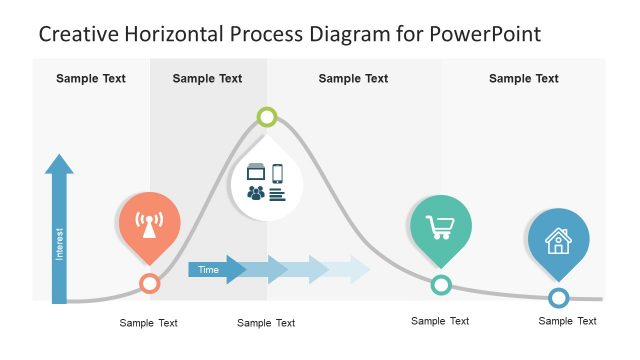
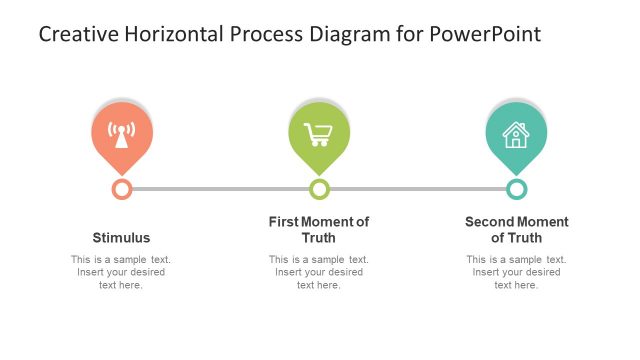
The layout features a horizontal process diagram with five distinct nodes. Each node is represented by a circular shape, with the first node in orange, followed by a green node, and the last two nodes in teal and blue. The nodes contain icons that symbolize various stages of a process, arranged along a central horizontal line. A green circle connects the nodes, emphasizing their relationship. Below the nodes, there are text placeholders for a title and body text, centrally aligned, indicating where to insert specific content. The background is light, enhancing visibility.
How to Use It
This layout serves as a visual representation of a sequential process, ideal for illustrating steps in a workflow or customer journey. It fits well in presentations discussing marketing strategies, sales processes, or customer experience frameworks. The diagram can be used to guide audiences through complex information in a clear and engaging manner. Given its structure, it is effective for both internal team discussions and client presentations, allowing for easy adaptation to various business contexts.
Text Placeholders & Capacity
Keep your copy within these limits so it fits without resizing. Body slots can accommodate roughly 10-12 words each.
| Placeholder | Count | Max characters (approx.) |
|---|---|---|
| Slide title | 1 | 30 |
| Body paragraph | 2 | 50 |
Slide Keywords
Download unlimited PowerPoint templates, charts and graphics for your presentations with our annual plan.
DOWNLOADReturn to Creative Horizontal Process Diagram for PowerPoint.