Slide 5 of 5 from Creative Horizontal Process Diagram for PowerPoint
Editable PowerPoint Diagram of Sales Model
Creative Horizontal Process Diagram for PowerPoint
- Diagram
- Arrow Sequence
- Process Slide
- 16:9
- 100% Editable
The Creative Horizontal Process Diagram slide from the Creative Horizontal Process Diagram for PowerPoint template offers a clear visualization of sequential stages in customer journey mapping and marketing strategies. This slide layout features editable shapes and vector icons arranged horizontally to illustrate process flow, making it suitable for business presentations and sales process visualization within professional slide decks.
What’s on This Slide
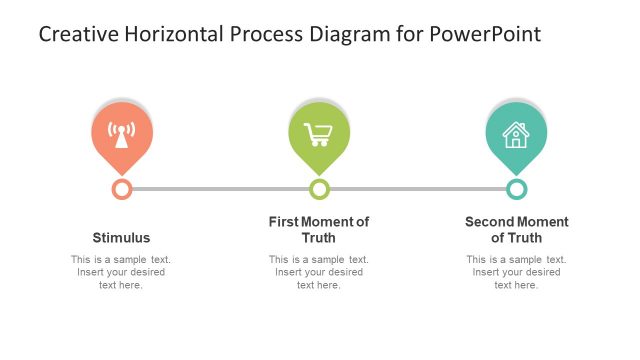
The layout features three circular nodes aligned horizontally, each containing an icon and a title. The first node on the left is labeled 'STIMULUS' with a signal icon. The center node, 'FIRST MOMENT OF TRUTH,' contains a shopping cart icon. The right node is labeled 'SECOND MOMENT OF TRUTH' with a house icon. Each node has a corresponding text placeholder below for additional information. Dotted lines connect the nodes, indicating a flow from left to right. The background is white, emphasizing the colored nodes and text.
How to Use It
This layout serves as a horizontal process diagram, ideal for illustrating sequential stages in a customer journey or decision-making process. It fits well in presentations discussing marketing strategies, customer experience, or sales processes. Use this structure to clearly convey the progression of concepts or actions. It is particularly effective in business contexts where visualizing steps enhances understanding and retention of information.
Text Placeholders & Capacity
Keep your copy within these limits so it fits without resizing. Node body slots can accommodate roughly 10 words each.
| Placeholder | Count | Max characters (approx.) |
|---|---|---|
| Item heading | 3 | 20 |
| Item body | 3 | 50 |
Slide Keywords
Download unlimited PowerPoint templates, charts and graphics for your presentations with our annual plan.
DOWNLOADReturn to Creative Horizontal Process Diagram for PowerPoint.