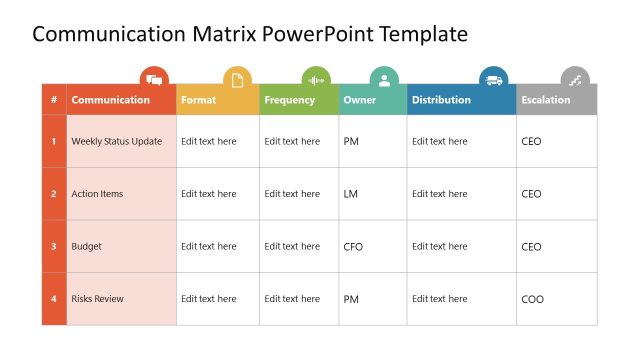
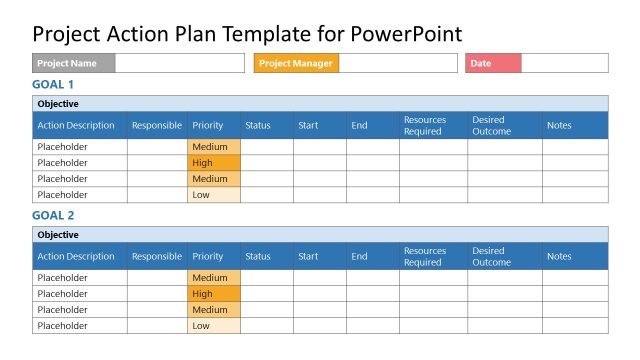
The Communication Plan Table PowerPoint Template is a presentation of communication management strategy. The tabular format of communication plan will assist to effectively communicate accurate information across all channels and stakeholders. For example, a consistent flow of accurate information throughout project lifecycle. The efficient system of communication ensures stakeholder’s engagement to achieve share objectives. This presentation of communication plan contains a data tables with different business areas to consider. It contains 7 columns with infographic elements to establish a communication approach. The segments include target audience, objective, sender, key message, vehicle, timing, communication material.
The template of communication is suitable for presenting stakeholder management in project planning process. It is a simple layout of data chart to present easy-to-follow details. Further, this chart template will enable audience to view format of time-critical business or project information. The 7 columns of areas to consider creating a system of effective communication. These columns explain:
- Audience: The person who will get information. In this way, all stakeholders will know who needs to be informed and responsible for share it further.
- Objective: The information communicated to the audience member or group based on specific needs.
- Sender: The person responsible for delivering
- Key Message: A core message to communicate to the audience.
- Vehicle: Media or channel for communicating a message. For example, face-to-face or emails.
- Timing: Continuously updating communication schedule to improve information sharing.
- Communication Materials: Communication techniques including active listening, questions checklist, feedback tools, etc.
The Communication Plan Table PowerPoint Template could be modified to present different areas. The presentation of a communication plan will assist in organizational mapping. Therefore, this presentation table will enable management professionals to develop smart communication strategies.
What’s inside this template
Example presentation scenarios
- A project manager can use the seven-column table to brief sponsors on which stakeholders receive updates, who sends each message, and what channel or timing applies.
- An event planner can use the row-label table variant to organize audience groups, key messages, vehicles, timing, and communication materials before an event launch.
- A communication manager can present the icon-header table to align department leads on sender responsibilities, message objectives, and recurring update schedules.
- A people manager can use the table placeholders to document internal communication for a change initiative, including employee audiences, delivery channels, and supporting materials.
Features
- 100% editable presentation template
- Compatible with Microsoft PowerPoint and Google Slides
- 16:9 aspect ratio slides
- Scalable vector shapes, icons and illustrations
- AI-Ready for Microsoft Copilot and Claude
- Instant access and download
Frequently asked questions
Q: How should a presenter make the communication plan easy to follow?
A: Start by framing the table around one project, event, or initiative, then move left to right through audience, objective, sender, message, vehicle, timing, and materials. Keep each cell short so the table acts as a decision tool, not a document dump. Use the icon headers as signposts while explaining each communication choice.
Q: Who is this template best suited for?
A: This template is best for project managers, communication leads, event planners, and people managers who need to align stakeholders on information flow. It works well when the main task is assigning message ownership, matching audiences to channels, and clarifying timing before work begins or before a project review.
Q: Why use a table format instead of a list of communication actions?
A: The table format shows dependencies that a list can hide. By placing audience, objective, sender, key message, vehicle, timing, and materials in parallel columns, the presenter can expose missing owners, unclear channels, or weak message definitions. The icon row reinforces the meaning of each column without adding extra text.


Communication Plan Table PowerPoint Template
2-slide communication plan presentation template with stakeholder table layouts for PowerPoint and Google Slides
The Communication Plan Table PowerPoint Template is a 2-slide, 16:9 presentation template for organizing stakeholder communication details. It includes seven-column communication plan tables with audience, objective, sender, key message, vehicle, timing, and materials fields, plus icon headers and editable text cells for PowerPoint and Google Slides.
- Category
- Text & Tables
- Rating


 Loading...
- Aspect ratio
- 16:9
- Item ID
- 20334-01
- Colors
 Microsoft PowerPoint
 Microsoft Copilot
 Claude for PowerPoint
Other formats supported
Subscribe today and get immediate
access to download our PowerPoint templates.