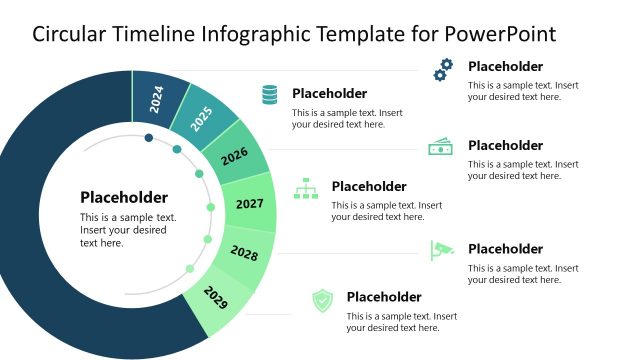
Slide 3 of 4 from Circular Timeline Infographic Template for PowerPoint
6-Year Circular Timeline Template Design for PowerPoint
Circular Timeline Infographic Template for PowerPoint
- Diagram
- Circular Cycle
- Timeline Slide
- 16:9
- 100% Editable
What’s on This Slide
The layout features a circular timeline divided into segments for each year from 2024 to 2029. Each segment contains a year label positioned at the top, with corresponding text placeholders aligned below. The placeholders are centered within each segment, allowing for the insertion of descriptive text. The circular shape is prominent, with a dark background that enhances visibility. Icons are placed adjacent to some placeholders, adding visual interest. The overall design emphasizes a clear flow from one year to the next, creating a cohesive timeline structure.
How to Use It
This layout serves as a chronological timeline, effectively illustrating yearly milestones or events. It fits within a presentation sequence that discusses planning or project timelines, ideally positioned after an introduction or problem statement. Business scenarios include project planning, annual reviews, or strategic roadmaps. The circular format allows for easy comprehension of the timeline's progression, making it suitable for presentations that require a visual representation of time-based data.
Text Placeholders & Capacity
Keep your copy within these limits so it fits without resizing. Node body slots can hold roughly 10 words each.
| Placeholder | Count | Max characters (approx.) |
|---|---|---|
| Item heading | 6 | 4 |
| Item body | 6 | 50 |
Slide Keywords
Download unlimited PowerPoint templates, charts and graphics for your presentations with our annual plan.
DOWNLOADReturn to Circular Timeline Infographic Template for PowerPoint.