Slide 1 of 4 from Checklist Timeline Concept for PowerPoint
Animated Checklist Timeline PowerPoint
Checklist Timeline Concept for PowerPoint
- Diagram
- Timeline Horizontal
- Process Slide
- 16:9
- 100% Editable
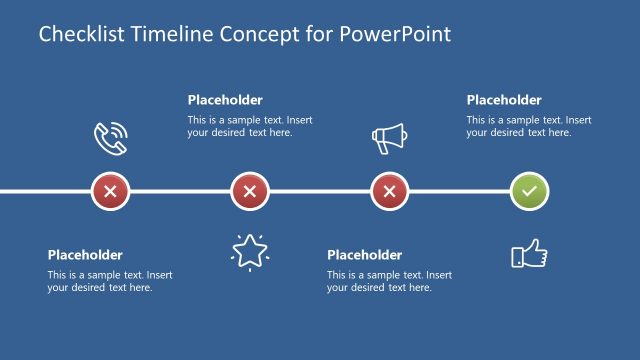
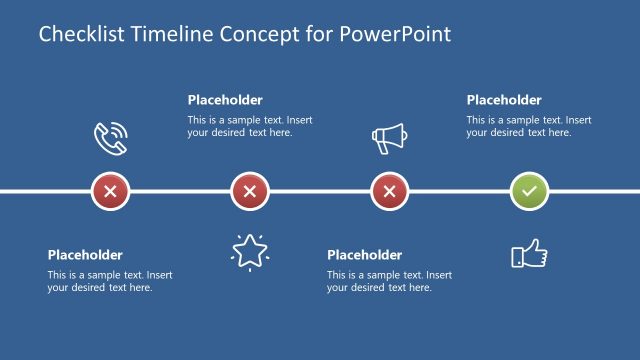
The Checklist Timeline Concept slide from the Checklist Timeline Concept for PowerPoint template offers a clear horizontal timeline layout ideal for project timelines and milestone tracking. This slide uses editable shapes and vector icons to visually represent sequential tasks, making it suitable for business presentations and strategic planning slide decks. Its design supports effective communication of task progress and checklist status within professional PowerPoint templates or Google Slides templates.
What’s on This Slide
The layout features a horizontal timeline with five key points. Icons are positioned above a central line, with a checkmark icon in the middle and red cross icons on either side. Each icon corresponds to a text placeholder below, aligned centrally. The background is a solid blue color, providing contrast to the icons and text. The visual hierarchy emphasizes the checkmark icon, indicating a focal point, while the surrounding icons are of equal size. Text placeholders are evenly spaced beneath each icon, maintaining a clean and organized appearance.
How to Use It
This layout serves as a checklist timeline, ideal for illustrating sequential tasks or milestones in a project. It fits well at the beginning of a presentation, setting the stage for detailed discussions on each point. This structure is useful in business scenarios like project management updates, product launch timelines, or strategic planning sessions. The clear visual flow helps audiences grasp the progression of tasks or objectives effectively.
Text Placeholders & Capacity
Keep your copy within these limits so it fits without resizing. Each body paragraph slot can hold roughly 15-20 words.
| Placeholder | Count | Max characters (approx.) |
|---|---|---|
| Item heading | 5 | 40 |
| Body paragraph | 5 | 80 |
Slide Keywords
Download unlimited PowerPoint templates, charts and graphics for your presentations with our annual plan.
DOWNLOADReturn to Checklist Timeline Concept for PowerPoint.