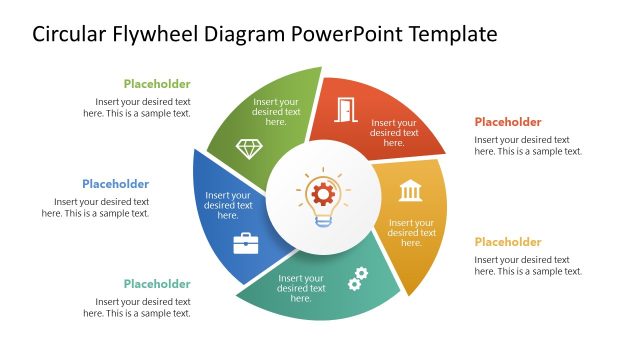
Slide 1 of 2 from Center of Excellence Circular Diagram PowerPoint Template
Customizable Center of Excellence Circular Diagram Template
Center of Excellence Circular Diagram Template
- Diagram
- Circular Cycle
- Concept Explanation Slide
- 16:9
- 100% Editable
The Center of Excellence Circular Diagram slide from the Center of Excellence Circular Diagram PowerPoint Template provides a clear visual framework for illustrating performance improvement strategies and digital transformation initiatives. This slide layout uses a segmented circular diagram with editable shapes and vector icons, making it suitable for business presentations and training program components. Its design supports effective communication of interconnected concepts within corporate presentations and slide decks.
What’s on This Slide
The layout features a circular diagram divided into four equal segments, each containing a placeholder for text. The central area displays the title 'CENTER OF EXCELLENCE.' Each segment is colored differently, with icons placed above the text placeholders. The segments are arranged in a clockwise manner, with a light blue, dark blue, green, and teal color scheme. Text placeholders are centered within each segment, while the title is prominently displayed at the top center. The background is white, enhancing the visual clarity of the diagram.
How to Use It
This layout serves as a circular diagram to illustrate concepts related to a center of excellence. It fits well in presentations discussing continuous improvement, digital transformation, or performance enhancement. This structure is useful for business scenarios where multiple aspects of a central theme need to be highlighted. It can be employed in training sessions, strategic planning meetings, or performance reviews to convey interconnected ideas effectively.
Text Placeholders & Capacity
Keep your copy within these limits so it fits without resizing. Node body slots can hold about 10 words each.
| Placeholder | Count | Max characters (approx.) |
|---|---|---|
| Slide title | 1 | 30 |
| Item body | 4 | 50 |
| Footer | 4 | 50 |
Slide Keywords
Download unlimited PowerPoint templates, charts and graphics for your presentations with our annual plan.
DOWNLOADReturn to Center of Excellence Circular Diagram PowerPoint Template.