Slide 2 of 5 from Brand Positioning PowerPoint Template
Brand Positioning PowerPoint Slide
Target Audience Identification Quadrant Slide
- Diagram
- Matrix Quadrant
- Strategy Slide
- 16:9
- 100% Editable
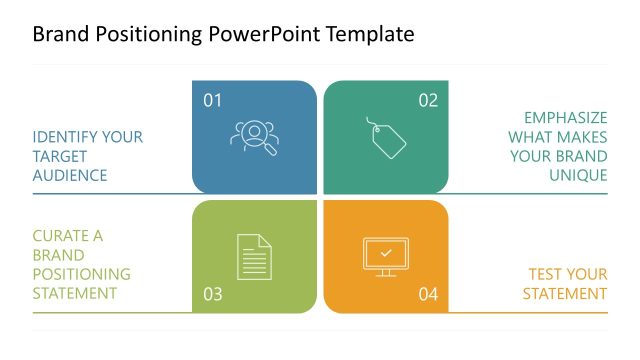
The Target Audience Identification Quadrant slide from the Brand Positioning PowerPoint Template offers a clear 2x2 matrix layout ideal for marketing workshops and corporate presentations. This slide template helps teams visually organize brand strategy elements such as audience identification and brand positioning statements using editable shapes and vector icons, enhancing communication in business presentations and pitch deck templates.
What’s on This Slide
The layout features a 2x2 quadrant matrix divided into four sections. The top left section contains a blue background with an icon representing target audience identification, alongside the text 'IDENTIFY YOUR TARGET AUDIENCE.' The top right section is white with the text 'EMPHASIZE WHAT MAKES YOUR BRAND UNIQUE.' The bottom left section is white with the text 'CURATE A BRAND POSITIONING STATEMENT.' The bottom right section is white with the text 'TEST YOUR STATEMENT.' Each section has a consistent visual hierarchy with clear labels and icons. The overall composition is balanced, with a focus on clarity and organization.
How to Use It
This layout serves as a structured approach to presenting a brand positioning framework. It fits within a presentation sequence that outlines key steps in brand strategy. This slide is particularly useful for marketing teams to visually communicate the process of identifying target audiences and developing brand positioning statements. It can be applied in workshops, strategy sessions, or client presentations to facilitate discussions on brand differentiation and positioning.
Text Placeholders & Capacity
Keep your copy within these limits so it fits without resizing. Node body slots can hold up to 50 characters each.
| Placeholder | Count | Max characters (approx.) |
|---|---|---|
| Item heading | 4 | 40 |
| Item body | 4 | 50 |
Slide Keywords
Download unlimited PowerPoint templates, charts and graphics for your presentations with our annual plan.
DOWNLOADReturn to Brand Positioning PowerPoint Template.