Slide 12 of 15 from A3 Thinking PowerPoint Template
Results & Follow-up Slide with Table Diagram – A3 Thinking Template PPT Layout
Results and Follow-up Slide for Presentations
- Table
- Data Table
- Project Plan Slide
- 16:9
- 100% Editable
The Results and Follow-up Slide from the A3 Thinking PowerPoint Template offers a structured layout ideal for tracking project tasks and team accountability. This slide template features editable shapes and a clear table format to summarize action items, responsible parties, deadlines, and notes. It supports business presentations and corporate slide decks by providing an organized overview of project status updates and follow-up actions, enhancing clarity in team meetings and pitch decks.
What’s on This Slide
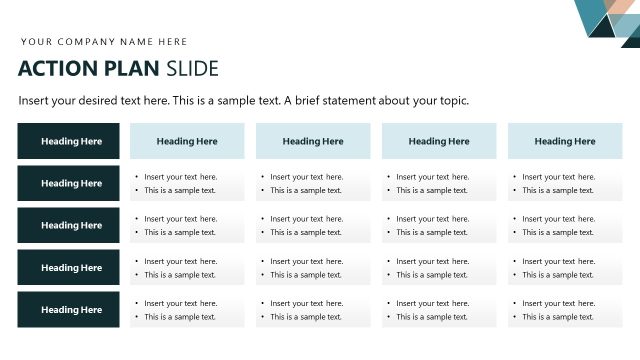
The layout features a table positioned centrally, containing four columns labeled Action Item, Responsible, Date, and Notes. Each row is designed for input, with placeholders indicating where to insert desired text. The left side of the slide includes a vertical section for additional headings and text, aligned to the right. This section has bullet points for further details. The background is predominantly white, with a blue section on the right side and green accents at the bottom. The overall structure emphasizes clarity and organization.
How to Use It
This layout is suitable for summarizing results and follow-up actions in a business context. It can be used to track responsibilities, deadlines, and notes related to specific action items. This slide fits well in a presentation sequence after problem analysis or project planning, providing a clear overview of next steps. It is ideal for team meetings, project updates, or status reports, ensuring accountability and clarity in follow-up tasks.
Text Placeholders & Capacity
Keep your copy within these limits so it fits without resizing. Each text slot can hold concise entries, roughly 5-10 words each.
| Placeholder | Count | Max characters (approx.) |
|---|---|---|
| Item body | 5 | 50 |
| Item heading | 5 | 10 |
| Item heading | 1 | 20 |
| Body paragraph | 3 | 100 |
Slide Keywords
Download unlimited PowerPoint templates, charts and graphics for your presentations with our annual plan.
DOWNLOADReturn to A3 Thinking PowerPoint Template.