Slide 2 of 2 from 4 Steps Onion Diagrams for PowerPoint
6131-04-4-steps-onion-diagram-2
4 Steps Onion Diagram for Presentations
- Diagram
- Concentric Rings
- Concept Explanation Slide
- 16:9
- 100% Editable
The 4 Steps Onion Diagram slide from the 4 Steps Onion Diagrams for PowerPoint template offers a clear visual hierarchy using concentric rings to explain processes and dependencies. This slide layout is ideal for corporate presentations and strategic planning, featuring editable shapes and callouts that enhance clarity in business presentations and pitch decks.
What’s on This Slide
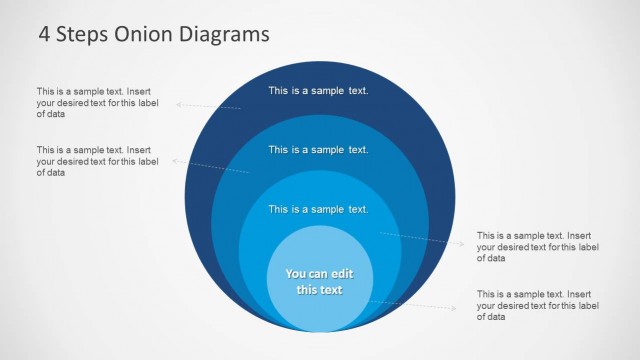
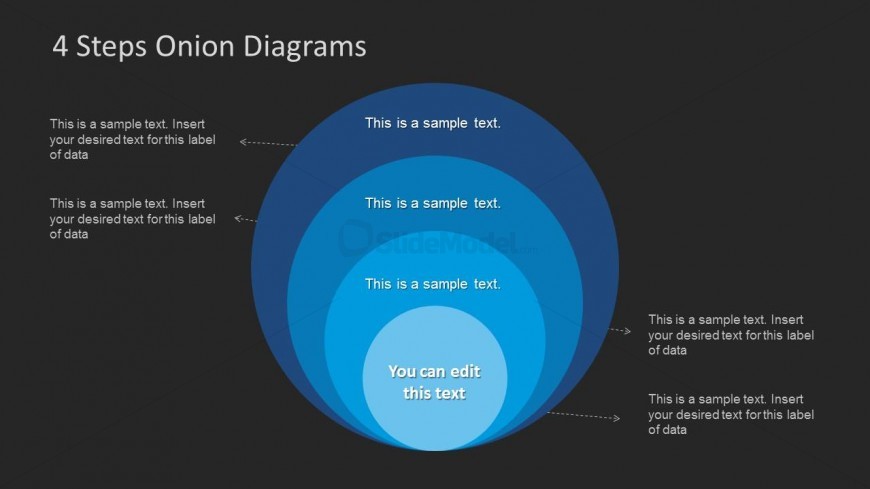
The slide features a concentric circle diagram with four layers. The outermost layer is dark blue, followed by progressively lighter shades of blue toward the center. Each layer has a dashed callout pointing to text placeholders, which are aligned to the right. The innermost circle contains a prominent editable text placeholder. The title is positioned at the top center, while the background is dark. The overall layout emphasizes a clear visual hierarchy, guiding the viewer's attention inward through the layers.
How to Use It
This layout serves as a process or dependency model, illustrating relationships among four elements. It is suitable for presentations that require visualizing layered concepts, such as strategic planning or project phases. This diagram can effectively fit into a sequence after introducing a problem or concept, helping to clarify underlying factors. It is useful for consultants and trainers explaining complex systems or processes in a structured manner.
Text Placeholders & Capacity
Keep your copy within these limits so it fits without resizing. Node body slots can hold about 6-8 words each.
| Placeholder | Count | Max characters (approx.) |
|---|---|---|
| Slide title | 1 | 30 |
| Item body | 4 | 40 |
| Body paragraph | 1 | 50 |
Slide Keywords
Download unlimited PowerPoint templates, charts and graphics for your presentations with our annual plan.
DOWNLOADReturn to 4 Steps Onion Diagrams for PowerPoint.