Slide 2 of 5 from 4-Item Quadrants Infographic PowerPoint Template
4-Item Quadrants Infographic PowerPoint Slide
4-Item Quadrants Infographic Overview
- Diagram
- Matrix Quadrant
- Comparison Slide
- 16:9
- 100% Editable
The 4-Item Quadrants Infographic slide from the 4-Item Quadrants Infographic PowerPoint Template offers a clear 2x2 matrix layout ideal for business presentations requiring concept comparison or SWOT analysis. This slide design supports effective item prioritization with editable shapes and vector icons, enhancing clarity in corporate presentation slide decks. It integrates seamlessly into slide templates focused on structured data visualization and strategic frameworks.
What’s on This Slide
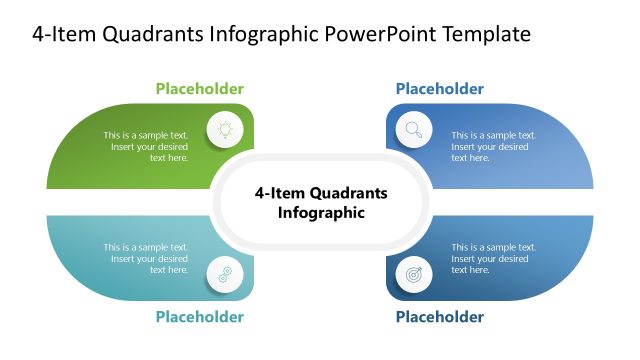
The layout features a central circular node labeled '4-Item Quadrants Infographic' surrounded by four quadrants. The top left quadrant is green with a circular icon and a text placeholder aligned to the left. The top right quadrant is white with a circular icon and a text placeholder aligned to the right. The bottom left quadrant is white with a circular icon and a text placeholder aligned to the left. The bottom right quadrant is white with a circular icon and a text placeholder aligned to the right. Each quadrant has a distinct visual boundary, creating clear separation.
How to Use It
This layout serves as a 2x2 matrix for presenting four distinct items or concepts. It is suitable for various business contexts, such as SWOT analysis or prioritization frameworks. The central node acts as a title or theme for the quadrants, making it effective for summarizing key points. It fits well in a presentation sequence after introducing a problem or concept, allowing for a structured comparison or categorization of ideas.
Text Placeholders & Capacity
Keep your copy within these limits so it fits without resizing. Node body slots can hold roughly 10 words each.
| Placeholder | Count | Max characters (approx.) |
|---|---|---|
| Slide title | 1 | 30 |
| Item body | 4 | 50 |
| Item heading | 4 | 20 |
Slide Keywords
Download unlimited PowerPoint templates, charts and graphics for your presentations with our annual plan.
DOWNLOAD