Slide 8 of 8 from 3D Dice Shapes for PowerPoint
2 Dices for PowerPoint with Symbols
Dice Shape for PowerPoint Presentation
- Media Layout
- Other
- Decision Making Slide
- 16:9
- 100% Editable
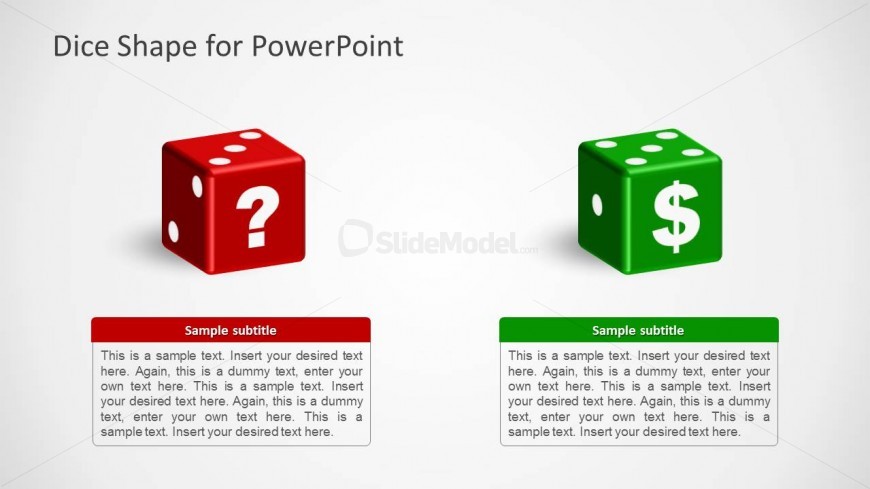
The Dice Shape for PowerPoint slide from the 3D Dice Shapes for PowerPoint template offers a clear visual tool for decision-making presentations. Featuring editable 3D dice icons with symbolic markings, this slide supports risk analysis and financial strategy discussions. It integrates well into business presentation decks, providing a focused layout with vector icons and editable shapes to emphasize contrasting options effectively.
What’s on This Slide
The slide features two 3D dice shapes positioned side by side. On the left, a red die displays a question mark, while on the right, a green die shows a dollar sign. Each die has a corresponding text placeholder beneath it, aligned centrally. The background is a light gradient, enhancing the visibility of the dice. The title is positioned at the top center, with a larger font size than the subtitles. The overall layout emphasizes the dice as focal points, with ample white space surrounding them for clarity.
How to Use It
This layout serves as a decision-making tool, contrasting two options represented by the dice. It fits well in presentations discussing risk, choices, or financial decisions. The slide can be used in business meetings, strategy sessions, or educational contexts where decision-making processes are analyzed. It effectively highlights the implications of different choices, making it suitable for discussions about gambling, investments, or game strategies.
Text Placeholders & Capacity
Keep your copy within these limits so it fits without resizing. Body slots can hold about 40-50 words each.
| Placeholder | Count | Max characters (approx.) |
|---|---|---|
| Slide title | 1 | 30 |
| Subtitle | 2 | 150 |
| Body paragraph | 2 | 300 |
Slide Keywords
Download unlimited PowerPoint templates, charts and graphics for your presentations with our annual plan.
DOWNLOADReturn to 3D Dice Shapes for PowerPoint.