Slide 2 of 8 from 3D Dice Shapes for PowerPoint
5 Dice Shapes for PowerPoint
Five Dice Comparison for Presentations
- Diagram
- Comparison Split
- Comparison Slide
- 16:9
- 100% Editable
The Five Dice Comparison Layout from the 3D Dice Shapes for PowerPoint template offers a clear visual format for comparing multiple options side by side. This slide design uses colorful 3D dice paired with matching text boxes, making it suitable for decision-making presentations, risk assessments, and game strategy discussions. Its clean composition and editable shapes ensure easy customization within business presentations or pitch deck templates.
About This Slide
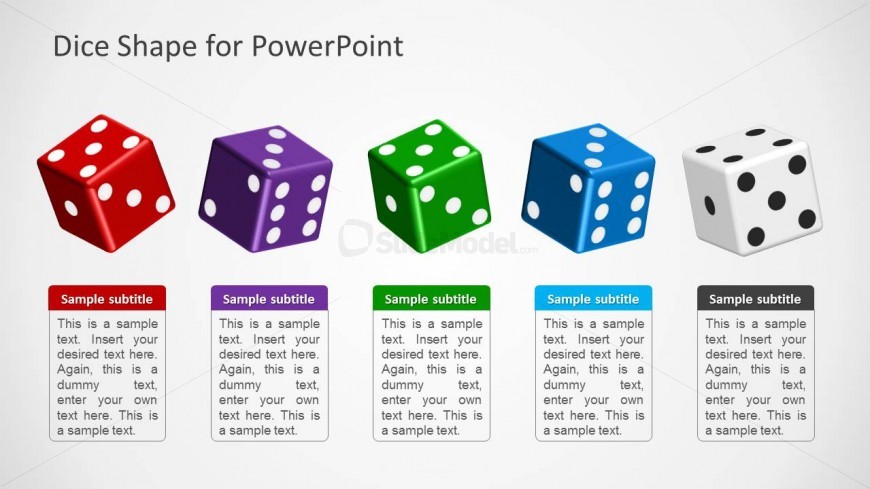
Five multi-colored 3D dice in red, violet, green, blue, and white dominate this PowerPoint template. This slide design is appropriate in presenting to the audience alternatives and selections. The use of dice in games indicates probability, and the presenter may relate this metaphor by showing the success and failure rate of every option. In business, clear presentation of options is crucial in order for decision makers to come up with the best action. Below the dice are corresponding placeholders in matching colors, where brief explanations may be inserted. All PowerPoint graphics in this slide are created in high resolution, and can be adjusted by the presenter.
What’s on This Slide
The layout features five 3D dice arranged horizontally across the top of the slide. Each die is a different color: red, purple, green, blue, and white, with visible dots indicating their values. Below each die is a rectangular text box, aligned centrally, containing placeholders for a subtitle and a body text. The text boxes are color-coded to match the dice above, with a consistent design. The overall composition is clean, with ample white space in the background, enhancing the visibility of the dice and text elements.
How to Use It
This layout serves as a comparison tool, ideal for showcasing options or outcomes in decision-making scenarios. It fits well after a problem-framing slide, allowing for a clear visual representation of choices. This structure is effective for business presentations, game strategy discussions, or any context where multiple options need to be evaluated side by side. It can also be adapted for educational purposes to illustrate concepts related to probability or risk assessment.
Text Placeholders & Capacity
Keep your copy within these limits so it fits without resizing. Body slots can hold roughly 25-30 words each.
| Placeholder | Count | Max characters (approx.) |
|---|---|---|
| Slide title | 1 | 30 |
| Subtitle | 5 | 20 |
| Body paragraph | 5 | 150 |
Slide Keywords
Download unlimited PowerPoint templates, charts and graphics for your presentations with our annual plan.
DOWNLOADReturn to 3D Dice Shapes for PowerPoint.