Slide 1 of 1 from 2 Ideas Infographic PowerPoint Template
Editable 2 Ideas Infographic PPT Template
Two Ideas Comparison Infographic Slide
- Diagram
- Comparison Split
- Comparison Slide
- 16:9
- 100% Editable
The Two Ideas Comparison slide from the 2 Ideas Infographic PowerPoint Template offers a structured layout ideal for contrasting business strategies or product features. Featuring editable shapes and distinct vector icons, this slide template supports clear visual comparisons within corporate presentations and pitch decks. Its clean design and side-by-side idea cards help emphasize key differences effectively in professional slide decks.
What’s on This Slide
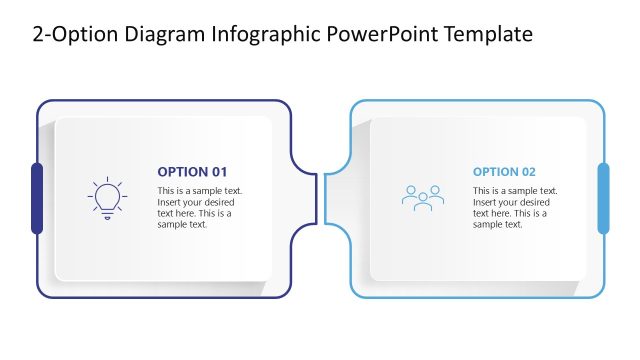
The layout features two side-by-side outlined idea cards. Each card has a distinct icon, with gears on the left and a rocket on the right. The cards are positioned centrally, with a connecting line between them. Each card contains a numbered label at the top left, followed by a placeholder for a headline and a body text placeholder below. The overall color scheme is blue and white, with a clean, structured design. The visual hierarchy emphasizes the icons and numbered labels, guiding the viewer's attention.
How to Use It
This layout serves to compare two distinct ideas or options. It is suitable for business presentations where contrasting concepts need to be highlighted. The slide can be used in discussions about strategies, product features, or recommendations. It fits well in a sequence after presenting a problem or context, allowing for a clear visual comparison. This structure is effective for engaging audiences in decision-making scenarios.
Text Placeholders & Capacity
Keep your copy within these limits so it fits without resizing. Body slots can hold roughly 8-10 words each.
| Placeholder | Count | Max characters (approx.) |
|---|---|---|
| Item heading | 2 | 2 |
| Item body | 2 | 50 |
| Chart title | 1 | 30 |
Slide Keywords
Download unlimited PowerPoint templates, charts and graphics for your presentations with our annual plan.
DOWNLOADReturn to 2 Ideas Infographic PowerPoint Template.