Slide 1 of 3 from Wedding Timeline Template for PowerPoint
Editable Wedding Timeline PPT Template
Wedding Timeline Template Overview
- Diagram
- Timeline Horizontal
- Timeline Slide
- 16:9
- 100% Editable
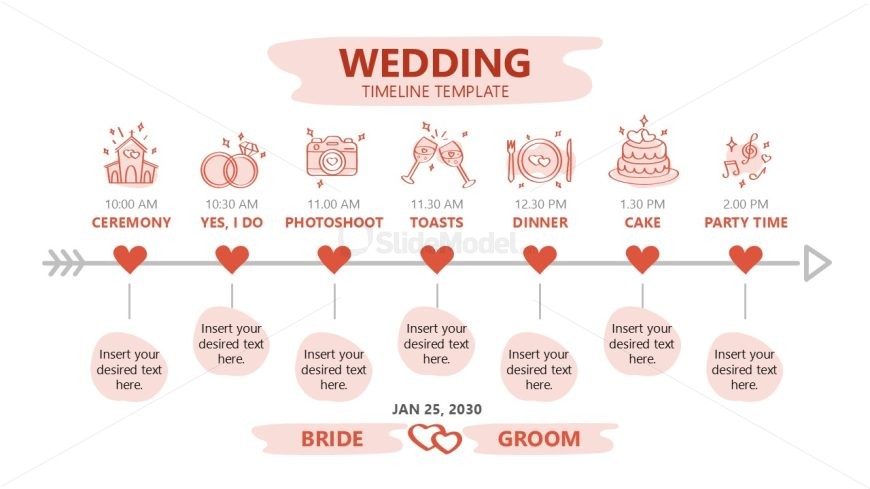
The Wedding Timeline Overview slide from the Wedding Timeline Template for PowerPoint offers a clear horizontal timeline ideal for wedding planning presentations. This slide layout features editable shapes and vector icons representing key wedding events, facilitating easy customization within a business presentation or slide deck. Its structured design supports effective event scheduling, making it a practical choice for creating professional PowerPoint slides or Google Slides templates focused on timeline presentations.
What’s on This Slide
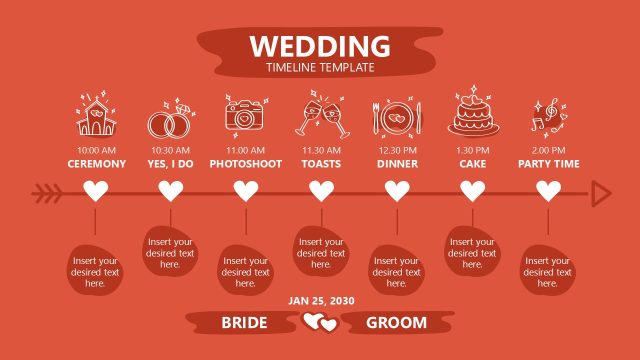
The slide features a horizontal timeline with a light background. At the top center, the title 'WEDDING TIMELINE TEMPLATE' is prominently displayed. Below, there are icons representing various wedding events, such as a church, rings, and a cake, aligned with corresponding time labels. Each event is separated by heart icons, creating a visual flow. Below the timeline, there are placeholders for text, labeled 'Insert your desired text here,' positioned centrally under each event. The overall layout is structured and clear, emphasizing the sequence of events.
How to Use It
This layout serves as a chronological timeline for wedding events, ideal for planning presentations. It fits at the beginning of a presentation to outline the schedule of activities. This structure is useful for event planners or couples organizing a wedding, providing a clear visual representation of the day's events. It allows for easy customization of event details and timings, ensuring all participants are informed about the schedule.
Text Placeholders & Capacity
Keep your copy within these limits so it fits without resizing. Node labels can hold about 20 characters each.
| Placeholder | Count | Max characters (approx.) |
|---|---|---|
| Slide title | 1 | 30 |
| Item heading | 7 | 20 |
| Item body | 7 | 30 |
| Footer | 1 | 30 |
Slide Keywords
Download unlimited PowerPoint templates, charts and graphics for your presentations with our annual plan.
DOWNLOADReturn to Wedding Timeline Template for PowerPoint.