Slide 8 of 12 from Website Performance PowerPoint Template
Performance Bottlenecks Slide – Website Performance Template
Performance Bottlenecks Slide Template
- Diagram
- Matrix Grid
- Evaluation Slide
- 16:9
- 100% Editable
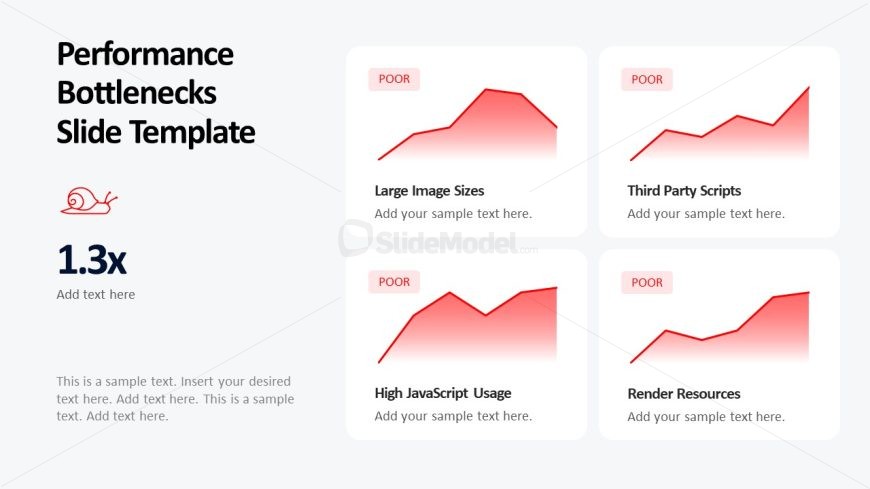
The Performance Bottlenecks Analysis slide from the Website Performance PowerPoint Template offers a clear matrix grid layout to evaluate key website issues such as large image sizes and high JavaScript usage. Designed for business presentations, this slide uses editable shapes and vector icons to highlight critical performance metrics, making it suitable for SEO reporting and development team discussions within a corporate presentation or pitch deck template.
What’s on This Slide
The layout features a title at the top left, with a large icon of a snail beneath it. Below, there are four rectangular sections arranged in a 2x2 grid. Each section contains a line chart showing performance metrics, labeled with the term 'POOR' in the top left corner. The sections are titled 'Large Image Sizes', 'Third Party Scripts', 'High JavaScript Usage', and 'Render Resources'. Each section has a placeholder for additional text. The background is light gray, providing contrast to the colored charts and text.
How to Use It
This layout serves to present performance bottlenecks in a website audit context. It fits well after a problem-framing slide, allowing for a clear visual representation of issues affecting website performance. This structure is useful for web development teams, SEO specialists, and marketing professionals to identify and discuss specific areas needing improvement. It effectively summarizes key performance indicators in a visually engaging manner.
Text Placeholders & Capacity
Keep your copy within these limits so it fits without resizing. Node labels can hold about 5 words each, while body text can accommodate roughly 20 words.
| Placeholder | Count | Max characters (approx.) |
|---|---|---|
| Slide title | 1 | 30 |
| Item heading | 4 | 25 |
| Item body | 4 | 100 |
| Body paragraph | 1 | 250 |
Slide Keywords
Download unlimited PowerPoint templates, charts and graphics for your presentations with our annual plan.
DOWNLOADReturn to Website Performance PowerPoint Template.