Download the editable Vendor Scorecard PowerPoint Template to showcase the performance of different suppliers in the company supply chain. A vendor scorecard is a valuable tool that enables businesses to assess the performance of their vendors and suppliers. They measure specific KPIs and metrics to identify key areas of improvement in the supply chain process. Some of the key metrics include on-time delivery, product quality, communication, responsiveness, and pricing. The scorecards enable companies to renegotiate, continue, or terminate contracts with vendors to ensure the seamless delivery of quality products. We have created this simple and understandable vendor scorecard template to help logistics experts, supply chain managers, and quality control professionals effectively showcase vendor performance data and provide data-driven insights to company stakeholders. The template contains a simple table layout and has editable PowerPoint elements.
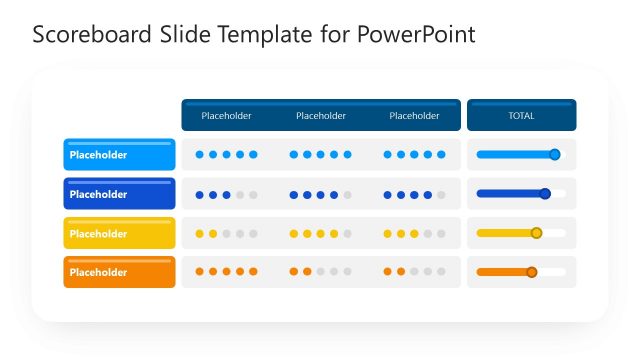
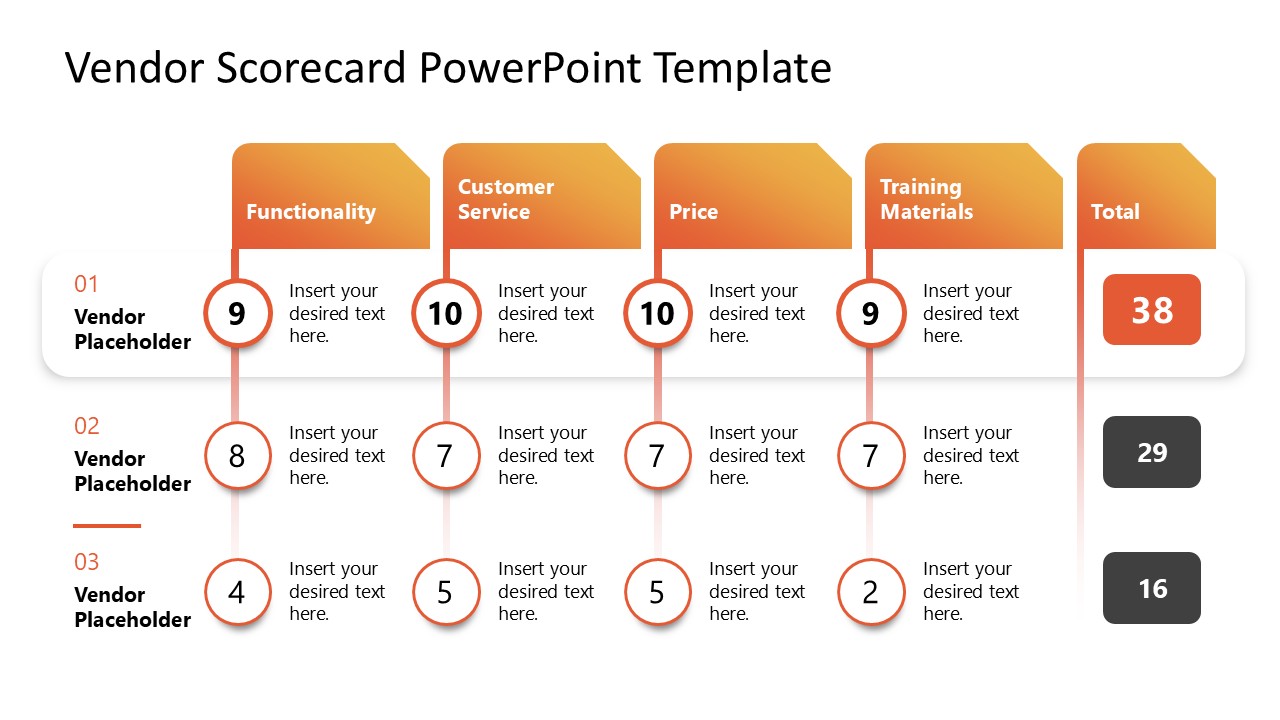
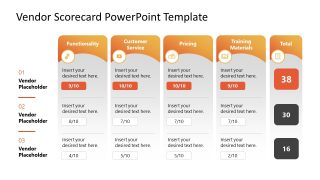
The Vendor Scorecard PowerPoint Template shows five columns and three rows in the table. The columns have a modern look, giving them an individual, creative appearance with lines that slope downwards, incorporating circular shapes. In the circle, you can display the performance value out of ten in that particular metric. The columns are for metrics, with the end column showing the total score, and rows display the vendors. The five columns are for:
- Functionality
- Customer service
- Price
- Training Materials
- Total
You can edit the placeholder text in each cell of the table to write the corresponding details briefly. The second slide has similar components, but the style of columns and scoring presentation is different. You can customize the template layout’s features, such as colors, fonts, styles, number of columns, and rows, to perfectly fit your needs. Download the vendor scorecard presentation slide template for your business meetings!
What’s inside this template
Example presentation scenarios
- A procurement manager can use the scorecard table to compare current vendors before recommending a contract renewal or renegotiation.
- A supply chain leader can show the total score column to executives when summarizing which supplier is meeting service expectations.
- A quality control professional can use the metric columns to report functionality, service, price, and training material performance in a review meeting.
- An operations team can adapt the vendor rows to benchmark three suppliers and focus the discussion on low-scoring criteria.
Features
- 100% editable presentation template
- Compatible with Microsoft PowerPoint and Google Slides
- 16:9 aspect ratio slides
- Scalable vector shapes, icons and illustrations
- AI-Ready for Microsoft Copilot and Claude
- Instant access and download
Frequently asked questions
Q: How should a presenter walk through the scorecard without overwhelming the audience?
A: Start with the metric columns, then move left to right across one vendor row at a time. Explain what a high or low score means before discussing the total score. This keeps the audience focused on evaluation logic instead of treating the numbers as isolated rankings.
Q: Who is this template best suited for in a supplier review meeting?
A: It fits procurement, supply chain, operations, and quality teams that need to compare a small group of vendors against the same criteria. The visible vendor rows and total score column are best for decision meetings where the goal is to recommend, challenge, or monitor supplier performance.
Q: Why do the score badges and total column make the comparison easier to understand?
A: The circular score badges work like evaluation stamps, calling attention to the metric result before the audience reads the supporting note. The separate total column creates a clear finish point for each row, so stakeholders can compare vendors quickly while still seeing the criteria behind each score.

Vendor Scorecard PowerPoint Template
2-slide presentation template for vendor scorecard tables and supplier performance evaluation meetings
Vendor Scorecard PowerPoint Template is a 2-slide presentation template for comparing suppliers with numeric criteria. It includes a scorecard table, vertical metric columns, vendor rows, and a total score column. Procurement, supply chain, quality, and operations teams can present supplier performance in Microsoft PowerPoint or Google Slides.
- Category
- Data & Charts
- Rating

 Loading...
- Aspect ratio
- 16:9
- Item ID
- 85264-01
- Colors
 Microsoft PowerPoint
 Microsoft Copilot
 Claude for PowerPoint
Other formats supported
Subscribe today and get immediate
access to download our PowerPoint templates.