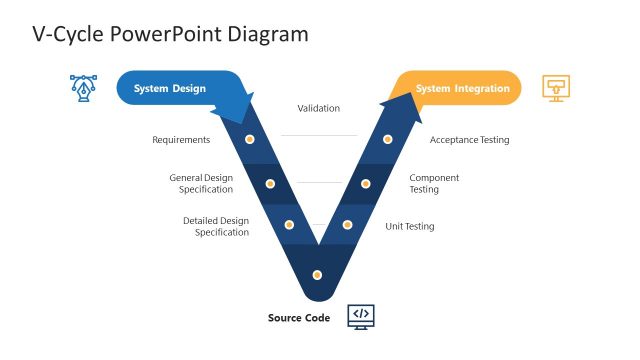
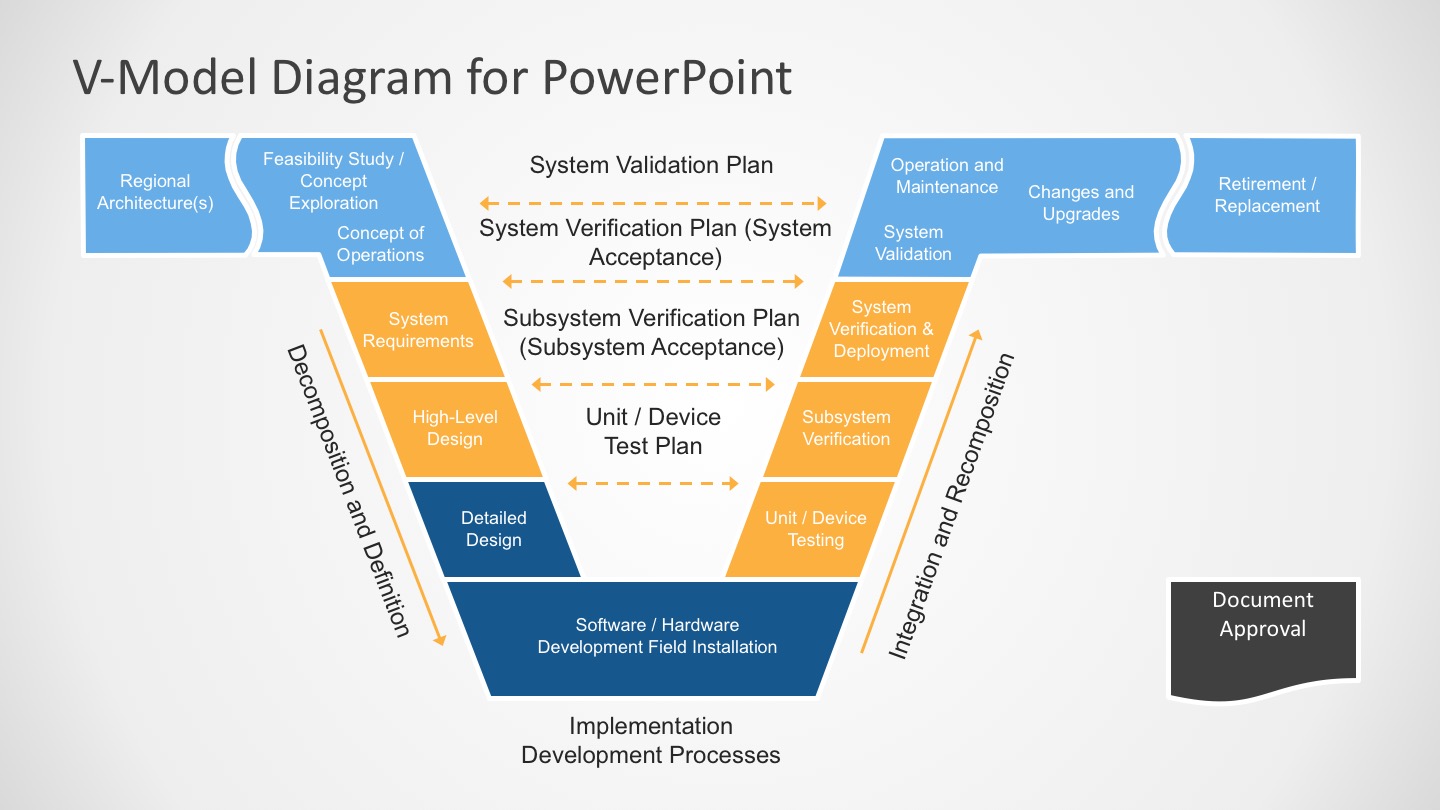
The V-Model is used in software development to represent the development process as an extension of the traditional waterfall model. Instead of moving down in a linear way, the V-model propose an alternate way followed by process steps that are upwards after the coding phase is completed, forming a V shape design.
This V-Model PowerPoint template can be used by software development professionals, project managers, developers and IT architects to prepare presentations on software development. The template demonstrates the relationships between each phase of the development lifecycle and associate them with the respective phase after the coding has been finished. The axes from left to right represents the project completeness and level of abstraction.
All the shapes and text elements in this template are 100% editable so the end user can customize the V-model slides to match his own presentation requirements.
What’s inside this template
Example presentation scenarios
- A software project manager can use the V-model lifecycle diagram to explain how requirements and design decisions connect to later verification and validation work.
- A quality assurance lead can present the testing path by pointing from unit and device testing through subsystem verification, system verification, and system validation.
- An IT architect can use the decomposition and recomposition labels to show stakeholders how architecture definition moves into integration and operational maintenance.
- A systems engineering team can use the document approval callout and plan labels to discuss governance checkpoints before development work proceeds.
Features
- 100% editable presentation template
- Compatible with Microsoft PowerPoint and Google Slides
- 16:9 aspect ratio slides
- Scalable vector shapes, icons and illustrations
- AI-Ready for Microsoft Copilot and Claude
- Instant access and download
Frequently asked questions
Q: How should a presenter explain the V-model without overwhelming a mixed technical and business audience?
A: Start with the left branch as definition work, move down to implementation, then climb the right branch as verification and validation. Use the plan labels across the center to show traceability between early decisions and later tests. For nontechnical stakeholders, explain one example requirement and how it is confirmed later in the model.
Q: Who is this template best suited for in a software development presentation?
A: This template fits project managers, QA leads, systems engineers, and IT architects who need to explain governance in a structured development process. It is especially useful when the audience must understand why requirements, architecture, design, implementation, testing, validation, maintenance, and document approval are connected rather than isolated tasks.
Q: Why does the V-shaped layout help communicate software verification and validation?
A: The V shape makes the process logic visible: definition activities descend on the left, implementation sits at the base, and testing and validation rise on the right. This visual metaphor helps audiences see that later assurance activities mirror earlier planning decisions, which is clearer than listing lifecycle phases in a simple vertical sequence.


V-Model PowerPoint Template
2-slide presentation template for V-model software development, verification phases, and validation planning
The V-Model PowerPoint Template is a 2-slide diagram template for explaining software development lifecycle relationships. It includes light and dark versions of a V-model lifecycle diagram with decomposition, integration, verification plan labels, validation plan labels, testing phases, and a document approval callout for software teams and project managers.
- Category
- Diagrams
- Rating


 Loading...
- Aspect ratio
- 16:9
- Item ID
- 7391-01
- Colors
 Microsoft PowerPoint
 Microsoft Copilot
 Claude for PowerPoint
Other formats supported
Subscribe today and get immediate
access to download our PowerPoint templates.