The Treasure Hunt PowerPoint Template is a pirate theme presentation for a scavenger hunt game. This game is designed to find hidden objects by following a trail of clues. It is an adventurous party game where the organizer prepares a list of clues to lead to a prize. The treasure hunt games promote healthy outdoor activities and problem-solving skills in children. These games have become popular among kids and adults alike since it is a fun way of team building and problem-solving.
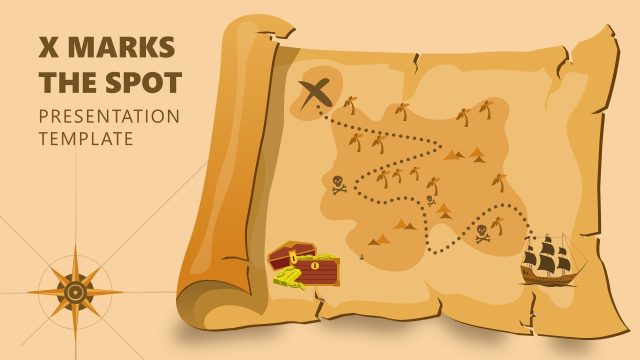
The thrill of treasure hunting inspires many games and films. For example, Jumanji, Pirates of the Caribbean, and Indiana Jones, to name a few, were created with this concept in mind. The PowerPoint template for the scavenger hunt features similar pirate-themed graphics like mazes, puzzles, and riddles. These include appealing PowerPoint shapes such as a treasure map, chest of gold, world map, anchor, steering wheel, and compass.
The Treasure Hunt PowerPoint Template is a creative way of visualizing goal plans. These slides can be used for educational purposes to practice effective learning methods. Likewise, the scavenger hunt is a constructive team-building exercise in a professional environment. People connected from around the globe or working from home can participate in virtual scavenger hunts. The users can download and present QR code scavenger hunts for online clue finding.
The treasure-hunt organizer can customize the design of treasure-hunt templates using PowerPoint formatting options. All shapes and icons are fully editable components. Therefore, users can change shape colors, presentation themes, and move objects around to create a customized treasure hunt map.
What’s inside this template
Example presentation scenarios
- A teacher can introduce a classroom scavenger hunt by using the treasure map cover, numbered clue slide, and location map to explain how students will follow each clue.
- An HR facilitator can brief employees on a team-building challenge with the world map route slide, four-step clue list, and final treasure chest reveal.
- An event organizer can guide a party game by presenting the pirate map, skull-marked destination slide, and two-column choice slides for wrong and correct paths.
- A trainer can turn a review lesson into a challenge by mapping topics to clues, using the numbered callouts for tasks, and ending with the treasure reward slide.
Features
- 100% editable presentation template
- Compatible with Microsoft PowerPoint and Google Slides
- 16:9 aspect ratio slides
- Scalable vector shapes, icons and illustrations
- AI-Ready for Microsoft Copilot and Claude
- Instant access and download
Frequently asked questions
Q: How should a presenter structure the activity with this treasure hunt deck?
A: Start with the cover to frame the quest, then use the large world map to explain the game world or route. Present the numbered clue slide as the rules or clue sequence, move to the location map for where the search happens, and reserve the check mark and treasure chest slide for the successful reveal.
Q: Who is this template best suited for?
A: This template fits presenters who want audience participation rather than a passive briefing. Teachers, camp leaders, HR facilitators, and party hosts can use the clue list, map route, skull markers, and treasure chest reveal to turn instructions into a structured scavenger hunt or team challenge.
Q: Why do the pirate map and treasure graphics help the message?
A: The pirate theme gives the audience an immediate visual metaphor: a goal is the treasure, the dotted route is the process, and each clue is a step toward the reward. The maps and markers reduce explanation time because participants can see progress, risk, choices, and completion as part of one adventure.


Treasure Hunt PowerPoint Template
8-slide treasure hunt presentation template with pirate maps, clue lists, and editable game graphics
The Treasure Hunt PowerPoint Template is an 8-slide pirate-themed game deck for Microsoft PowerPoint and Google Slides. It includes a treasure map cover, world map route slides, a numbered clue list, location map, two-column choice layouts, and a treasure chest reveal for educators, facilitators, and team-building organizers.
- Category
- Shapes
- Rating

 Loading...
- Aspect ratio
- 16:9
- Item ID
- 20767-01
- Colors
 Microsoft PowerPoint
 Microsoft Copilot
 Claude for PowerPoint
Other formats supported
Subscribe today and get immediate
access to download our PowerPoint templates.