Slide 9 of 10 from Transparent 3D Cubes for PowerPoint
3 3D Cubes for PowerPoint with Different Sizes
3D Cubes Presentation Slide
- Diagram
- Other
- Process Slide
- 16:9
- 100% Editable
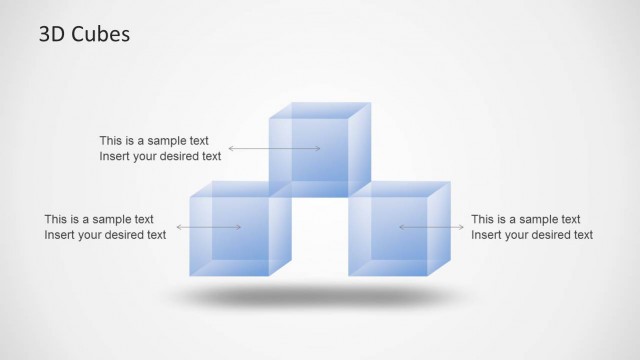
The 3D Cubes slide from the Transparent 3D Cubes for PowerPoint template offers a clear visual process diagram ideal for business presentations. Featuring three transparent cubes in varying sizes, this slide layout supports illustrating product features, project phases, or organizational structures with editable shapes and text placeholders. Its clean design and gradient background enhance focus on hierarchical relationships, making it a practical choice for slide decks that require a professional breakdown of complex concepts.
About This Slide
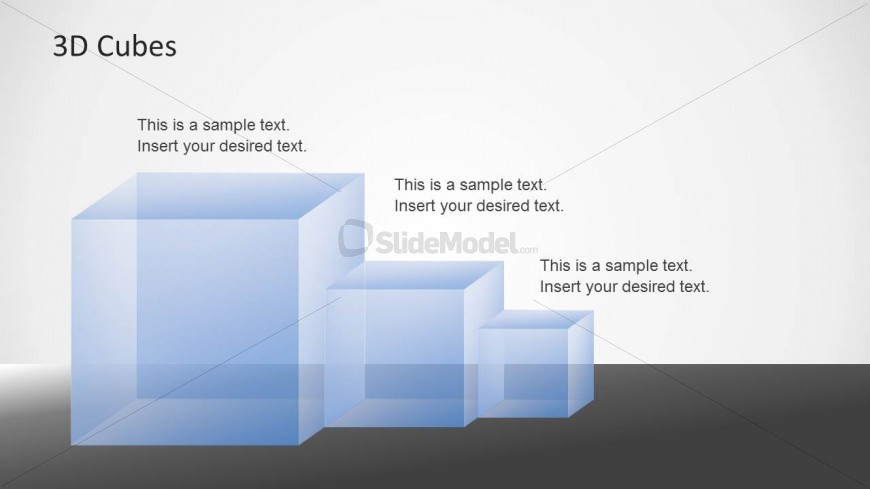
This slide design contains three 3D cubes created in PowerPoint with transparency effect and different sizes.
What’s on This Slide
The layout features three transparent 3D cubes arranged in a staggered manner from left to right. The largest cube is positioned on the left, with the medium cube in the center and the smallest cube on the right. Each cube has a glossy finish and a light blue tint, enhancing the transparency effect. Text placeholders are located to the right of each cube, aligned vertically. The slide background is a gradient from light gray at the top to darker gray at the bottom, creating depth. The overall composition emphasizes the cubes while maintaining a clean and organized look.
How to Use It
This layout serves as a visual representation of hierarchical relationships or component breakdowns. It is suitable for presentations that require illustrating concepts such as growth, layers, or comparisons. This slide fits well after an introductory slide, allowing for a deeper exploration of the topic. It can be used in business contexts to discuss product features, project stages, or organizational structures. The staggered cube design effectively highlights differences in size or importance among the elements presented.
Text Placeholders & Capacity
Keep your copy within these limits so it fits without resizing. Node body slots can hold about 5-7 words each.
| Placeholder | Count | Max characters (approx.) |
|---|---|---|
| Slide title | 1 | 20 |
| Item body | 3 | 40 |
Slide Keywords
Download unlimited PowerPoint templates, charts and graphics for your presentations with our annual plan.
DOWNLOADReturn to Transparent 3D Cubes for PowerPoint.