Question Marks for PowerPoint
Every presentation has a moment where the audience needs to lean in rather than settle back, and a well-placed question mark graphic is one of the simplest ways to create that pause. A question marks PowerPoint template supplies that visual hook directly, giving presenters an icon or slide background built to signal curiosity rather than borrowing a stock photo that reads as filler. Our question marks templates are built for trainers, marketers, and speakers who open or close a section with a question rather than a statement.
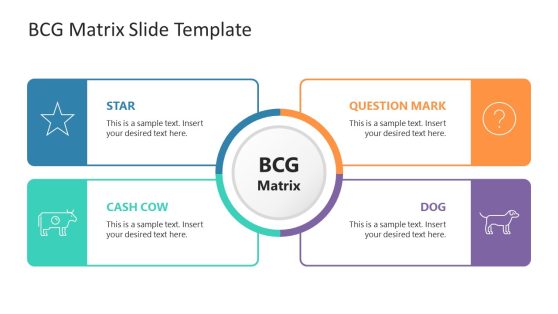
BCG Matrix PowerPoint Template
Questions Slide Concept PowerPoint Template
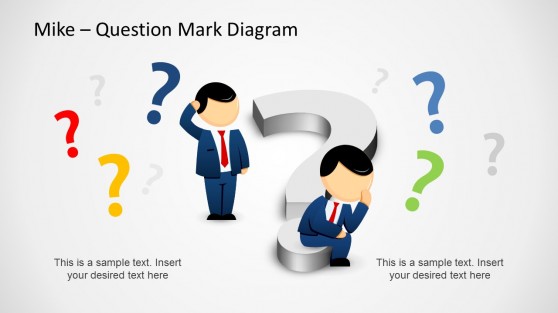
Why Speakers Use Question Mark Slides to Open and Close
A question posed aloud disappears the moment it’s spoken, but a question mark rendered visually stays on screen long enough to do its job: hold the audience’s attention while they consider the answer. Presenters opening with a question hook often pair the verbal technique with this exact visual, since the graphic reinforces the pause rather than competing with it. The same icon works just as well at the end of a section, signaling to the audience that a Q&A moment or a discussion prompt is coming next rather than another statement. Trainers running workshops use the recurring question mark motif to mark every discussion checkpoint the same way, so participants learn to recognize the cue without needing it explained twice.
What’s Included in a Question Marks PowerPoint Template
A question marks PPT template is a slide set built around the question mark as a visual device, used to signal curiosity, transition points, or discussion prompts rather than to answer a specific question. The standard lineup covers:
- Full-slide question mark backgrounds for section transitions
- Icon sets showing question marks in varied styles and colors
- Discussion prompt slides pairing a question mark graphic with a text field
- Q&A divider slides marking the end of a presentation section
Where and How Question Mark Templates Get Used
Trainers use the discussion prompt slides to introduce a group activity, while marketers use the question mark background to open a webinar with a rhetorical question about the audience’s pain point. Sales presenters use the transition slide to shift from a problem statement into a solution reveal, timing the reveal for maximum effect, and educators use the same graphic to prompt a class discussion before moving to the next topic. Presenters opening a talk with a strong opening slide format often choose the question mark version specifically when the goal is audience reflection rather than a factual hook, and the icons remain fully editable after opening the file in Google Slides.
What is a question marks presentation template?
A question mark works as a visual pause or transition cue precisely because it doesn’t try to answer anything, holding space for discussion instead of filling it.
How do I create a question marks PowerPoint template?
Start with a layout that already includes the question mark icon or background, then recolor it to match your branding and pair it with your own prompt or transition text.
Where can I find a free question marks presentation template?
Our collection includes free and premium question mark layouts, from single-icon slides to full-slide backgrounds and discussion-prompt formats.
Are question mark templates only useful for openings?
No. They work equally well as section transitions, mid-presentation discussion prompts, or closing Q&A dividers, anywhere the goal is to signal a pause for audience thinking rather than deliver more information.
Can a question mark graphic be paired with a poll or live audience response tool?
Yes, the discussion prompt layout leaves room to display a live poll result or QR code alongside the question, useful for interactive sessions.
Are the question mark icons available in a style that matches a specific brand color palette?
Yes, since the icons are editable shapes rather than fixed images, you can adjust the colors to match any brand palette.
Can a question mark slide be used mid-presentation, not just as an opener or closer?
Yes, it works well as a mid-deck transition too, signaling a shift in topic or inviting a moment of audience reflection before moving forward.