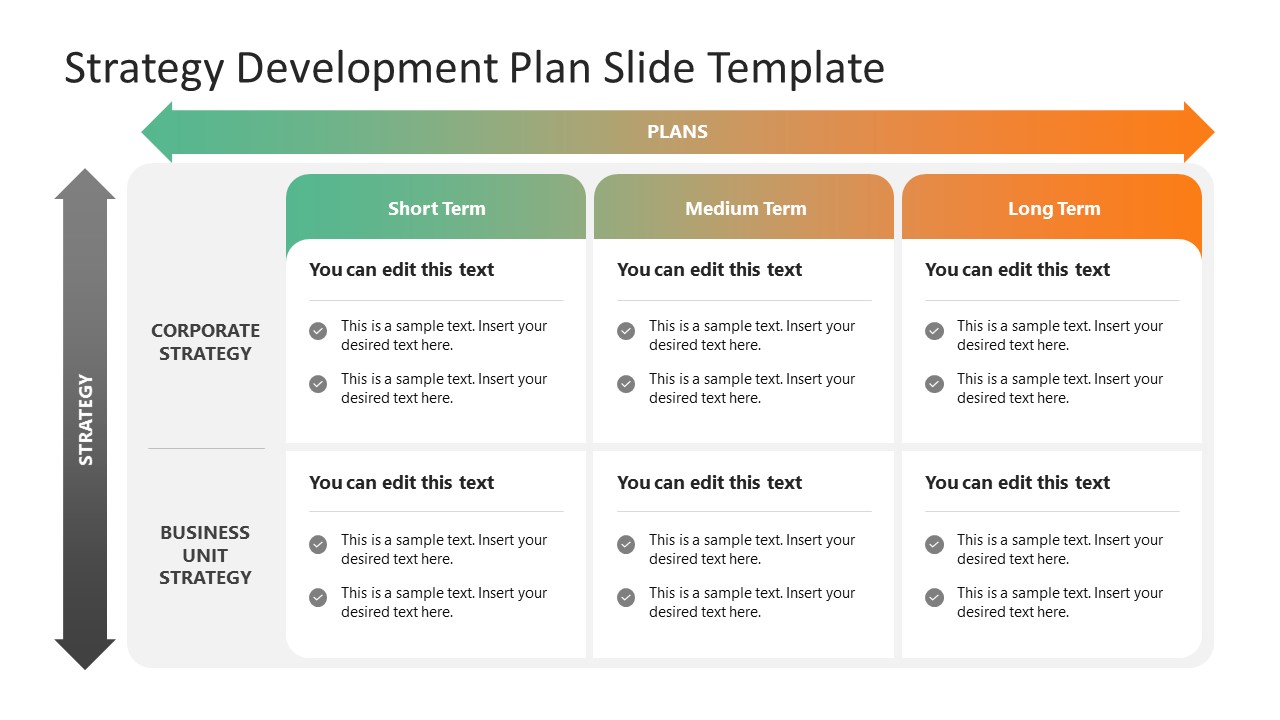
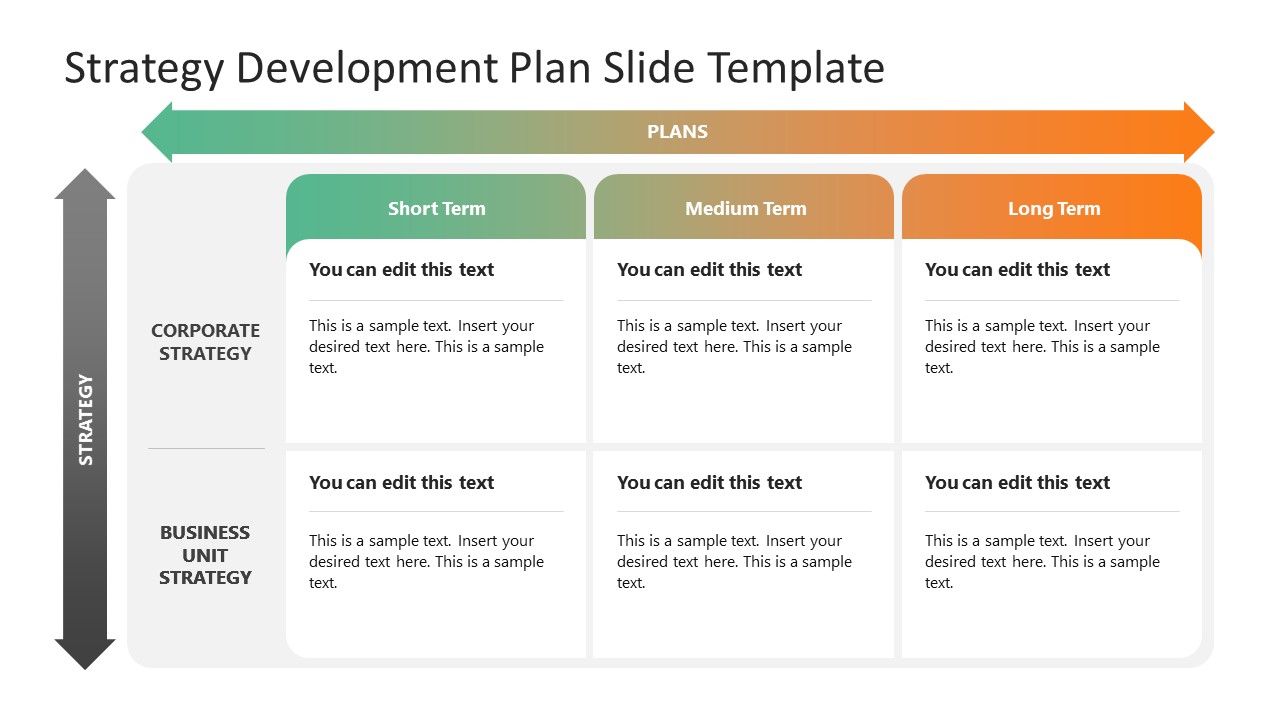
Create a thorough strategic plan and present it using our Strategy Development Plan PowerPoint Template. A strategy development plan is a comprehensive plan that dictates the success and growth of a business toward its goals. It includes various steps, from setting the goals and analyzing the situation to the final phases of implementing the strategy. Professionals can divide their plans into well-defined segments using this editable development plan template and discuss it with their teams and stakeholders. This PPT template has a 2×3 table with the rows representing the two primary forms of strategy, i.e., corporate strategy (the overall competitive plan for operating the corporate functions) and the business unit strategy (the specific plan for a department of the organization to impact positively on the business).
The columns of this Strategy Development Plan PowerPoint Template indicate the phases of the thorough plan: short-term, medium-term, and long-term. On the first slide, text boxes with bullet points mention the relevant key points, while the second slide has a paragraph format for adding the information. Presenters can add the headings on each block for business unit and corporate strategy categories. A gradient-colored arrow is added above the plan columns, indicating the process’s flow. The background colors can be changed, and both sides can fit into every presentation theme. Our corporate users can produce an interactive presentation of their carefully created corporate strategy plan and elaborate on it to their teams with this strategy development plan slide template. Moreover, users can edit the template and change the PowerPoint components of the template based on their needs. Download our template and customize it now! Also, check our collection of strategy slides and business PowerPoint templates.
What’s inside this template
Example presentation scenarios
- A strategy manager can use the bullet-based matrix to brief executives on short term, medium term, and long term priorities for corporate strategy and business unit strategy.
- A consultant can use the paragraph matrix to document planning recommendations for a client workshop and separate enterprise-level choices from department-level actions.
- A business unit leader can use the six-cell plan table to align team initiatives with corporate direction during an annual planning meeting.
- An operations manager can use the plan arrows and time horizon columns to show how operational moves connect to a longer strategy path.
Features
- 100% editable presentation template
- Compatible with Microsoft PowerPoint and Google Slides
- 16:9 aspect ratio slides
- Scalable vector shapes, icons and illustrations
- AI-Ready for Microsoft Copilot and Claude
- Instant access and download
Frequently asked questions
Q: How should a presenter explain the strategy matrix without making it feel like a static table?
A: Start with the vertical strategy arrow to define the two levels: corporate strategy and business unit strategy. Then move left to right across the plan arrow, explaining how short term actions set up medium term choices and long term outcomes. Use the bullet slide for discussion and the paragraph slide for documented recommendations.
Q: Who is this template best suited for in a strategy meeting?
A: This template fits executives, strategy managers, consultants, and department leaders who need a compact view of how decisions differ by organization level and time horizon. It is strongest when the goal is alignment, not deep analysis, because the 2x3 grid makes priorities easy to compare in one view.
Q: Why does the design use arrows around the 2x3 planning grid?
A: The horizontal arrow turns the columns into a planning path from short term to long term, while the vertical arrow frames the rows as strategy levels. This gives the table a clear reading order and helps the audience see that each cell is part of a connected strategy system.
Strategy Development Plan PowerPoint Template
2-slide presentation template for strategy matrix planning across short, medium, and long term horizons
The Strategy Development Plan PowerPoint Template is a 2-slide strategy planning deck for Microsoft PowerPoint and Google Slides. It shows a 2x3 strategy matrix, corporate and business unit strategy rows, short term to long term columns, and directional plan arrows for managers building a staged strategic plan.
- Category
- Strategy
- Rating

 Loading...
- Aspect ratio
- 16:9
- Item ID
- 22543-01
- Colors
 Microsoft PowerPoint
 Microsoft Copilot
 Claude for PowerPoint
Other formats supported
Subscribe today and get immediate
access to download our PowerPoint templates.