Slide 7 of 13 from Scenario Planning PowerPoint Template
The Scenerio Matrix – Scenario Planning PPT Template
Scenario Matrix for Strategic Planning
- Diagram
- Matrix Quadrant
- Strategic Analysis Slide
- 16:9
- 100% Editable
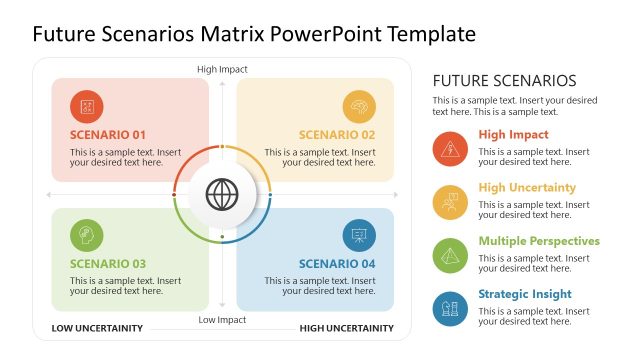
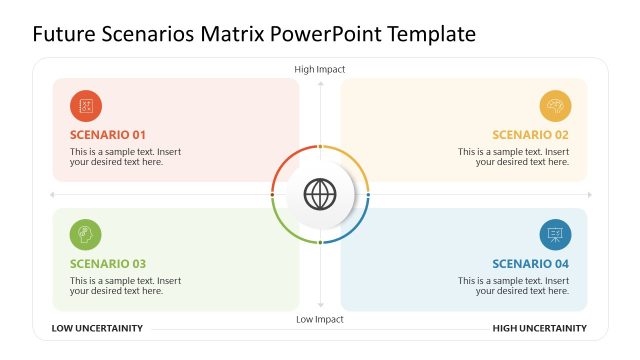
The Scenario Matrix slide from the Scenario Planning PowerPoint Template offers a strategic analysis layout ideal for business presentation contexts. This editable slide features a central node connected to four scenario nodes, facilitating clear visualization of multiple outcomes for risk assessment and project evaluation. Designed to support strategic planning, it integrates seamlessly into slide decks requiring detailed scenario comparisons, utilizing clean vector icons and shapes for clarity.
What’s on This Slide
The layout features a central circular node surrounded by four square nodes positioned at the top, bottom, left, and right. Each square node contains a label for scenarios A, B, C, and D, with sample text placeholders for descriptions. The central node is visually distinct, serving as a focal point. The title is prominently displayed at the top, with additional text placeholders below for headings and descriptions. The overall color scheme includes shades of blue and green, with a clean, organized structure that emphasizes the relationships between scenarios.
How to Use It
This layout serves as a scenario matrix, ideal for visualizing different strategic options or outcomes. It fits well in a presentation sequence following a problem-framing slide, helping to illustrate potential scenarios based on various factors. This structure is useful in business contexts such as strategic planning sessions, risk assessments, and project evaluations, where multiple scenarios need to be compared and analyzed effectively.
Text Placeholders & Capacity
Keep your copy within these limits so it fits without resizing. Node body slots can accommodate roughly 20-25 words each.
| Placeholder | Count | Max characters (approx.) |
|---|---|---|
| Slide title | 1 | 30 |
| Item heading | 4 | 20 |
| Item body | 4 | 100 |
| Body paragraph | 2 | 150 |
Slide Keywords
Download unlimited PowerPoint templates, charts and graphics for your presentations with our annual plan.
DOWNLOADReturn to Scenario Planning PowerPoint Template.