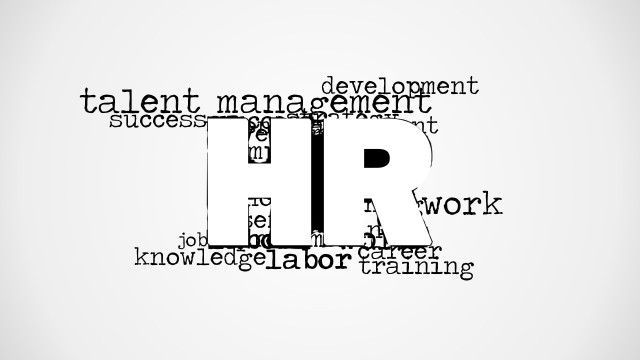
Use the Recruitment Word Cloud Picture for PowerPoint to create simple yet powerful presentations. The term Recruitment is highlighted by a cloud of associated words. The presenter can relate this to talent management and other business concepts. The design gives a casual look on the report that is welcoming to all kinds of audience.
Recruitment is the action of finding new people to join an organization or support a cause. It is the initial part of human resource management. Enlisting people is a vital part of any business because these assets. They are the ones who plan and implement those plans. They basically keep the business running. The content can be expressed through interesting videos, graphics or articles. The main objective is to relay correct expectations to the future employees of the company. It is also a process of persuasion from the presenter’s side.
In the PowerPoint slides, the word Recruitment is set in the middle as a white block text. It has a white background. It is surrounded by a circle of words that can serve as keynotes to the user. The presenter can elaborate on each word. The design can serve as an outline which makes the topics easier to remember. The user can take his time to detail on the terms found in the cloud. He can explain ‘career’ by showcasing possibilities on the company’s career ladder. Benefits and allotment can be introduced under the term salary.
The word cloud is ideal for recruitment projects or human resource department reviews. It can give way to a flexible presentation. The user can decide to either shorten or lengthen the discussion. He also has a choice to apply the featured words or use his own, depending the presenter’s need. The slides can also be incorporated as an add-on. It can stress the recruitment process to other reports.
Personalize efficiently with the Recruitment Word Cloud Picture for PowerPoint. Content Marketing Word Cloud Picture for PowerPoint is also available for download from the SlideModel gallery.
What’s inside this template
Example presentation scenarios
- An HR manager can use the vignette recruitment word cloud to introduce a talent acquisition report and preview topics such as career, salary, employment, and success.
- A recruiter can place the clean white word cloud at the start of a hiring campaign briefing to focus hiring managers on the shared vocabulary of recruitment.
- A talent acquisition lead can use the central Recruitment headline as a section divider before explaining sourcing, screening, and candidate engagement activities.
- A training facilitator can use the surrounding word cloud terms as prompts during an onboarding session for new recruiters or HR staff.
Features
- 100% editable presentation template
- Compatible with Microsoft PowerPoint and Google Slides
- 16:9 aspect ratio slides
- Scalable vector shapes, icons and illustrations
- AI-Ready for Microsoft Copilot and Claude
- Instant access and download
Frequently asked questions
Q: How should a presenter use the word cloud without making the slide feel like decoration?
A: Treat the central Recruitment word as the headline and use the surrounding terms as a talk track. Start with the main hiring objective, then move through a few visible words such as career, salary, employment, and success. This turns the picture into an agenda cue instead of a background graphic.
Q: Who is this template best suited for in an HR presentation?
A: This template is best for HR managers, recruiters, and talent acquisition leads who need to introduce a recruitment theme quickly. It works well at the start of a report, workshop, or internal briefing where the audience needs a shared vocabulary before the presenter moves into policies, process steps, or results.
Q: Why does the oversized central word improve the message?
A: The design uses a word cloud metaphor to show recruitment as the main idea surrounded by related business concerns. The large central word creates immediate hierarchy, while the smaller terms add context without requiring a full bullet list. This is useful when the presenter wants a fast conceptual frame.


Recruitment Word Cloud Picture for PowerPoint
2-slide presentation template with recruitment word cloud designs for HR talent and hiring discussions
Recruitment Word Cloud Picture for PowerPoint is a 2-slide presentation template built around a central recruitment word cloud. It includes a vignette title-style word cloud and a clean white-background variant with hiring terms such as career, salary, job, employment, enterprise, and success. It is intended for HR presenters using Microsoft PowerPoint or Google Slides.
- Category
- Pictures
- Rating


 Loading...
- Aspect ratio
- 16:9
- Item ID
- 8168-01
- Colors
 Microsoft PowerPoint
 Microsoft Copilot
 Claude for PowerPoint
Other formats supported
Subscribe today and get immediate
access to download our PowerPoint templates.