Slide 11 of 13 from Rebranding Strategy PowerPoint Template
Brand Architecture & Customer Touchpoints Matrix Slide – Rebranding Strategy Template
Brand Architecture & Customer Touchpoints Overview
- Text Layout
- List Blocks
- Strategy Slide
- 16:9
- 100% Editable
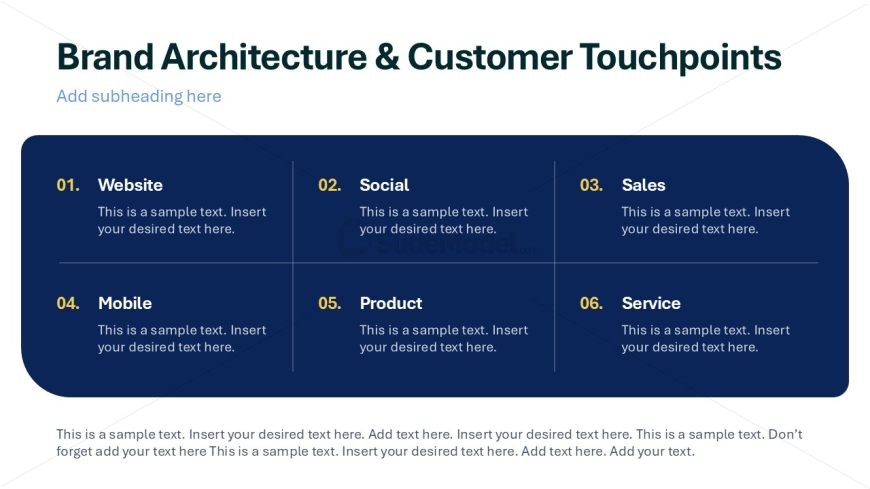
The Brand Architecture & Customer Touchpoints slide from the Rebranding Strategy PowerPoint Template offers a clear, organized layout ideal for corporate presentations on brand management. Designed with editable shapes and vector icons, this slide supports marketing teams in illustrating key customer engagement points within a business presentation or pitch deck template.
What’s on This Slide
The layout features a dark blue background with a prominent title at the top center. Below the title, there are six rectangular sections arranged in two columns and three rows. Each section contains a number and a label, such as 'Website' and 'Social'. Each label is aligned to the left, with placeholder text positioned below it, indicating where to insert content. A footer area at the bottom contains additional text placeholders, aligned left. The overall design emphasizes clarity and organization, with a structured grid format.
How to Use It
This layout serves as a structured overview of brand architecture and customer touchpoints. It is suitable for presentations focusing on brand management, marketing strategies, or customer engagement. Positioned after a problem slide, it effectively outlines key elements of a brand strategy. This format is useful for marketing teams to present various touchpoints, ensuring clarity in communication. It can also be adapted for workshops or strategy sessions where collaborative input is required.
Text Placeholders & Capacity
Keep your copy within these limits so it fits without resizing. Node body slots can hold roughly 15-20 words each.
| Placeholder | Count | Max characters (approx.) |
|---|---|---|
| Slide title | 1 | 40 |
| Item heading | 6 | 20 |
| Item body | 6 | 100 |
| Body paragraph | 1 | 300 |
Slide Keywords
Download unlimited PowerPoint templates, charts and graphics for your presentations with our annual plan.
DOWNLOADReturn to Rebranding Strategy PowerPoint Template.