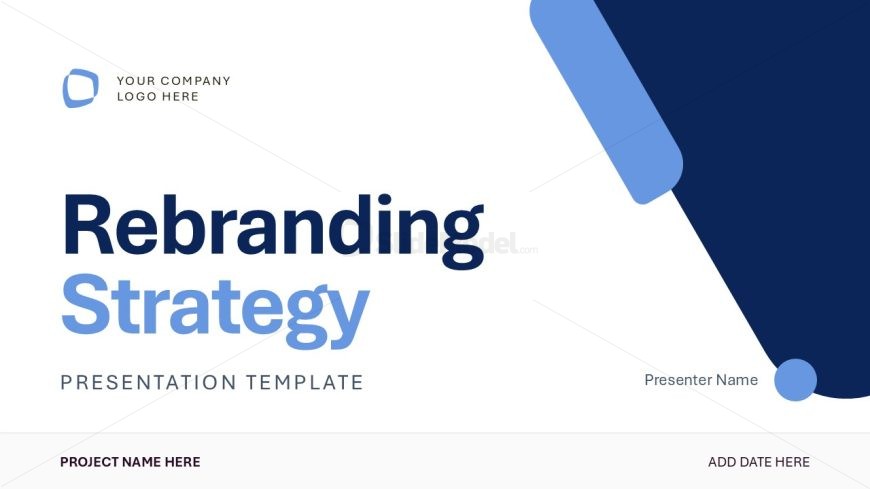
Slide 1 of 13 from Rebranding Strategy PowerPoint Template
Rebranding Strategy Cover Slide PPT Template
Rebranding Strategy Title Slide Template
- Text Layout
- Single Statement
- Context Slide
- 16:9
- 100% Editable
The Rebranding Strategy Title Slide from the Rebranding Strategy PowerPoint Template offers a clean, professional introduction for brand strategy presentations. This slide layout features editable shapes and placeholders for logos, project names, and dates, making it ideal for corporate presentations and marketing strategy meetings. Its design supports clear communication in pitch deck templates and business presentations, ensuring a focused start to any rebranding discussion.
What’s on This Slide
The slide features a prominent title in large, bold font positioned centrally, stating 'Rebranding Strategy.' Below, a smaller subtitle reads 'Presentation Template.' The top left corner includes a logo placeholder, while the bottom left contains a project name placeholder. A date placeholder is located at the bottom right. The background is predominantly white with a large blue shape extending from the top right, creating visual interest. The overall layout is clean and organized, emphasizing the title and placeholders.
How to Use It
This layout serves as an introductory title slide for presentations on rebranding strategies. It is suitable for initial slides in a presentation sequence, establishing the theme and context. This format is ideal for business meetings, marketing strategy discussions, or brand management presentations, where a clear and professional introduction is required. It effectively sets the stage for subsequent content, ensuring the audience understands the focus of the presentation.
Text Placeholders & Capacity
Keep your copy within these limits so it fits without resizing. Title slots can accommodate up to 30 characters each.
| Placeholder | Count | Max characters (approx.) |
|---|---|---|
| Slide title | 1 | 30 |
| Subtitle | 1 | 25 |
| Footer | 1 | 30 |
| Body paragraph | 1 | 30 |
Slide Keywords
Download unlimited PowerPoint templates, charts and graphics for your presentations with our annual plan.
DOWNLOADReturn to Rebranding Strategy PowerPoint Template.