Slide 4 of 6 from Quadrants PowerPoint Template
Quadrants PPT Template for Presentation
Quadrant Diagram for Presentations
- Diagram
- Matrix Quadrant
- Strategic Analysis Slide
- 16:9
- 100% Editable
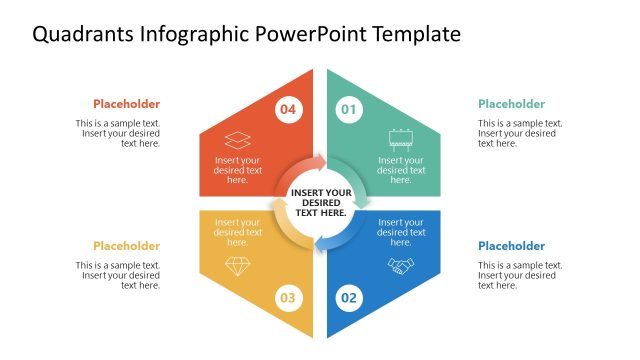
The Quadrant Diagram with Callouts slide from the Quadrants PowerPoint Template offers a clear visual matrix ideal for strategic analysis and project management. This slide layout features editable shapes and vector icons arranged in a diamond-shaped quadrant, supporting presentations that require structured prioritization or workshop facilitation. Its design enhances corporate presentations and pitch decks by visually segmenting key elements for effective communication.
What’s on This Slide
The slide features a central circular node surrounded by four quadrants, each containing a placeholder for text. The quadrants are arranged in a diamond shape, with the top left labeled '04', the top right '01', the bottom left '03', and the bottom right '02', which is highlighted in blue. Each quadrant has a corresponding icon, and the central node has a placeholder for additional text. The layout uses a light background with gray and blue accents, creating a clear visual hierarchy among the elements. Text placeholders are aligned centrally within each quadrant.
How to Use It
This layout serves as a quadrant diagram, ideal for presenting four-part frameworks or priority quadrants. It fits well in a presentation sequence after introducing a problem or concept, providing a visual breakdown of solutions or steps. This structure is useful for consultants or managers to illustrate strategic options, project phases, or product features. It can also be employed in workshops to facilitate discussions around prioritization or decision-making processes.
Text Placeholders & Capacity
Keep your copy within these limits so it fits without resizing. Each node can hold roughly 20-100 characters depending on the placeholder.
| Placeholder | Count | Max characters (approx.) |
|---|---|---|
| Item heading | 4 | 20 |
| Item body | 4 | 100 |
| Body paragraph | 1 | 100 |
Slide Keywords
Download unlimited PowerPoint templates, charts and graphics for your presentations with our annual plan.
DOWNLOADReturn to Quadrants PowerPoint Template.