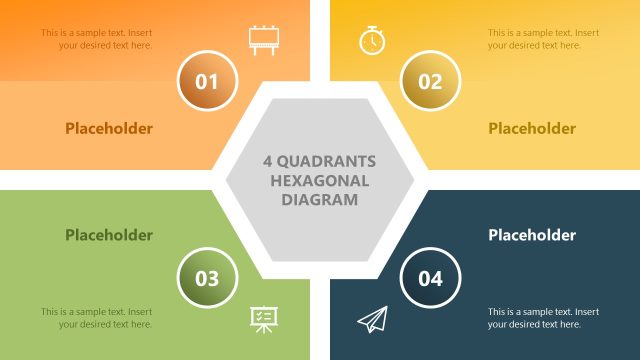
Slide 1 of 6 from Quadrants PowerPoint Template
Editable Quadrants PPT Template
Quadrant Diagram Slide for Presentations
- Diagram
- Matrix Quadrant
- Strategic Analysis Slide
- 16:9
- 100% Editable
The Quadrant Diagram with Placeholders slide from the Quadrants PowerPoint Template offers a clear visual framework for strategic planning and project management. This slide layout uses editable shapes and vector icons to create a colorful four-part matrix, making it suitable for business presentations that require feature comparison or process breakdown. Its design supports effective communication in corporate presentations and pitch decks by organizing information into distinct, easy-to-follow sections.
What’s on This Slide
The slide features a central circular area surrounded by four quadrants, each containing a placeholder for text. The quadrants are positioned at the top left, top right, bottom right, and bottom left, colored in orange, green, blue, and yellow respectively. Each quadrant has a number in a circular shape indicating its sequence. The central area includes a larger placeholder for additional text. The background is white, providing contrast to the colorful quadrants. Visual hierarchy is established through the size and color differentiation of the elements.
How to Use It
This layout serves as a quadrant diagram, ideal for illustrating four-part frameworks or processes. It fits well in presentations that require a visual breakdown of concepts or priorities. This structure is useful for business scenarios such as strategic planning, project management, or product feature comparisons. It can be effectively used to present information in a clear, organized manner, making it easy for the audience to follow along.
Text Placeholders & Capacity
Keep your copy within these limits so it fits without resizing. Node body slots can hold roughly 10-12 words each.
| Placeholder | Count | Max characters (approx.) |
|---|---|---|
| Item heading | 4 | 30 |
| Item body | 4 | 50 |
| Item body | 1 | 100 |
Slide Keywords
Download unlimited PowerPoint templates, charts and graphics for your presentations with our annual plan.
DOWNLOADReturn to Quadrants PowerPoint Template.