Slide 1 of 2 from Project Risk Breakdown Structure PowerPoint Template
Project Risk Breakdown Structure Presentation Slide
Project Risk Breakdown Structure Slide
- Diagram
- Tree Hierarchy
- Strategic Analysis Slide
- 16:9
- 100% Editable
The Project Risk Breakdown Structure slide from the Project Risk Breakdown Structure PowerPoint Template offers a clear hierarchical diagram ideal for risk management presentations. This slide template helps project managers and stakeholders visually categorize and assess various project risks, enhancing strategic planning sessions. Designed with editable shapes and vector icons, it supports detailed project assessment meetings and stakeholder engagement within a corporate presentation or pitch deck template.
What’s on This Slide
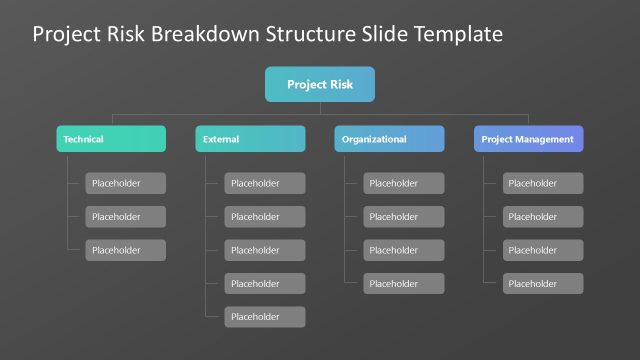
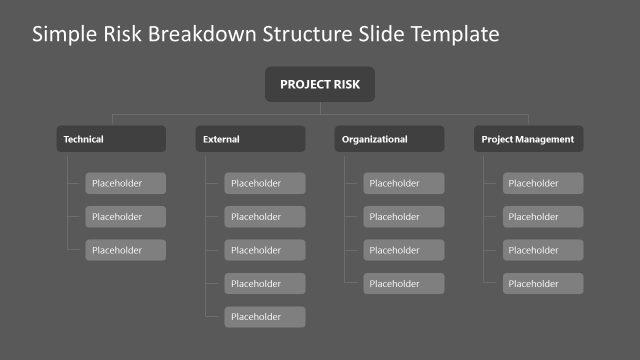
The layout features a central node labeled 'Project Risk' at the top center. Below this, four branches extend horizontally: 'Technical' on the left, 'External' in the center-left, 'Organizational' in the center-right, and 'Project Management' on the right. Each branch contains multiple placeholders for text, arranged vertically. The placeholders are aligned in rows beneath each category label. The color scheme includes varying shades of blue and green for the category labels, while the background remains neutral. The visual hierarchy emphasizes the central node and category labels.
How to Use It
This layout serves as a hierarchical diagram to categorize project risks. It fits well in presentations discussing risk management strategies or assessments. The structure allows for clear differentiation between types of risks, making it useful for project managers and stakeholders. It can be employed in meetings to identify and discuss specific risk categories and their implications for project success.
Text Placeholders & Capacity
Keep your copy within these limits so it fits without resizing. Node labels can accommodate about 20 characters each, while body slots can hold roughly 50 characters.
| Placeholder | Count | Max characters (approx.) |
|---|---|---|
| Slide title | 1 | 30 |
| Item heading | 4 | 20 |
| Item body | 24 | 50 |
Slide Keywords
Download unlimited PowerPoint templates, charts and graphics for your presentations with our annual plan.
DOWNLOADReturn to Project Risk Breakdown Structure PowerPoint Template.