Slide 1 of 2 from Free Simple Risk Breakdown Structure PowerPoint Template
Editable Simple Risk Breakdown Structure Presentation Template
Simple Risk Breakdown Structure Slide
- Diagram
- Matrix Quadrant
- Strategic Analysis Slide
- 16:9
- 100% Editable
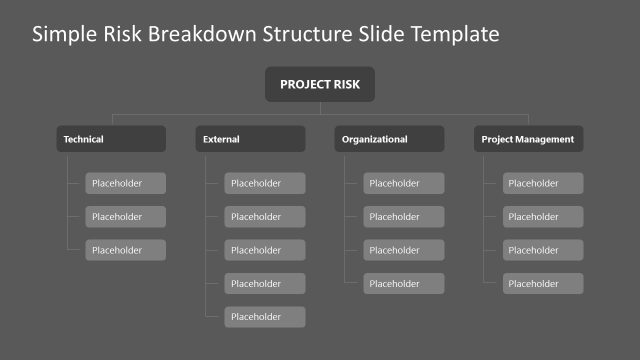
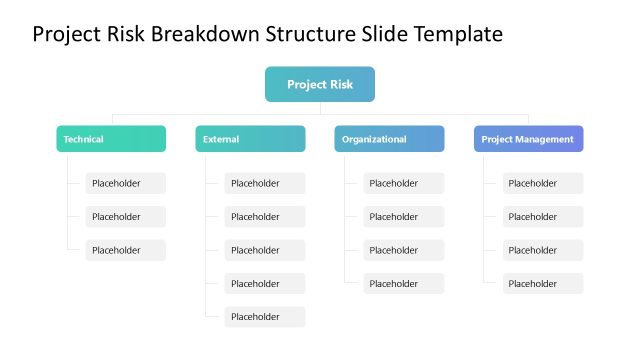
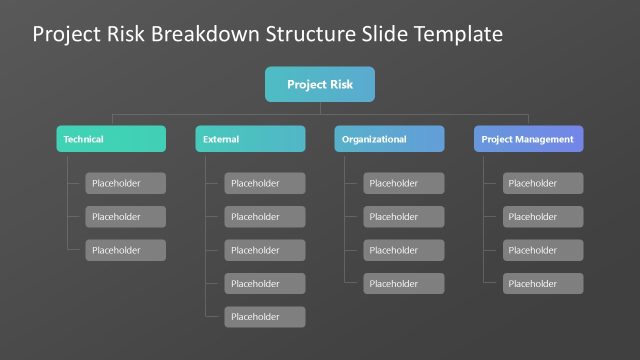
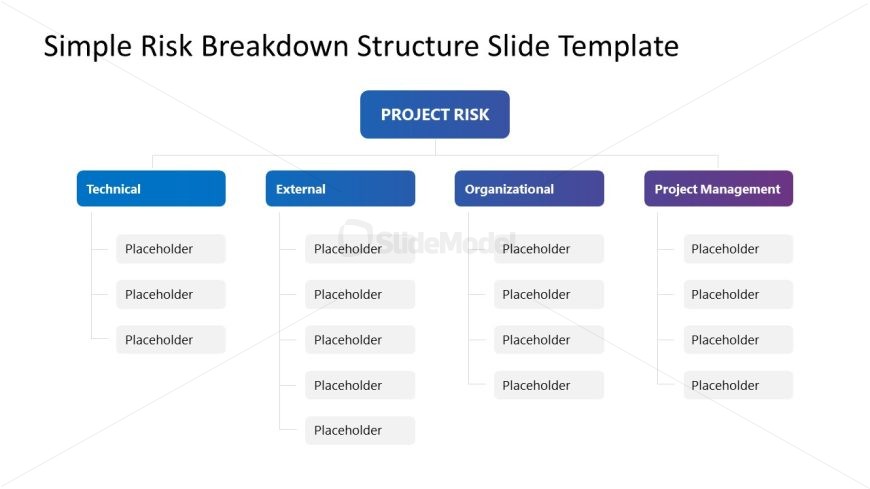
The Risk Breakdown Structure slide from the Free Simple Risk Breakdown Structure PowerPoint Template provides a clear visual for project risk assessment. This diagram organizes risks into four main categories: Technical, External, Organizational, and Project Management, making it an essential tool for strategic planning and team presentations. Each category features editable shapes for customized content, enhancing the effectiveness of business presentations.
What’s on This Slide
The layout features a central title labeled 'PROJECT RISK' at the top center. Below, four main categories labeled 'Technical,' 'External,' 'Organizational,' and 'Project Management' are arranged horizontally. Each category has three text placeholders aligned vertically beneath it. The placeholders are rectangular with rounded corners, positioned evenly spaced. The color scheme includes blue for 'Technical,' dark blue for 'External,' purple for 'Organizational,' and a lighter purple for 'Project Management.' The overall composition is symmetrical, emphasizing the hierarchical structure of risk categories.
How to Use It
This layout serves as a risk breakdown structure, ideal for categorizing project risks into distinct areas. It fits well in presentations discussing project management, risk assessment, or strategic planning. Use this structure to clearly communicate different risk categories and their associated factors. It is suitable for team meetings, stakeholder presentations, or project reviews where a visual representation of risks is needed to facilitate discussion and decision-making.
Text Placeholders & Capacity
Keep your copy within these limits so it fits without resizing. Node labels can hold about 20 characters each, while body slots can accommodate roughly 15 characters each.
| Placeholder | Count | Max characters (approx.) |
|---|---|---|
| Slide title | 1 | 30 |
| Item heading | 4 | 20 |
| Item body | 12 | 15 |
Slide Keywords
Download unlimited PowerPoint templates, charts and graphics for your presentations with our annual plan.
DOWNLOADReturn to Free Simple Risk Breakdown Structure PowerPoint Template.