Showcase the skills required in product development using our editable Product Management Skills PowerPoint Diagram. Product management involves many steps, from the product vision to UX design, marketing, and customer satisfaction. When launching a new product development endeavor, product managers must train fellow mates about the skills necessary to complete the project. We have crafted this template for corporate trainers to train the employees about the attributes of product management. Users can edit our template and add or remove more skills based on their requirements. This product management template is compatible with all PowerPoint versions.
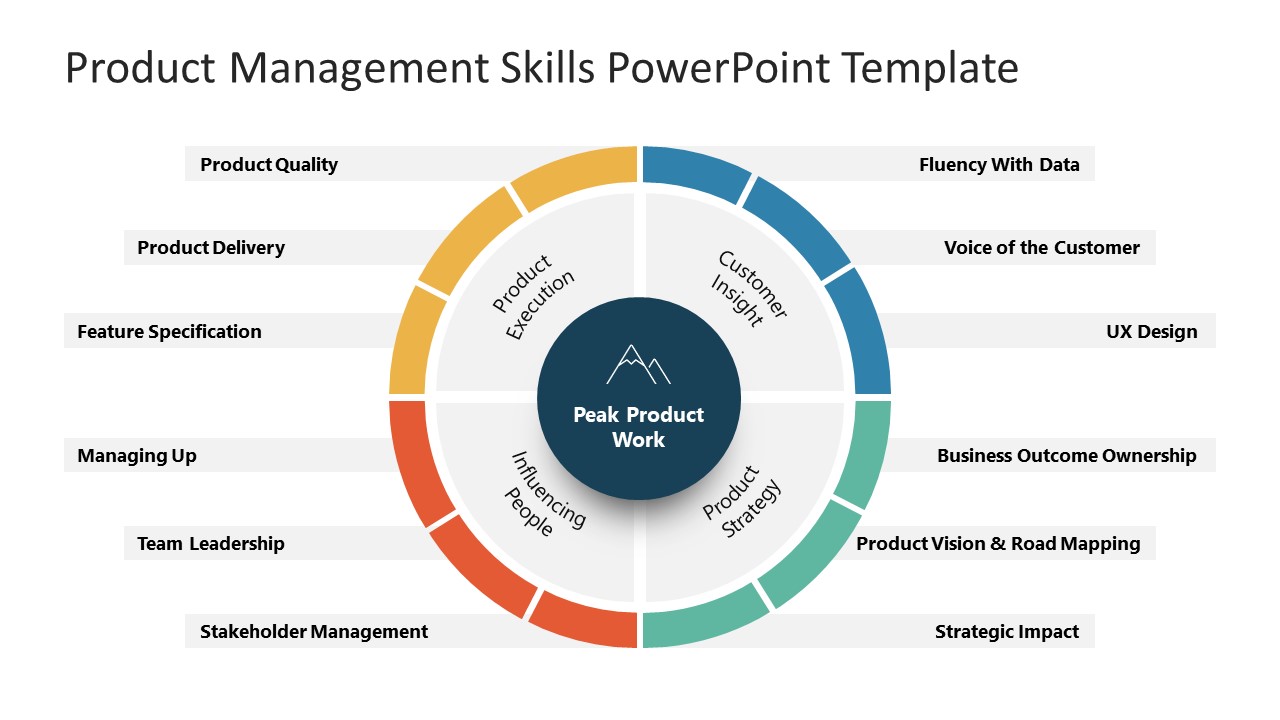
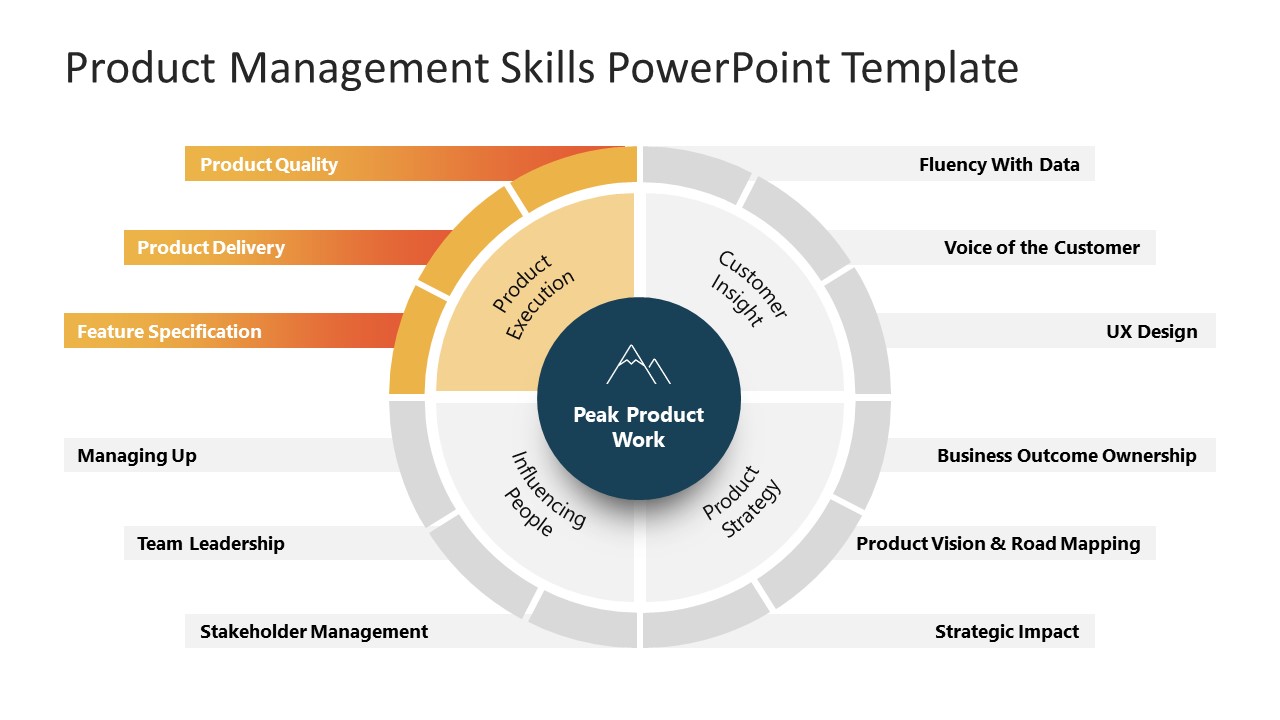
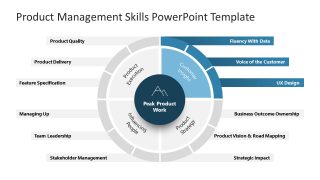
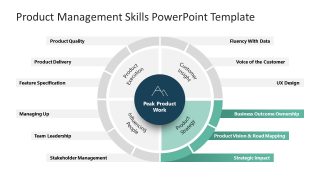
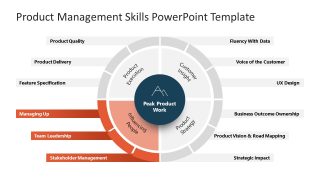
The Product Management Skills PowerPoint Diagram shows a four-segmented circle with a central small circle presenting the peak product work title. The overall skillset needed for efficient product management is divided into four parts, each shown in one of the segments; these are:
- Product Execution
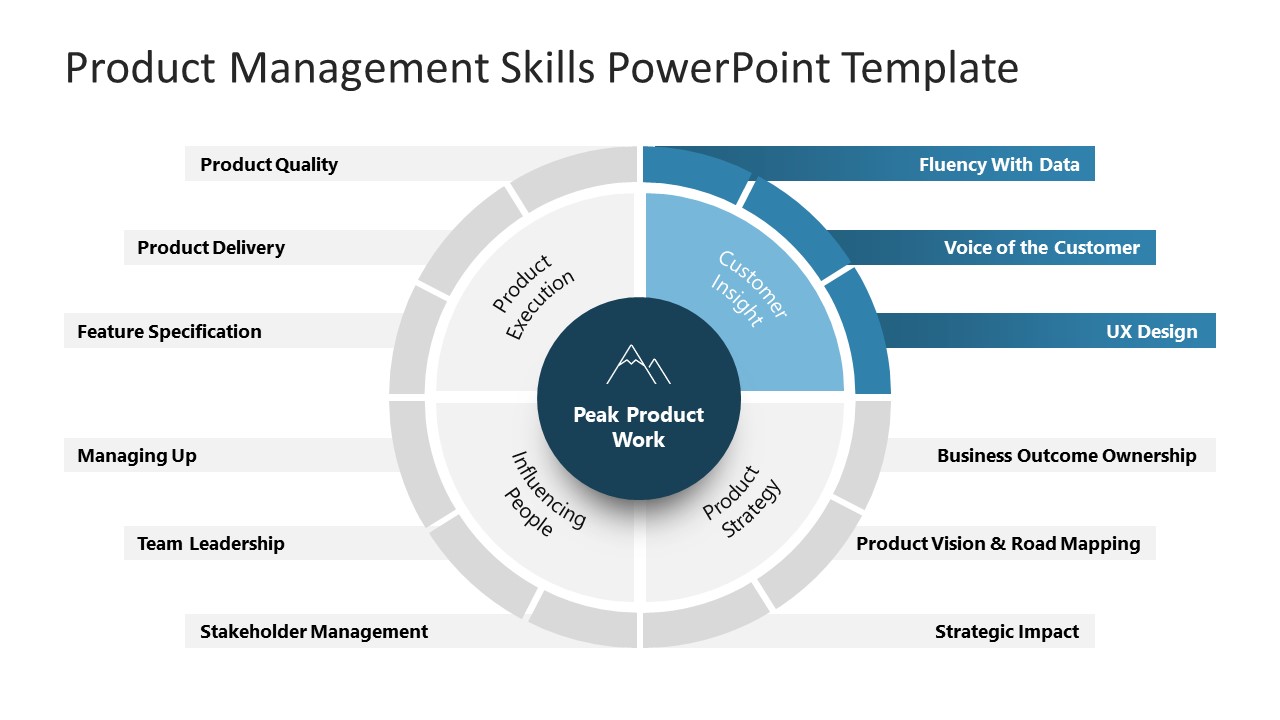
- Customer Insights
- Product Strategy
- Influencing People
The circular arc of each part has three further sub-sections pointing toward the editable text boxes. The textboxes can be used to display individual skills in a group. For instance, in customer insights, good management skills are fluency with data, UX design, and analysis of customers’ voices. Presenters can visually explain the points using our attractive diagram template. They can also discuss product road mapping skills and team management. Users can demonstrate these four skill sets separately on individual slides in the following slides. We have used a spotlight effect in the slides, i.e., the section under discussion is color-highlighted while others are greyed. Download our engaging product management skills template for your training presentations and to convey your message with a more significant impact. Edit it now! Also, check our article about presentation skills and our collection of diagram PowerPoint templates.
For more information, check our article about product management best practices.
What’s inside this template
Example presentation scenarios
- A product leader can use the circular skills diagram to introduce a shared competency model before assigning ownership across product, design, engineering, and go-to-market teams.
- A corporate trainer can use the quadrant spotlight slides to teach product execution, customer insights, product strategy, and influencing people as separate discussion modules.
- A startup founder can use the editable callout bars to define which product management skills are needed before a new product launch or roadmap cycle.
- An agile coach can use the central Peak Product Work hub and surrounding skills to align cross-functional teams on where discovery, delivery, and stakeholder management connect.
Features
- 100% editable presentation template
- Compatible with Microsoft PowerPoint
- 16:9 aspect ratio slides
- Scalable vector shapes, icons and illustrations
- AI-Ready for Microsoft Copilot and Claude
- Instant access and download
Frequently asked questions
Q: How should a presenter explain this skills model without overwhelming the audience?
A: Start with Slide 1 to show the full map, but avoid defining all 12 skills at once. Then move through the spotlight slides and treat each quadrant as a short learning block. Use the three callout bars on each slide as discussion prompts, examples, or behaviors expected from the product team.
Q: Who is this template best suited for in a product organization?
A: This template fits product managers, product leaders, and trainers who need to explain what good product work requires beyond backlog management. It is especially useful for onboarding, skills-gap conversations, and cross-functional workshops where the audience needs to see execution, customer insight, strategy, and stakeholder influence as connected capabilities.
Q: Why does the circular quadrant design help communicate product management skills?
A: The circular design treats product work as a balanced skill system rather than a checklist. The center hub reinforces Peak Product Work as the outcome, while the surrounding quadrants show that delivery, insight, strategy, and influence all contribute. The spotlight slides reduce cognitive load by focusing attention on one competency area.


Product Management Skills PowerPoint Diagram
5-slide presentation template for product management skills, circular competency diagram, and quadrant spotlight slides
Product Management Skills PowerPoint Diagram is a 5-slide Microsoft PowerPoint template for explaining product management competency areas. It includes a four-segment circular skills diagram, a central Peak Product Work hub, and spotlight slides for Product Execution, Customer Insights, Product Strategy, and Influencing People.
- Category
- Strategy
- Rating

 Loading...
- Aspect ratio
- 16:9
- Item ID
- 22284-01
- Colors
 Microsoft PowerPoint
 Microsoft Copilot
 Claude for PowerPoint
Other formats supported
Subscribe today and get immediate
access to download our PowerPoint templates.