Download our featured Performance Management Diagram PowerPoint Template to present the steps of effective performance management for implementing the innovation strategy in the organization. Performance management is a technical term representing a standard protocol of performance monitoring and setting targets to promote output. In other words, organizations can achieve their goals more easily by managing how their employees work, carefully monitoring their activities, and providing regular feedback on improvement. This concept is closely related to innovation, i.e., the innovation process becomes successful with a strong performance management strategy. We have designed a cyclic diagram to present the four performance management steps. Users can conveniently edit and use this PPT template for their professional presentations.
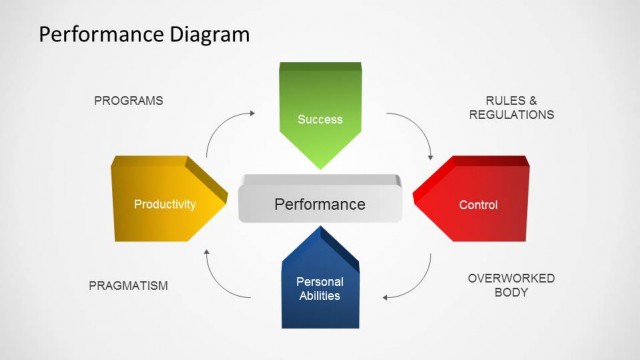
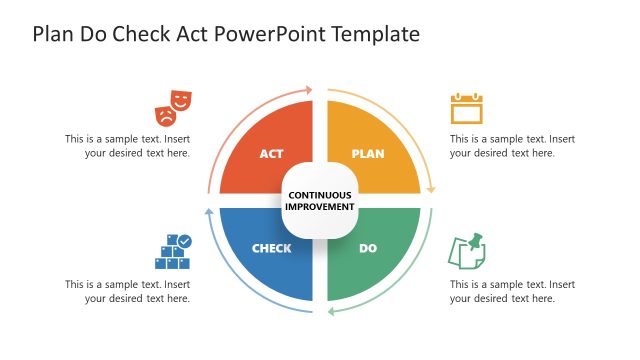
The Performance Management Diagram PowerPoint Template shows a cyclic diagram with four curved arrows. Each of the arrows indicates the steps of performance management that are:
- Planning
- Monitoring
- Reviewing
- Rewarding
We have provided editable text boxes with each arrow to mention relevant points for presentation. Users can change the colors, font styles, and other features according to their requirements. The second slide of the template has four text boxes with distinct colors carrying placeholder text boxes to mention the details of the steps. Likewise, the next slide has four circles arranged in a square form with infographic icons. This diagram represents how teams and individuals collectively play a role in the objectives and goals of the organization. Professionals can choose from the slides and prepare their management presentations in a go. The diagram slides can be edited using all PowerPoint versions. So, download and try it now!
What’s inside this template
Example presentation scenarios
- An HR manager can use the circular four-step cycle to introduce how planning, monitoring, reviewing, and rewarding fit into a consistent employee performance process.
- A department leader can use the Plan, Monitor, Review, and Reward text-box diagram to brief supervisors on the sequence of performance check-ins and feedback routines.
- An organizational development consultant can use the Individual, Team, Organization, and Objectives diagram to show how performance expectations connect across different levels of the company.
- A training facilitator can use the three-slide structure to teach new managers the difference between process steps and the people or objectives affected by performance management.
Features
- 100% editable presentation template
- Compatible with Microsoft PowerPoint
- 16:9 aspect ratio slides
- Scalable vector shapes, icons and illustrations
- AI-Ready for Microsoft Copilot and Claude
- Instant access and download
Frequently asked questions
Q: How should a presenter explain the performance management process with this template?
A: Start with the circular cycle to frame performance management as repeated work rather than a one-time review. Then move to the Plan, Monitor, Review, and Reward blocks to explain each stage in plain language. Close with the performance relationship diagram to connect the process to individuals, teams, organization, and objectives.
Q: Who is this template best suited for in a business presentation?
A: This template fits HR leaders, managers, consultants, and trainers who need to introduce a performance management model without heavy data. It is best for explaining how work gets planned, observed, reviewed, and recognized, especially when the audience includes supervisors who must apply the process with teams.
Q: Why does the circular arrow design help communicate performance management?
A: The circular arrows make the process feel continuous, which matches the idea that performance management repeats through planning, monitoring, reviewing, and rewarding. The second slide separates the same logic into labeled blocks, while the third slide widens the view to show how performance links people, teams, and organizational objectives.


Performance Management Diagram PowerPoint Template
3-slide PowerPoint presentation template for performance management cycle diagrams, planning steps, and organization objectives
Performance Management Diagram PowerPoint Template is a 3-slide, 16:9 PowerPoint template for explaining performance management workflows. It includes a circular four-step cycle, a process cycle with labeled text boxes, and an objectives diagram connecting individual, team, organization, and goals. It is designed for managers, HR teams, and strategy presenters.
- Category
- Business PowerPoint Templates
- Rating

 Loading...
- Aspect ratio
- 16:9
- Item ID
- 22153-01
- Colors
 Microsoft PowerPoint
 Microsoft Copilot
 Claude for PowerPoint
Other formats supported
Subscribe today and get immediate
access to download our PowerPoint templates.