Slide 9 of 20 from Network Diagram Template for PowerPoint
Network Diagram with Router and Client Computers for PowerPoint
Network Diagram with Switch and Clients
- Diagram
- Other
- Process Slide
- 16:9
- 100% Editable
The Network Diagram with Switch and Clients slide from the Network Diagram Template for PowerPoint offers a clear visual layout to explain network infrastructure and client connections. This slide is ideal for IT system presentations and software development discussions, featuring editable shapes and vector icons that enhance clarity in business presentations and slide decks.
About This Slide
Network Diagram with Router and Client Computers for PowerPoint
What’s on This Slide
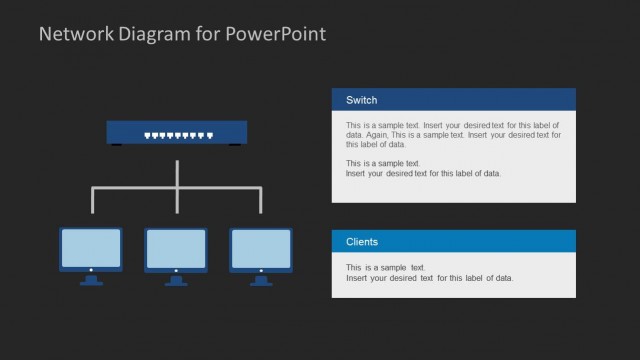
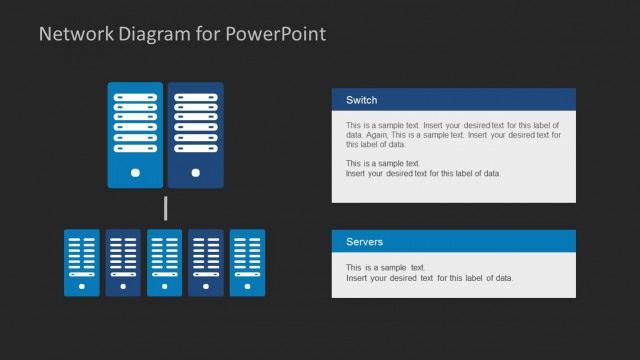
The layout features a central switch icon positioned at the top, with three client computer icons below it. The switch is a rectangular shape with ports depicted. Lines connect the switch to each client, indicating network connections. On the right side, there are two text placeholders, one labeled 'Switch' and the other 'Clients', each with a rectangular background in blue. The text placeholders are aligned vertically and contain sample text for data insertion. The background is light, enhancing the visibility of the icons and text.
How to Use It
This layout serves as a network diagram to illustrate the relationship between a switch and connected clients. It is suitable for presentations discussing network infrastructure, IT systems, or software development contexts. This slide fits well after problem-framing slides, providing a visual representation of network connectivity. It can be used to explain network setups in business meetings or educational settings, helping audiences understand system interactions clearly.
Text Placeholders & Capacity
Keep your copy within these limits so it fits without resizing. Node body slots can hold roughly 20-30 words each.
| Placeholder | Count | Max characters (approx.) |
|---|---|---|
| Item heading | 2 | 50 |
| Item body | 2 | 150 |
Slide Keywords
Download unlimited PowerPoint templates, charts and graphics for your presentations with our annual plan.
DOWNLOADReturn to Network Diagram Template for PowerPoint.