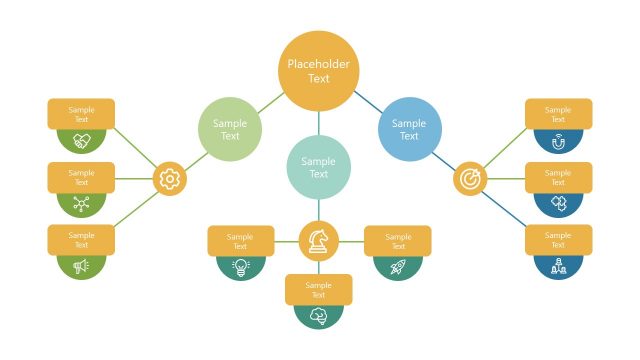
Creating mind-map presentations is now simplified with our Mind Map Template Design for PowerPoint. Mind map diagrams are crucial when you must present a complex topic or idea to make it easily understandable. This PPT template provides a fully customizable square mind map figure that is usable for many fields and applications based on the requirements. Its hierarchical organization of PowerPoint shapes can assist professionals in presenting their data in a meaningful way. Thus, whether it is a technical presentation or it is about a company, this mind map template design for PowerPoint can always work. Users can easily personalize the two background color variants of the slides.
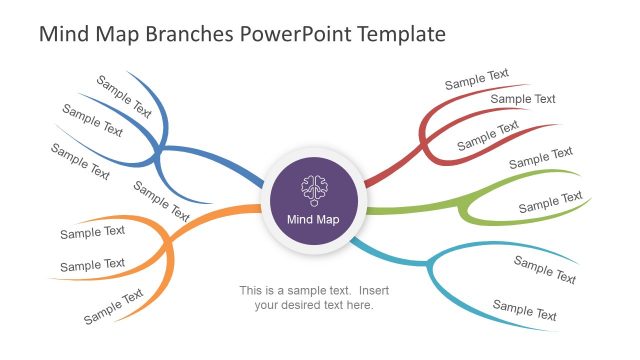
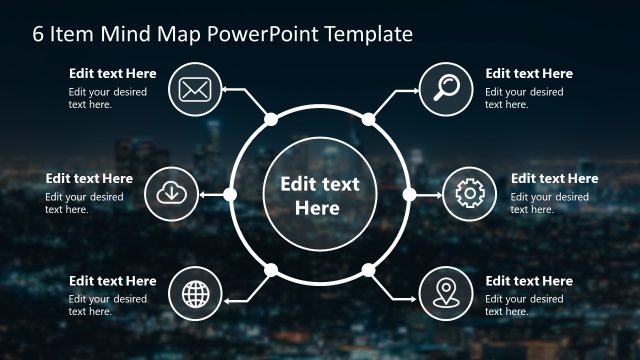
The diagram has a central circular unit with a thin boundary outlining its surface. Three horizontal lines emerge from both sides that end on small circular figures. The core unit and arrow lines have an editable text area to mention the start point and branches. The six small circular shapes are further shown to give three individual branches. Users can also add their details to each sub-branch according to the presentation topic. So, by representing the data with each segment of the diagram, presenters can organize complex entries in a well-defined frame. Also, the smooth and clear networking between the elements can help identify them separately. For instance, mentors can depict a chemical element’s bonding possibilities and combinations in a science presentation. Likewise, a real estate professional can guide clients about the available options through this Mind Map Template Design for PowerPoint.
This mind map template for PowerPoint presentations has countless applications unique to every professional. Our users can conveniently download this one-pager template and prepare presentations in a few simple steps. These slides are also compatible with Google Slides and Keynote.
What’s inside this template
Example presentation scenarios
- A teacher can introduce a scientific concept by placing the main term in the central circle and using the six branch paths for categories, relationships, or examples.
- A business strategist can organize a planning workshop by assigning each colored branch to a workstream and using the sub-branch labels for priorities or dependencies.
- A consultant can explain client options by using the central hub for the decision topic and the terminal circles for major recommendation areas.
- A student can summarize research notes by placing the thesis in the center and grouping supporting ideas across the six branches and their sub-points.
Features
- 100% editable presentation template
- Compatible with Microsoft PowerPoint and Google Slides
- 16:9 aspect ratio slides
- Scalable vector shapes, icons and illustrations
- AI-Ready for Microsoft Copilot and Claude
- Instant access and download
Frequently asked questions
Q: How should a presenter structure the message on this mind map?
A: Start with a short, audience-centered phrase in the central circle, not a full sentence. Use the six branch labels for first-level categories, then reserve the smaller side labels for examples, actions, or evidence. This keeps the map readable and helps the audience follow the hierarchy from main idea to supporting detail.
Q: Who is this template best suited for?
A: This template fits presenters who need to explain relationships within one topic rather than compare metrics or report a timeline. It works well for teachers, students, consultants, planners, and business teams because the six branches can represent themes, choices, steps, departments, causes, or learning points.
Q: Why does the hub-and-spoke design help communication?
A: The central circle creates a clear visual anchor, while the color-coded branches separate related ideas without turning the slide into a list. The repeated circular endpoints and smaller side labels create a simple hierarchy, so viewers can scan the whole structure first and then focus on each branch.


Mind Map Template Design for PowerPoint
2-slide mind map presentation template with central hub and six-branch diagram layouts.
Mind Map Template Design for PowerPoint is a 2-slide diagram template for organizing ideas around a central concept. It includes a central hub mind map, six branch paths, sub-branch text labels, and a bottom note box in light and dark variants for business, academic, and planning presentations in PowerPoint or Google Slides.
- Category
- Diagrams
- Rating


 Loading...
- Aspect ratio
- 16:9
- Item ID
- 65013-01
- Colors
 Microsoft PowerPoint
 Microsoft Copilot
 Claude for PowerPoint
Other formats supported
Subscribe today and get immediate
access to download our PowerPoint templates.