Slide 20 of 33 from Marketing Plan Presentation Template
Key Touch Points for Customer Engagement Presentation
Key Touch Points for Customer Engagement Slide
- Table
- Comparison Table
- Process Slide
- 16:9
- 100% Editable
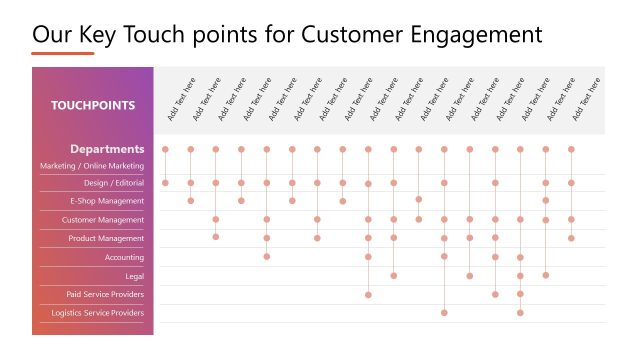
The Key Touch Points for Customer Engagement slide from the Marketing Plan Presentation Template uses a structured table layout to map departmental roles in customer interaction strategies. This slide is ideal for business presentations aiming to clarify responsibilities and align teams, featuring editable shapes and vector icons that enhance visual clarity within slide decks.
What’s on This Slide
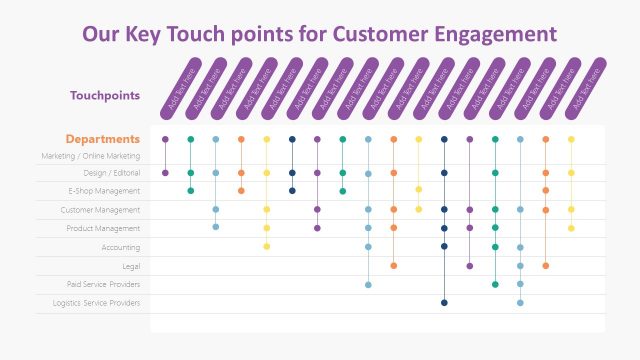
The slide features a table layout with a title at the top center. Below the title, there is a column labeled 'Departments' on the left, listing various departments. Adjacent to this column are multiple columns with placeholders labeled 'Add text.' Each row corresponds to a department, with dots connecting the department names to the text placeholders. The background is a gradient of blue, creating a visually cohesive design. The visual hierarchy emphasizes the title, followed by the department names and placeholders.
How to Use It
This layout serves as a structured table for outlining key touch points related to customer engagement across different departments. It fits well in a presentation sequence after discussing customer engagement strategies. This format is useful for marketing teams to clarify roles and responsibilities in customer interactions, ensuring all departments are aligned in their efforts to enhance customer experience.
Text Placeholders & Capacity
Keep your copy within these limits so it fits without resizing. Row labels can hold up to 30 characters each, while cells are tight with about 10 characters each.
| Placeholder | Count | Max characters (approx.) |
|---|---|---|
| Column header | 1 | 30 |
| Row label | 8 | 30 |
| Cell | 40 | 10 |
Slide Keywords
Download unlimited PowerPoint templates, charts and graphics for your presentations with our annual plan.
DOWNLOADReturn to Marketing Plan Presentation Template.