Present your loyalty program marketing strategy using the creative features of our Loyalty Program PowerPoint Template. The appealing design of our loyalty benefits slide corresponds to the attraction of a loyalty program. It is defined as a marketing tactic followed by brands to catch users’ attention and retain them. Customer retention is an absolute goat for any marketing campaign. In loyalty programs, brands introduce different offerings like vouchers, discounts, gift cards, and points. For instance, once a customer makes any purchase, they will be provided a benefit on the next order according to their loyalty policy. This way, they stay in touch with the customers and invite them for future sales.
Our loyalty program PPT template presents catchy visuals to demonstrate loyalty program concepts. Marketing and business professionals can use these slides by incorporating them into their presentations. The first slide shows the visuals of the shopping bag, coins, shopping cart, and percentage tag, along with three text boxes showing titles of Gift, Loyalty Card, and Voucher. Professionals can discuss their gift-giving policies, the benefits of loyalty cards, and voucher usage. All these facilities attract the prospects and make them regular customers. The following slides also have similar visuals and other loyalty program icons arranged on both sides.
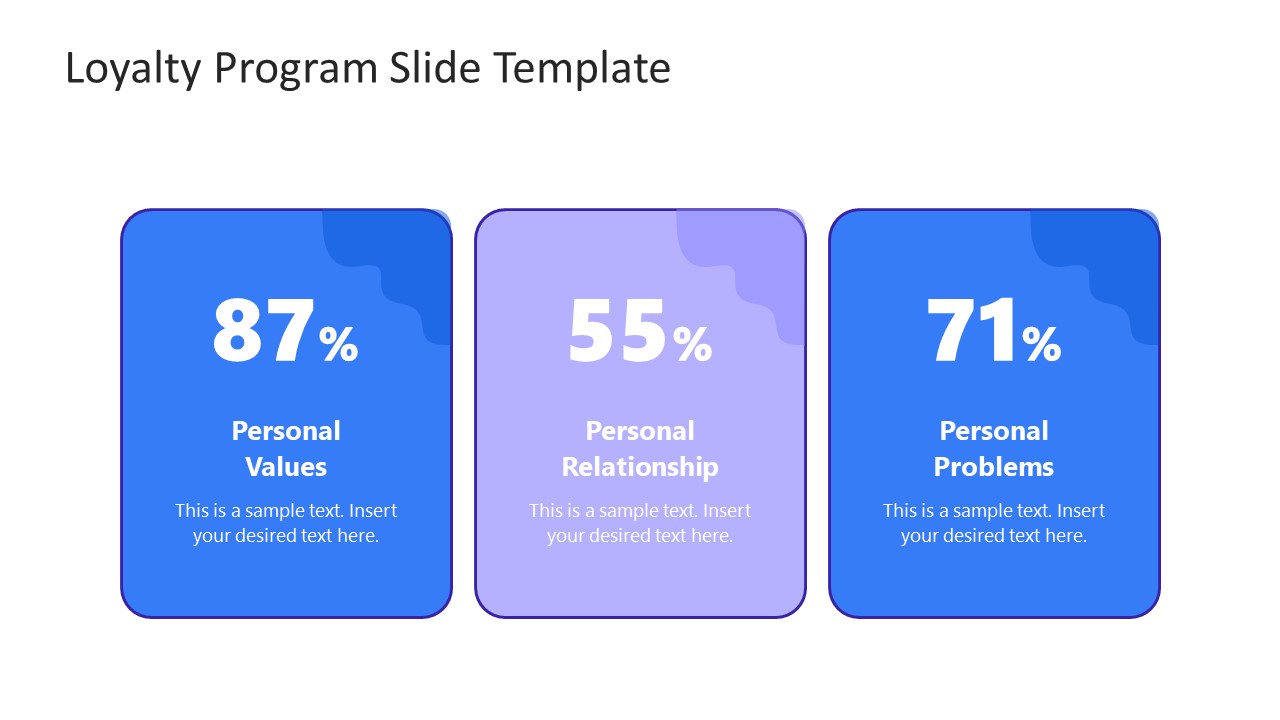
Further, a 3-item flow diagram shows the components of the loyalty program, i.e., gift, voucher, and loyalty card. The characteristics and value proposition of a brand decide the success of a loyalty program. For instance, the customers will choose to shop if the brand shares common values with them (personal values) and keep checks on their pain points (emotional problems). Similarly, customers will stay loyal if the brand maintains a cooperative relationship with them (personal relationship). To discuss the distribution of loyal customers due to any of the mentioned reasons, presenters can use our percentage chart slide. So, you can discuss how the improvement of these values can ensure an audience of loyal customers.
All the slides of this Loyalty Program PowerPoint Template are 100% editable. The last slide carries loyalty program icons that presenters can use in their professional presentations. Hence, grab this creative layout and elaborate your idea with clarity!
Alternatively, you can download other customer retention & loyalty slide templates for PowerPoint & Google Slides.
What’s inside this template
Example presentation scenarios
- A marketing manager can use the benefits list slide to explain how gifts, loyalty cards, and vouchers support a new customer retention campaign.
- A customer success leader can use the circular icon diagram to brief executives on the incentive types included in a loyalty program rollout.
- A consultant can use the 3-part loyalty flow to compare gift, loyalty card, and voucher mechanics during a retail strategy workshop.
- A business analyst can use the percentage metric cards to summarize customer loyalty drivers such as personal values, relationships, and problems.
Features
- 100% editable presentation template
- Compatible with Microsoft PowerPoint and Google Slides
- 16:9 aspect ratio slides
- Scalable vector shapes, icons and illustrations
- AI-Ready for Microsoft Copilot and Claude
- Instant access and download
Frequently asked questions
Q: How should a presenter structure a short loyalty program explanation with this template?
A: Start with the benefits list to name the main incentives, then use the circular icon slide to add context around program mechanics. Move to the 3-part flow when the audience needs a simple model of gift, loyalty card, and voucher options. Close with the percentage cards to connect the program to customer motivations.
Q: Who is this loyalty program template best suited for?
A: It fits marketing managers, retention teams, consultants, and ecommerce presenters who need to explain a customer loyalty idea without a dense report. The slides work well for internal campaign briefings, client strategy reviews, and stakeholder updates where the message centers on rewards, discounts, vouchers, and repeat purchase behavior.
Q: Why do the shopping visuals and reward icons help communicate the strategy?
A: The shopping bag, cart, coins, percentage tag, gift, voucher, and reward symbols make the loyalty concept concrete before the presenter adds policy details. The repeated icon style also creates visual continuity, so the audience can follow the same incentive categories across the list, flow diagram, and icon library.




Loyalty Program PowerPoint Template
5-slide loyalty program presentation template with reward icons, benefit cards, and customer retention metrics
The Loyalty Program PowerPoint Template is a 5-slide marketing presentation for customer retention planning. It includes a benefits list, circular icon diagram, 3-part loyalty flow, percentage metric cards, and a reusable icon set. It is designed for marketing teams and business presenters using Microsoft PowerPoint or Google Slides.
- Category
- Marketing
- Rating

 Loading...
- Aspect ratio
- 16:9
- Item ID
- 21481-01
- Colors
 Microsoft PowerPoint
 Microsoft Copilot
 Claude for PowerPoint
Other formats supported
Subscribe today and get immediate
access to download our PowerPoint templates.