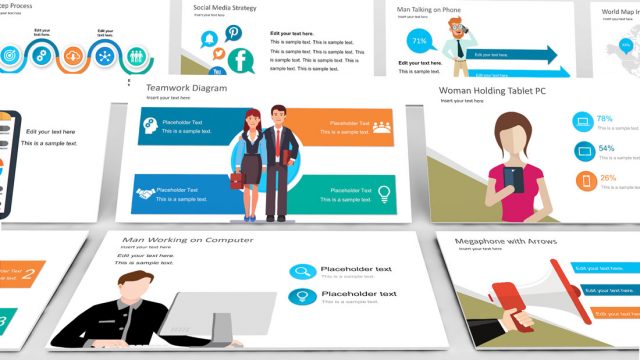
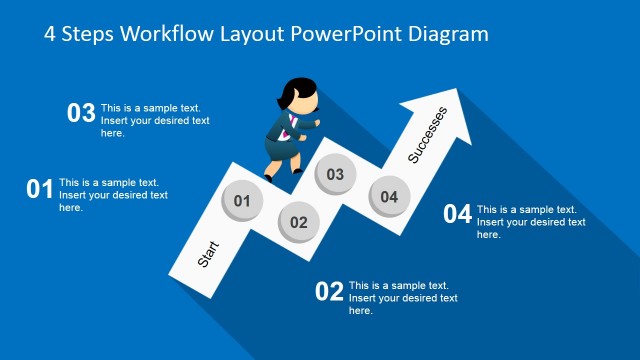
The vector designs of the Office template feature a Jane Female Cartoon with Empty Signboard for PowerPoint. The composite vectors create minimalist PowerPoint slides. Colors found on the slide are specifically designed to appeal to the viewers while maintaining an organized and professional atmosphere.
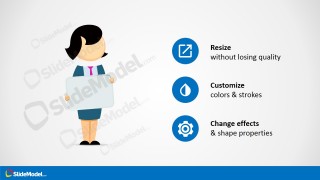
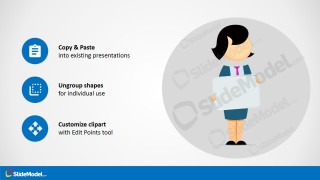
The slides contain the same vector illustration of a female office worker holding a signboard. There are three types of slides in the Office template. The first is a title slide that features the office worker at the center of the slide. It contains text placeholders for the appropriate labels. The second can be used as a section header. There are two variations of the last type of slide. The slides contains blue circular PowerPoint shapes that can be used as a creative bullet list with minimalist PowerPoint icons.
The Jane vector drawing resembles an airport personnel who is assigned to fetch an official from the airport departure area. The name of the official is written on the signboard. In this type of presentation, the basics of customer etiquette can be discussed. The presenter can include tips and notes on how to treat new clients.
Another use for the PowerPoint template is in an employee orientation. The female cartoon figure can represent a secretary or a receptionist who is conducting the company tour. The user can include a list of important information that are to be presented in the orientation. These can be presented using the circular bullet list. The initial orientation establishes the employee’s view and understanding of the company’s goals.
Suitable for creating organized office presentations and orientations, the Jane Female Cartoon with Empty Signboard for PowerPoint contains fully customizable PowerPoint objects. They can be edited to fit particular specifications for the presentation and the presenter’s preferences. The presenter can choose to download other PowerPoint templates from the Slide Model Gallery.
What’s inside this template
Example presentation scenarios
- An HR trainer can introduce a new employee orientation by placing the session name on the signboard and using the icon list to show agenda points or first-day instructions.
- A customer service manager can teach visitor greeting etiquette with the Jane character as a receptionist figure and the three-item icon list as a checklist for behavior, process, and follow-up.
- An office administrator can create a welcome slide for a facility tour by using the title cover as the opening screen and the character-and-text header for key location notes.
- An internal communications presenter can use the instruction slides to explain that the cartoon, signboard, and icons are reusable PowerPoint objects that fit into existing decks.
Features
- 100% editable presentation template
- Compatible with Microsoft PowerPoint and Google Slides
- 16:9 aspect ratio slides
- Scalable vector shapes, icons and illustrations
- AI-Ready for Microsoft Copilot and Claude
- Instant access and download
Frequently asked questions
Q: How should a presenter use the empty signboard without overcrowding the message?
A: Treat the signboard as a label, not a paragraph area. Place one short phrase there, such as a session name, role, visitor name, or topic keyword. Put supporting explanation in the side text or icon list layouts so the cartoon remains a visual anchor instead of competing with dense copy.
Q: What presentation situations fit this character signboard template best?
A: This template fits short orientation, welcome, reception, and customer etiquette messages where a human guide makes the topic easier to approach. HR teams, office administrators, and service trainers can use the Jane character to introduce rules, greetings, tour steps, or first-day reminders without building a full corporate deck.
Q: Why use a cartoon host and blue circular icons instead of plain bullet slides?
A: The cartoon host works as a greeter metaphor, which suits onboarding, visitor handling, and front desk communication. The repeated blue icon circles create predictable scan points for actions such as resize, customize, and copy. That combination makes instructional content feel organized while keeping the slide visually light.


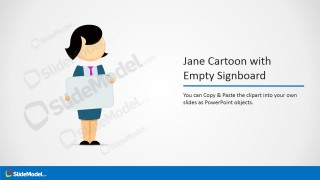
Jane Female Cartoon with Empty Signboard for PowerPoint
4-slide presentation template with Jane cartoon signboard clipart and blue icon instruction layouts
This 4-slide presentation template provides a Jane female cartoon holding an empty signboard for office, welcome, or orientation content. Visible layouts include a centered title cover, a character-and-text header, a three-icon feature list, and an instruction slide. It is built for Microsoft PowerPoint and Google Slides.
- Rating


 Loading...
- Aspect ratio
- 16:9
- Item ID
- 8136-02
- Colors
 Microsoft PowerPoint
 Microsoft Copilot
 Claude for PowerPoint
Other formats supported
Subscribe today and get immediate
access to download our PowerPoint templates.